

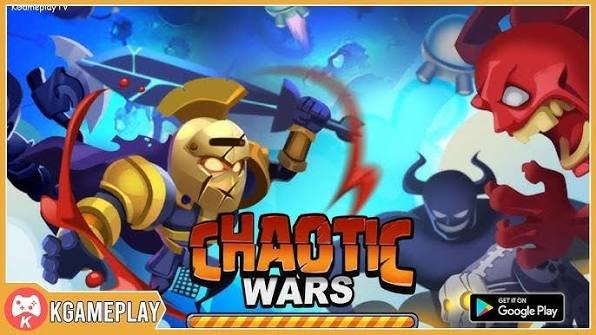
Chaotic War 3 is an idle strategy game where you build a growing team of heroes and send them into battles against waves of fantasy monsters and zombies. Instead of controlling every movement manually, your biggest decisions involve which heroes to deploy, when to activate abilities, and where to spend the coins earned after victories. I initially upgraded whichever hero was cheapest, but that quickly left the team uneven. Progress felt much smoother once I concentrated resources on a smaller group that I was actually using.
| Game Detail | Information |
|---|---|
| Game | Chaotic War 3 |
| Developer | PEGASUS |
| Genre | Idle, Strategy |
| Gameplay Style | Hero deployment, upgrades and mission progression |
| Controls | Mouse or touchscreen |
| Supported Devices | Desktop, phone and tablet |
| Browser Release | July 2025 |
| Latest Verified Update | July 2025 |
| Current Verified Rating | 4.3 |
| Current Verified Votes | 7.5K+ |
| Heroes | More than 50 |
| Missions | 150 |
| Main Elements | Fire, Ice, Thunder and Dark |
| Multiplayer | Single-player |
Building Your First Army
Chaotic War 3 begins with a relatively small selection of heroes, but the roster gradually expands as you continue through the missions.
Heroes take different roles in battle, and the game becomes much easier to manage once you stop treating every unlocked character as equally important.
I found it better to build one dependable group first.
That gives your coins and upgrades a clear purpose instead of spreading improvements across many characters who rarely enter battle.
How To Play Chaotic War 3
The controls are intentionally simple.
Controls
- Click or tap a hero icon: Deploy that hero
- Click or tap a hero: Activate available abilities
- Use upgrade menus: Improve heroes and their skills
- Collect rewards: Reinvest earned coins into the team
There is no large keyboard control scheme to learn.
This makes Chaotic War 3 particularly suitable for both desktop and touchscreen play.
Modern browser interfaces can treat mouse and touchscreen actions through a unified input system. The W3C Pointer Events specification explains how web applications can accept input from mice, touchscreens and other pointing devices through the same event model.
More Than 50 Heroes
Chaotic War 3 includes over 50 recruitable heroes.
That sounds like a reason to unlock everyone immediately, but a larger collection is not automatically a stronger active team.
Some heroes will naturally fit your current strategy better than others.
My approach is to separate heroes into two groups:
those I regularly deploy and those I am still experimenting with.
The first group gets most of my upgrade spending. The second can wait until there is a practical reason to add them to the main lineup.
This prevents progression from becoming a collection of partially upgraded characters.
150 Missions Give Progress A Clear Direction
The game contains 150 missions, giving you a long sequence of battles rather than one endless stage.
Early missions are useful for learning:
- how quickly heroes become available,
- when abilities can be activated,
- how much each upgrade changes performance,
- and which characters work well together.
Later missions put more pressure on those decisions.
I would not rush through the easier stages without paying attention. They are the best place to test heroes while mistakes are relatively inexpensive.
Fire, Ice, Thunder And Dark Abilities
Chaotic War 3 uses several elemental themes, including:
- Fire
- Ice
- Thunder
- Dark
These appear across hero abilities and give the roster more variety than simple numerical upgrades alone.
The useful part is learning what each hero actually contributes rather than choosing entirely by visual effect.
A powerful-looking ability may not necessarily fix the weakness your current team has.
I found it more practical to look at how quickly the whole group cleared a mission after an upgrade rather than judging one ability by animation alone.
Coins Should Have A Job
Victories reward you with coins.
Those coins are then used to improve your heroes and their abilities.
This creates the game’s central progression loop:
complete missions → earn coins → strengthen heroes → attempt harder missions
The mistake is assuming that every available upgrade is equally valuable.
Before spending, I ask what is currently slowing progress.
If one frequently used hero is noticeably weaker than the rest of the group, improving that character usually makes more sense than buying several small upgrades for heroes sitting outside the active lineup.
Upgrading Hero Skills
Hero progression is not limited to general character strength.
Skills can also be improved.
That gives you another decision between strengthening the hero broadly and investing in a particular ability.
Changing several things at once makes it difficult to know what actually helped.
I prefer upgrading one important hero, replaying or continuing for a few battles, and then deciding whether the team still has the same weakness.
That small pause prevents coins from disappearing into upgrades that make little practical difference.
Choosing A Balanced Team
A useful lineup does not need every hero to do the same thing.
In fact, having several characters filling similar roles can leave another part of the team underdeveloped.
The better question is whether your active heroes work together.
When one character struggles, another hero may be able to cover that weakness more effectively than simply spending more coins.
This is where Chaotic War 3 gains most of its strategy.
The clicking itself is straightforward. Building a team that continues working as missions become harder takes more thought.
When To Deploy Another Hero
Deploying every available hero immediately can feel like the obvious choice.
Sometimes it works.
Other times, waiting briefly can give you more control over how the battle develops.
I started getting better results once I watched what was happening before adding another unit.
If the current group was already handling the situation comfortably, there was no reason to treat every available deployment as urgent.
That made later decisions easier because I was responding to the battle rather than simply clicking whenever an icon appeared.
Abilities Are More Useful With Timing
Hero abilities add an active layer to what would otherwise be mostly automated combat.
The temptation is to activate them immediately.
I found that less effective than waiting for a moment when the ability would actually change something.
The same principle appears in many strategy games: a resource or ability has value not only because it exists but because of when it is used.
Chaotic War 3 keeps that idea simple enough for casual play while still rewarding attention.
Idle Progression With Active Decisions
Calling Chaotic War 3 an idle game does not mean you have nothing to do.
The heroes handle much of the repeated movement and basic battle flow automatically.
Your role sits above that layer.
You decide:
- who joins the army,
- which heroes receive upgrades,
- which skills deserve investment,
- when to deploy characters,
- and when to activate special abilities.
That makes it closer to an idle strategy game than a traditional action title.
The repetitive actions are reduced, but the progression decisions remain yours.
Mouse And Touchscreen Play
Chaotic War 3 supports desktop computers, phones and tablets.
That cross-device support works well because almost every action is based on selecting something on screen.
There are no complicated movement combinations that need to be recreated as several virtual buttons on a phone.
MDN’s explanation of the click event notes that browser elements can be activated through pointing devices and equivalent interactions, helping explain why simple click-driven interfaces can work across different hardware.
On a smaller phone screen, I would simply take more care when selecting hero abilities because several icons may sit close together.
When A Mission Suddenly Feels Difficult
A sudden difficulty increase does not necessarily mean you need a completely different strategy.
First, check your upgrades.
Then look at whether you are still using a hero simply because that character worked well several missions earlier.
My biggest improvement came from treating a difficult mission as a diagnostic test.
If the team struggled repeatedly, I changed one thing:
- one hero,
- one upgrade priority,
- or one ability timing decision.
Changing everything at once may eventually work, but it teaches you very little about why.
Do Not Upgrade Everyone Equally
With more than 50 heroes available, equal upgrading sounds organized but becomes expensive.
A character you rarely deploy does not need to receive the same resources as one that appears in nearly every mission.
I would first build a dependable core team.
Extra heroes then become useful alternatives rather than automatic spending targets.
This also makes new unlocks more interesting.
Instead of immediately replacing someone, you can compare the new hero with the role already being filled.
Recruiting New Heroes
New heroes provide one of the clearest reasons to continue through the campaign.
Each addition gives you another possible team configuration.
But unlocking someone should be the beginning of the evaluation rather than the end.
I normally test a new character for a few missions before investing heavily.
If that hero improves the team or solves a repeated problem, additional upgrades make sense.
If not, keeping the character available for another situation is better than spending simply because the hero is new.
Reading Progress Beyond One Victory
Winning a mission tells you that your current setup worked once.
It does not necessarily mean it is ready for everything ahead.
I pay more attention to how comfortable the victory was.
If the group completed the mission without much difficulty, continuing may make sense.
If it barely succeeded, spending some of the newly earned coins before moving forward can prevent the next mission from becoming an unnecessary wall.
That makes progression feel more deliberate.
The Browser Version And Older Mobile Edition
There is an important naming detail around Chaotic War 3.
The current browser edition credits PEGASUS as its developer.
An older Android release called Chaotic War 3: Legendary Army appeared under the publisher name Moon Night Game and was available several years before the current browser listing.
The browser version should therefore be described using its current PEGASUS attribution rather than automatically copying publisher information from an older mobile store listing.
For Mopoga, the most relevant current browser information is:
Developer: PEGASUS
Browser Release: July 2025
Latest Browser Update: July 2025
Who Created Chaotic War 3?
The current browser version of Chaotic War 3 is credited to PEGASUS.
The same developer is also associated with browser games such as:
- Stickman Dragon Fight
- Shark.io
- Stickman Go
- Stickman Escape
- How to Loot: Pin Pull
- Screw Jam Puzzle
Chaotic War 3 is one of the more strategy-focused titles in that catalogue.
Instead of directly controlling one character through a platforming or action stage, you manage a larger roster and gradually strengthen it across many missions.
Why The Simple Controls Work
Chaotic War 3 does not need complicated controls because difficulty comes from management rather than manual movement.
You can understand the physical interaction quickly:
click, deploy, upgrade, activate.
The harder part is deciding what deserves attention.
The latest W3C Pointer Events standard describes the browser technology that allows mouse, touch and pen input to be represented through a hardware-independent pointer model.
That technical approach suits a game where the same selection-based interface needs to work on computers and touchscreen devices.
Mistakes That Slow Progress
The first mistake is upgrading too many heroes at once.
The second is activating every ability as soon as it becomes available.
Another is refusing to change a familiar hero even when later missions expose a weakness in the lineup.
I also found that spending every coin immediately can be almost as inefficient as never spending.
The useful middle ground is keeping a clear upgrade goal.
Know which hero or skill you are improving and why.
A Practical Progression Routine
A simple routine keeps the army easier to manage.
First, finish the current mission and check the reward.
Next, identify which active hero needs the most useful improvement.
Then upgrade one or two meaningful areas rather than spreading coins everywhere.
Before the next mission, check whether a newly unlocked hero deserves testing.
During battle, use abilities when they have a clear purpose instead of simply activating everything immediately.
That routine makes the 150-mission campaign easier to understand because each decision connects to the next one.
What Makes Chaotic War 3 Different?
Chaotic War 3 combines several systems without turning the controls into a complicated strategy interface.
Its main pieces are:
- 50+ heroes,
- hero recruitment,
- skill upgrades,
- elemental abilities,
- coin-based progression,
- automatic battle movement,
- active ability timing,
- and 150 missions.
The result sits between an idle game and a traditional strategy game.
Players wanting direct control over every movement may find it too automated.
Players who prefer building a stronger roster and making upgrade decisions are more likely to appreciate the structure.
Related Game Categories
Chaotic War 3 fits naturally into:
- Strategy Games
- Idle Games
- Fantasy Games
- Hero Games
- Upgrade Games
- Tower Defense Games
- Mobile Games
- Casual Strategy Games
Its strongest identity is an idle strategy game built around hero recruitment and long-term progression.
About Chaotic War 3
Chaotic War 3 turns a large hero roster into a long progression game built around missions, upgrades and ability timing.
You can recruit more than 50 heroes, improve their skills, experiment with elemental abilities and work through 150 missions while earning coins for further progression.
The game is easy to control on both desktop and touchscreen devices, but the upgrade system gives you enough decisions to make repeated missions feel connected.
The biggest improvement in my own approach came from abandoning the idea that every unlocked hero deserved immediate investment. Building one reliable team first made it much easier to judge when a new character or upgrade actually improved the army.




Reviews
There are no reviews yet.