

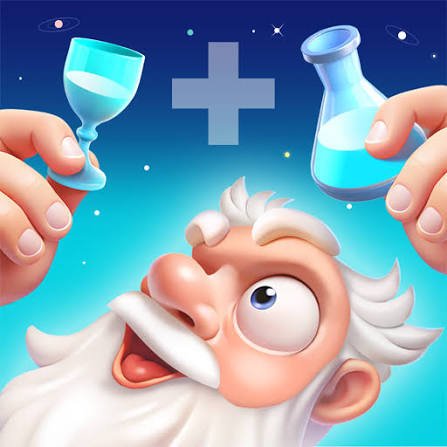
Doodle God is a puzzle and world-building game where progress comes from combining elements rather than beating enemies or racing against a timer. You begin with four basic building blocks, earth, air, fire, and water, then experiment with different pairings to create materials, living things, tools, technology, and increasingly complicated ideas.
The part I underestimated at first was how quickly random clicking stops being useful. Early combinations are easy to guess, but once the element list grows, remembering what you have already tried becomes part of the puzzle. I had better results when I thought about what two items might logically produce instead of repeatedly testing every possible pair.
| Game Detail | Information |
|---|---|
| Game | Doodle God |
| Developer | JoyBits |
| Genre | Brain / Puzzle / Simulation |
| Gameplay Style | Element combination and world building |
| Controls | Click or Tap |
| Supported Devices | Desktop, Phone and Tablet |
| Browser Release | April 2020 |
| Latest Browser Update | November 2020 |
| Current Browser Rating | 4.4 |
| Browser Votes | 97K+ |
| Multiplayer | Single-player |
The current browser edition lists JoyBits as the developer, an April 2020 release on that platform, a November 2020 update, and support for desktop, phone, and tablet.
Start With Four Elements
Doodle God begins with a deliberately tiny set of resources.
You get earth, wind or air, fire, and water, then combine them to produce something new. Those new creations become ingredients for later combinations, so the available possibilities keep expanding.
JoyBits describes the game as a progression from those starting elements toward microorganisms, animals, tools, storms, armies, and eventually a much larger universe.
That gradual expansion is what makes the game work. You are rarely given a direct recipe. Instead, you have to work out which existing ideas might reasonably connect.
How Element Combining Works
The basic interaction is simple.
Choose one element, choose another, and see whether they create something new.
Successful combinations add the resulting item to your collection. That new item can then be mixed with something else, creating a chain of increasingly complicated discoveries.
JoyBits says the broader versions of Doodle God contain 300+ items and concepts, although the exact amount can vary between editions and game modes.
The simplicity is slightly deceptive. With only a few elements, guessing is manageable. Once dozens have appeared, the puzzle becomes much more about reasoning and memory.
Controls
Doodle God is controlled almost entirely through selecting objects on the screen.
- Desktop: Click elements with the mouse
- Phone: Tap elements
- Tablet: Tap elements
The browser version supports all three device types.
Because there are no movement keys or fast reactions to manage, I find the interface especially comfortable on a touchscreen. A mouse is still useful when the element lists become crowded and I want more precise selection.
The MDN Pointer Events documentation explains how browsers can handle mouse, touch, and pen input through a common interaction model.
Why Random Combining Eventually Stops Working
At the beginning, almost any sensible experiment feels worth trying.
Later, that approach becomes inefficient because the number of possible pairings grows quickly.
The mistake I made was repeatedly combining familiar items simply because I remembered where they were. That created a lot of duplicate attempts.
A more useful approach is to ask what category an element belongs to. If you have created a living organism, for example, think about what environment, material, or concept could logically interact with it.
Doodle God rewards that kind of association more than raw speed.
Your World Changes As You Progress
The game is not only a list of element names.
Modern versions include a visual planet that changes as more concepts are created. Google Play describes this as Planet Mode, where newly created elements help the world develop visually.
I like this because otherwise an element-combination game can start feeling like a spreadsheet of recipes. Seeing the world become more developed gives the combinations a clearer sense of consequence.
It also makes progression easier to notice without constantly checking how many individual elements you have unlocked.
Hints Are Best Saved For Real Dead Ends
Doodle God includes systems designed to help when you become stuck.
I would avoid using help immediately after one or two failed combinations. The most satisfying moments usually come from making a connection yourself.
Where hints become useful is after you have spent several minutes cycling through the same ideas without producing anything new.
That prevents the game from turning into pure trial and error while still leaving enough room for the puzzle to work.
Quotes After New Creations
One unusual part of Doodle God is the use of quotations and sayings after successful discoveries.
JoyBits says the game includes hundreds of humorous or thought-provoking quotes connected to new creations.
They do not change the mechanics, but they break up what could otherwise become a repetitive sequence of menus and combinations.
I found myself paying more attention to these after difficult discoveries because they give the success a small sense of ceremony rather than immediately sending you back to the element list.
Puzzle, Mission And Quest Content
Doodle God eventually expanded beyond its original element-combination structure.
Current JoyBits descriptions mention Puzzle, Quest, Mission, and Artifacts modes in different editions. These add more focused objectives, such as constructing particular inventions or solving themed scenarios.
This is useful if the open-ended combination system starts feeling too broad.
Instead of asking, “What can these two elements create?” a mission can give you a clearer endpoint to work toward.
I would still spend some time with the standard creation loop first because understanding how elements relate makes the structured modes easier later.
Artifacts Add Another Type Of Combination
Some versions include collectible artifacts that require more specialized reactions.
JoyBits specifically identifies an Artifacts Mode, with ancient objects such as Stonehenge given as examples.
This adds another reason to revisit elements you may already think you understand.
A combination that seems finished in the standard progression can still matter later when an artifact requires a different sequence or set of ingredients.
Who Created Doodle God?
Doodle God was created by JoyBits Ltd.
JoyBits remains both developer and publisher on the current Steam edition, while its official site continues to maintain the Doodle God franchise.
The developer has also created related games including Doodle Devil, Doodle Creatures, Doodle Kingdom, and Doodle Tanks.
That larger series matters because several similarly named versions exist. Doodle God, Doodle God Blitz, Doodle God Universe, and the 8-bit editions should not automatically be treated as identical releases.
Doodle God Release History
Doodle God is considerably older than its current browser listing might suggest.
The original game dates back to 2010, while later versions were released on numerous platforms. The current Steam edition launched on September 24, 2015.
The browser edition currently listed by Poki arrived there in April 2020 and was last updated in November 2020.
That distinction is important. April 2020 is the release date for that browser edition, not the beginning of the Doodle God franchise.
Apple’s current listing also retains a copyright history beginning in 2010, which supports the game’s much earlier origins.
Desktop, Mobile And Tablet Support
The browser edition currently supports desktop, phone, and tablet.
That suits Doodle God particularly well because the game does not depend on a physical keyboard.
The Android edition is also still actively listed by JoyBits, while Apple’s current version supports iPhone and iPad.
I would choose a larger screen if you expect to play for a long session because the growing collection of elements becomes easier to scan. For short combinations, a phone works comfortably.
A Better Way To Solve Difficult Combinations
When progress slows, I use three questions before trying another random pair:
- What does this element represent?
- What would normally interact with it?
- Have I created a newer element that belongs to the same idea?
This does not guarantee the answer, but it cuts down on meaningless combinations.
Another useful habit is remembering recent discoveries. Newly unlocked elements are often worth testing because they may open an entire branch of later combinations.
The game becomes much more manageable once you stop treating every element as equally likely.
What Makes Doodle God Different?
Doodle God is built around association rather than reflexes.
There are no difficult jumps, racing lines, or complicated combat systems. The challenge comes from understanding how ideas might connect.
Its main features include:
- four starting elements
- element mixing
- hundreds of possible creations in expanded editions
- world development
- hints
- quotes and sayings
- puzzle and mission content
- quests
- collectible artifacts
- single-player progression
Steam currently categorizes the game around puzzle, casual, simulation, crafting, sandbox, and world-building ideas.
That makes it a better choice for players who enjoy experimentation and problem solving than for someone looking for fast action.
Related Games On Mopoga
Doodle God fits naturally with Mopoga’s growing collection of puzzle and logic-based browser games.
Games such as Gem 11, Impossible 13, and 1010 Color Match share the same broader idea of making progress by thinking through combinations, patterns, or placement rather than relying on fast movement.
I have not inserted guessed Mopoga product URLs because the XML sitemap currently returns a format that the web fetcher cannot parse reliably. The correct Mopoga sitemaps remain:
https://imopoga.com/product-sitemap.xmlhttps://imopoga.com/product_cat-sitemap.xml
Once an exact live product URL is verifiable from those listings, it is better to link that canonical page than construct a URL manually.
Is Doodle God Still Worth Playing?
The main question is whether you enjoy experimentation.
If you want constant action, Doodle God can feel slow because much of the play happens inside menus and element lists.
If you enjoy making connections and getting a small reward every time an idea works, the format has aged much better.
I also think it works best in shorter sessions. After too long, I start repeating combinations I already tested. Coming back later often makes an obvious connection easier to notice.
About Doodle God
Doodle God takes an extremely simple idea and stretches it surprisingly far.
Start with four elements, combine them, use each result to create something more complicated, and gradually turn an almost empty world into one filled with life, technology, structures, and ideas.
The controls require almost no learning. The real difficulty comes from understanding which combinations still make sense once your collection becomes large.


Reviews
There are no reviews yet.