

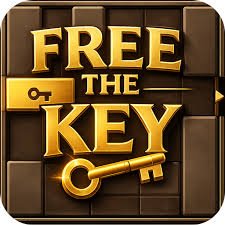
Free The Key is a sliding-block logic game where you rearrange wooden pieces until the golden key has a clear route to the exit. Horizontal blocks can only move sideways, while vertical blocks are restricted to up-and-down movement, so every piece can become either part of the solution or the thing preventing it. My first mistake was moving whichever block was directly in front of the key. That often created another blockage immediately. Working backward from the exit made difficult boards much easier to understand.
| Game Detail | Information |
|---|---|
| Game | Free The Key |
| Developer | Alex Harrison |
| Genre | Puzzle, Logic |
| Gameplay Style | Sliding blocks and route planning |
| Controls | Mouse or touchscreen drag |
| Supported Devices | Desktop, phone and tablet |
| Earliest Verified Browser Release | March 1, 2017 |
| Current Platform Release | October 2019 |
| Latest Verified Platform Update | June 2022 |
| Current Verified Rating | 4.2 |
| Current Verified Votes | 338K+ |
| Levels | 40 |
| Multiplayer | Single-player |
| Main Objective | Clear a path and move the key to the exit |
Clear A Route For The Key
Every level places the key inside a compact grid filled with wooden blocks.
Your goal is not to remove those blocks from the board.
Instead, you slide them into better positions until enough space opens for the key to reach its destination.
That distinction matters because every move changes the available space.
A block that looks completely useless at the beginning may need to move into a very specific location several turns later.
The puzzle is therefore less about finding one open gap and more about organizing the entire board.
How To Play Free The Key
The control system is straightforward.
Controls
- Mouse: Click and drag a movable block
- Touchscreen: Press and drag a block
- Horizontal blocks: Move left or right
- Vertical blocks: Move up or down
- Key: Move toward the exit once enough space is available
You cannot freely drag every block in any direction.
Its orientation determines how it can move.
That restriction is what creates most of the puzzle.
Modern browser interfaces can support this kind of dragging through pointer input. The W3C Pointer Events specification explains how web applications can handle mouse, pen and touchscreen interaction through a common input model.
40 Levels To Solve
The original browser release contains 40 puzzle levels.
The earliest stages are relatively open and teach the directional rules.
Later puzzles introduce:
- tighter spaces,
- more interfering blocks,
- longer movement sequences,
- less obvious routes,
- and situations where one piece must be moved several times.
The rules do not suddenly become more complicated.
Instead, the board layouts demand better planning.
I prefer this style of progression because a difficult level still feels understandable. You already know what every piece can do. The challenge is discovering the correct order.
Horizontal And Vertical Blocks
The orientation rule is the foundation of Free The Key.
A horizontal piece can move only:
left ↔ right
A vertical piece can move only:
up ↕ down
This means a block may appear to have plenty of empty space around it while still being unable to move where you want.
I repeatedly made that mistake when looking at crowded boards.
Instead of asking where a block could theoretically fit, check whether its orientation actually allows it to travel there.
That saves a surprising number of unnecessary moves.
Work Backward From The Exit
The most useful technique I found is starting with the exit instead of the key.
Ask:
What is directly blocking the key’s final route?
Then ask:
Where does that block need to move?
After that:
What is stopping that move?
This creates a chain of smaller problems.
For example:
- Block A prevents the key from leaving.
- Block A needs to move downward.
- Block B occupies the space below it.
- Block B needs to move sideways.
- Block C prevents Block B from moving.
Now you know where the solution really begins.
This is much more reliable than moving pieces randomly.
The First Blocking Piece Is Not Always The First Move
One of Free The Key’s best tricks is making the obvious move unavailable.
You may immediately identify the block in front of the key, but moving it can require three or four other pieces to be repositioned first.
That makes the game a sequencing puzzle.
The question is not only:
Which block must move?
It is:
In what order can all the required blocks move?
That is the point where Free The Key becomes more interesting than a simple drag-and-drop game.
Empty Space Is Valuable
An empty square is not wasted space.
It is what allows another block to move.
I started thinking of gaps almost like temporary resources.
If one opening can be used to reposition two different blocks, filling it too early may prevent the second movement entirely.
Before sliding a piece into an open area, I check whether another block may need that same space later.
This becomes especially important in tightly packed levels.
Avoid Random Sliding
Random movement can sometimes accidentally solve an early puzzle.
It becomes increasingly unreliable later.
The problem is that every unnecessary movement changes several future possibilities.
A better routine is:
- Identify the exit route.
- Find the block currently preventing it.
- Determine where that block must go.
- Find what prevents that movement.
- Continue backward until you find a move that is currently possible.
- Execute the sequence forward.
That gives every move a reason.
Try To Reduce Unnecessary Moves
Free The Key can be completed by finding a valid solution, but another useful challenge is solving a board with fewer movements.
This changes how you evaluate a solution.
Moving one block back and forth several times may eventually work, but there may be a cleaner sequence.
I like replaying a solved level and asking whether one earlier move could have been avoided.
That gives completed puzzles some replay value without changing their layout.
Why Resetting Helps
If the board becomes confusing, restarting is often better than continuing to rearrange pieces without a plan.
A reset gives you the original layout again.
This is useful because a failed attempt may have taught you something important.
Perhaps:
- one block was moved too early,
- an empty space needed to stay open,
- the key route was approached from the wrong side,
- or two moves needed to happen in the opposite order.
When restarting, I change only the earliest decision I think caused the problem.
That makes each retry useful.
Look For Blocks With Very Limited Movement
Some pieces have only one or two realistic positions.
These are useful clues.
A block trapped between a wall and another piece may have very few possible movements.
If the solution clearly requires it to change position, then you already know which surrounding space must eventually become available.
I usually inspect the most restricted blocks before the ones sitting in large open areas.
Pieces with fewer options often reveal more about the intended sequence.
Do Not Rush The Key
Seeing an almost-clear path can make moving the key immediately feel correct.
Sometimes it is better to finish repositioning another block first.
Once the key moves, it occupies different grid space and may affect what other pieces can do.
I prefer treating the key like any other important puzzle piece rather than assuming it should move at the first possible opportunity.
The goal is reaching the exit, not moving the key as often as possible.
Read The Whole Board Before Starting
Free The Key does not depend on reaction speed.
You have time to inspect the layout.
Use it.
Before touching anything, I look for:
- the key,
- the exit,
- the direct route between them,
- blocks occupying that route,
- nearby empty spaces,
- and pieces that can move only a very short distance.
That first scan often reveals more than several random moves would.
Why Spatial Reasoning Matters
Free The Key is fundamentally a spatial-planning puzzle.
You need to imagine how the board will look after one or more pieces change position.
That involves thinking about:
- orientation,
- available space,
- movement order,
- and future accessibility.
Spatial reasoning appears in many real-world academic fields, although Free The Key uses it purely as entertainment.
For broader educational material on geometry and spatial relationships, Khan Academy’s geometry resources cover shapes, position and related mathematical concepts in a structured learning environment.
Mouse And Touchscreen Play
The current browser edition supports:
- desktop,
- phone,
- tablet.
That works well because dragging is the game’s main interaction.
On desktop, the mouse pointer makes individual blocks easy to select.
On touchscreen devices, dragging directly with a finger feels natural, although small pieces can be slightly harder to see while your finger is covering them.
The MDN Pointer Events guide explains how modern websites can process mouse and touchscreen actions using related web APIs.
Original Release And Later Platform Date
Free The Key has two important browser dates.
The earliest verified listing I found dates the original game to:
March 1, 2017
That version identifies Alex Harrison and documents 40 levels.
A later current browser platform lists:
Platform Release: October 2019
Latest Platform Update: June 2022
These dates are not contradictory.
The 2019 date refers to the later platform edition rather than the game’s first known browser appearance.
For a detailed Mopoga page, keeping both dates makes the release history much clearer.
Who Created Free The Key?
Free The Key was created by Alex Harrison.
Older release records also use the developer handle alex_h00, which corresponds to the same original browser release.
That older version confirms the sliding-block design, 40-level structure and March 2017 release.
I would keep Alex Harrison as the main developer name because that is the clearest current attribution.
Progress Saving In The Original Version
The original developer explained that progress used HTML5 local storage.
Local storage allows a website to keep small pieces of data inside the browser.
MDN’s Web Storage API documentation explains how localStorage can persist data across browser sessions.
This also explains why clearing browser storage can sometimes remove saved progress in older browser games.
The exact save behavior may vary depending on which current host is running the game.
Why There Is No Need To Rush
Free The Key is much closer to a logic exercise than a reaction challenge.
Taking several seconds to inspect the board is usually useful.
My weakest attempts happened when I moved a block simply because I saw somewhere it could go.
My stronger attempts started with:
Why should this block move?
If I could not answer that question, I usually waited.
That one habit reduced unnecessary movements considerably.
Common Free The Key Mistakes
The first mistake is moving the block directly in front of the key without checking what comes next.
Another is forgetting that horizontal and vertical pieces have fixed movement directions.
I also found that filling every empty space quickly made later movements difficult.
A fourth mistake is continuing after the board becomes disorganized instead of resetting and testing a cleaner sequence.
Finally, do not judge a move only by whether it creates immediate space.
Check whether it also removes space another block will need later.
A Better Puzzle Routine
My preferred approach looks like this:
- Find the exit.
- Trace a route backward toward the key.
- Identify the first blocking piece.
- Determine where that piece must move.
- Identify what blocks that movement.
- Repeat until you find a currently movable piece.
- Start following the sequence.
- Recheck the board after every major movement.
- Reset if your original assumption proves wrong.
This turns a crowded grid into a chain of smaller logic problems.
Free The Key Versus A Normal Maze
A maze usually asks you to choose the correct route through fixed walls.
Free The Key changes the walls themselves.
The route may not exist when the level begins.
You create it by rearranging the pieces.
That makes the game closer to a sliding-block puzzle than a conventional maze.
Your task is not finding an open path.
It is building one.
What Makes Free The Key Different?
Free The Key combines:
- 40 levels,
- directional wooden blocks,
- a movable golden key,
- limited grid space,
- route planning,
- sequence solving,
- reset-based experimentation,
- and mouse or touchscreen controls.
The rules take only a few moments to understand.
Later levels become difficult because each correct move depends on several others happening in the proper order.
That balance makes it a strong fit for players who prefer thinking through a puzzle rather than reacting quickly.
Related Game Categories
Free The Key fits naturally into:
- Puzzle Games
- Logic Games
- Brain Games
- Block Games
- Sliding Puzzle Games
- Classic Games
- Mouse Games
- Mobile Games
Its strongest identity is a sliding-block logic game where you rearrange a crowded grid until the key has a clear route to the exit.
About Free The Key
Free The Key turns a small wooden grid into a sequence-planning puzzle.
You slide horizontal and vertical blocks according to their allowed directions, create temporary spaces, reorganize the board and eventually free a route for the golden key.
The original version contains 40 levels, while later browser hosting has made the game available across desktop, phone and tablet.
The biggest improvement in my own approach came from working backward. Once I stopped moving the obvious blocking piece first and instead traced what had to happen before that move became possible, difficult layouts became much easier to understand.


Reviews
There are no reviews yet.