

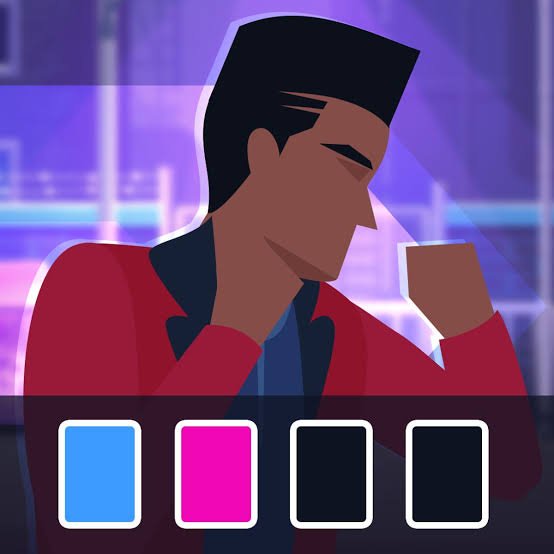
Typing Fighter is an educational typing game from MarketJS that turns keyboard practice into a street-style fighting game. Instead of using traditional attack buttons, you type the words and sentences shown on the screen. Correct and accurate typing powers your character’s moves, while mistakes slow down your progress.
The part I found most useful is that the game gives typing practice an immediate result. A normal typing drill can feel repetitive, but here every completed phrase moves the fight forward. At the same time, rushing too much creates errors, so accuracy matters just as much as speed.
| Game Detail | Information |
|---|---|
| Game | Typing Fighter |
| Developer | MarketJS |
| Genre | Educational, Typing |
| Gameplay Style | Typing practice, phrase completion, fighting presentation |
| Controls | Physical keyboard or touch keyboard |
| Supported Devices | Desktop, Phone, Tablet |
| Browser Release | April 2021 |
| Latest Verified Update | April 2022 |
| Current Rating | 4.3 |
| Current Votes | 51K+ |
| Motivational Phrases | 200+ |
| Multiplayer | Single-player |
The current browser listing identifies MarketJS as the developer, gives April 2021 as the release date, and lists April 2022 as the latest update.
How Typing Fighter Works
Typing Fighter replaces normal fighting-game button combinations with text.
A phrase appears on the screen.
You type it correctly.
As the sentence is completed, your character performs the corresponding game action and continues the battle.
MarketJS describes the game around three main ideas: typing quickly, typing accurately, and charging stronger in-game moves through successful input. Its official product page also confirms that the game includes more than 200 motivational quotes and phrases.
That gives each level two goals.
You want to progress through the opponent, but you are also trying to type cleanly enough that the game keeps moving without unnecessary corrections.
Typing Fighter Controls
There are no traditional movement controls to memorize.
The main instruction is:
Type the sentence shown on the screen using your keyboard.
On phones and tablets, the game can use the device’s touch keyboard.
The current browser version supports:
- Desktop
- Phone
- Tablet
That support is confirmed by the current game listing.
The MDN KeyboardEvent documentation explains how browsers detect individual keyboard interactions such as key presses and releases.
For a typing game, however, the actual text produced matters more than simply knowing which physical key was pressed.
Accuracy Matters More Than Random Speed
Typing Fighter encourages fast input, but hitting keys quickly does not help when several of them are wrong.
I found it better to slow down slightly and complete a phrase correctly than rush the beginning and spend extra time fixing mistakes.
That follows a useful principle from normal typing practice too.
Typing.com’s current guidance says beginners should prioritize accuracy before speed because correcting mistakes can remove the time gained from typing faster.
Inside Typing Fighter, that principle feels especially clear because accurate phrases keep the action moving.
Read The Whole Phrase Before Starting
One mistake is immediately typing after seeing only the first word.
That can work on a short sentence.
Longer phrases become harder because punctuation, unusual words, or capitalization may appear later.
I found it useful to scan the sentence quickly first.
You do not need to memorize everything.
Just notice:
- How long it is
- Whether punctuation appears
- Whether there are unfamiliar words
- Where natural pauses occur
That small preview makes the actual typing feel less surprising.
Do Not Look At Your Hands Too Often
If you already know roughly where the keys are, repeatedly looking down can interrupt your rhythm.
You read part of the phrase.
Look at the keyboard.
Type.
Look back at the screen.
Then search for your position again.
That constant switching makes long sentences harder.
A better goal is gradually keeping your attention on the text for longer periods.
You do not need perfect touch typing immediately.
Even reducing the number of times you look away can make the experience smoother.
Longer Phrases Test More Than Speed
Short words mainly test recognition and quick finger movement.
Long sentences add another challenge: maintaining accuracy across several words without losing your position.
This is where Typing Fighter becomes more useful than simply typing isolated words.
MarketJS specifically designed the game around motivational phrases and sentences rather than only individual letters.
That means punctuation, spacing, and continuous typing become part of the practice.
Stronger Moves Come From Better Typing
Typing Fighter visually rewards good input.
Fast and accurate typing charges stronger in-game moves.
MarketJS describes this directly on the official game page, saying players can charge their typing and trigger more powerful actions.
The useful part is that the game does not separate practice from reward.
The better you type, the more successful the on-screen action feels.
That gives accuracy an immediate purpose.
More Than 200 Motivational Phrases
The game contains over 200 motivational quotes and phrases according to MarketJS.
That helps reduce repetition.
If every round used the same few sentences, you would eventually start typing from memory rather than reading properly.
A larger phrase pool keeps attention on the actual text.
It also exposes you to different word lengths and sentence structures.
Typing Speed Is Usually Measured In WPM
Typing games often make people think about words per minute, usually shortened to WPM.
Typing.com’s explanation defines WPM using a standard five-keystroke word measurement and calculates it from characters typed over time.
Typing Fighter does not need to function like a formal typing test to help you notice improvement.
You can still observe whether:
- Phrases feel easier
- Mistakes happen less often
- Long sentences take less time
- You look at the keyboard less
Those changes can be more useful during casual play than chasing one number.
Mistakes Are Useful Feedback
An error tells you something.
If you repeatedly mistype the same letter pair, the problem may be finger positioning.
If punctuation slows you down, you may need more familiarity with those keys.
If long words cause trouble, you may be reading too small a section of the phrase at a time.
Instead of simply getting annoyed by a mistake, notice the pattern.
That gives the next round a specific thing to improve.
Physical Keyboard Vs Touch Keyboard
The game supports both physical and touch keyboards, but the experience feels different.
A physical keyboard gives each key a fixed position.
A touchscreen keyboard changes the feel because there is no physical key travel.
The MDN guide to keyboard input also notes that not all text entry methods behave exactly like physical keyboard events.
For serious typing practice, I would prefer a physical keyboard.
For casual play, the touch version is still convenient.
Desktop Is The Best Fit For Traditional Typing Practice
Although Typing Fighter supports several device types, desktop is the most natural option if your goal is improving standard keyboard typing.
You have:
- A full physical keyboard
- Clear screen space
- Familiar key spacing
- Easier access to punctuation
That does not make mobile play wrong.
It simply means the skill transfers more directly to everyday computer typing when you practise on a physical keyboard.
Mobile Play Is More About Quick Input
Phones and tablets use the device’s own touch keyboard.
That changes the skill slightly.
Instead of building familiarity with a desktop keyboard layout, you are practising fast text entry on a touchscreen.
For players who mostly type on mobile devices anyway, that can still be useful.
The current browser listing explicitly supports phone and tablet play.
Short Practice Sessions Work Better Than Exhaustion
Typing Fighter is easy to keep playing because each phrase feeds directly into the game.
That can tempt you into long sessions.
For actual keyboard improvement, shorter focused sessions can be more useful.
Typing.com’s current guidance recommends regular short practice instead of very long sessions where attention and technique begin dropping.
I would rather play several accurate rounds than continue until my typing becomes sloppy.
Try To Improve One Thing At A Time
Do not try to become faster, more accurate, and completely touch-type all in one session.
Pick one goal.
For example:
Round one: reduce mistakes.
Round two: stop looking at the keyboard as often.
Round three: keep a smoother rhythm through longer phrases.
That makes improvement easier to notice.
If you change everything at once, it is harder to tell what actually helped.
Typing Fighter Is Not A Formal Typing Test
The game can help you practise, but it is still designed primarily as entertainment.
A formal typing test normally gives you standardized measures such as WPM and accuracy.
Typing Fighter wraps text entry inside a game structure.
That is useful for motivation, but I would not use one successful level as proof of a specific typing speed.
For measuring WPM directly, a dedicated typing test is more suitable.
For making repeated practice less boring, Typing Fighter has the advantage.
Who Created Typing Fighter?
Typing Fighter was created by MarketJS.
This attribution is confirmed directly by MarketJS’s official HTML5 game catalogue.
MarketJS also categorizes Typing Fighter as:
- Typing
- Educational
- Fighting
- Word
- Language learning
- Single-player
Its official metadata lists the title as a responsive HTML5 game, which helps explain why it can run across different screen sizes.
Other Games From MarketJS
MarketJS has produced a large catalogue of browser games.
Titles currently associated with the same developer include:
- Ludo Hero
- Power Badminton
- Idle Mining Empire
- Ping Pong
- Hangman
- Casual Chess
- Rally Champion
- Idle Startup Tycoon
- Super Girl Story
The current Typing Fighter listing identifies these among MarketJS’s other games.
Typing Fighter Release And Update History
The current verified platform timeline is:
Release: April 2021
Latest listed update: April 2022
Both dates are provided by the current browser listing.
Another browser platform added its copy later, in March 2022, which is why different websites may show different publication dates.
For game-history purposes, April 2021 is the stronger current platform release date.
Current Typing Fighter Rating
The current browser listing shows approximately:
4.3 from more than 51,000 votes.
This is a changing platform statistic.
As more players vote, both the rating and vote count can move.
It should therefore be treated as a current snapshot rather than a permanent part of the game.
Is Typing Fighter Multiplayer?
Typing Fighter is a single-player game.
MarketJS’s official metadata explicitly classifies it as single-player.
You progress through typing challenges and computer-controlled opponents rather than entering a live online typing match against another connected player.
That makes the game easy to start without matchmaking or account setup.
Common Typing Fighter Mistakes
The first mistake is chasing speed before accuracy.
The second is starting a sentence without looking at its length or punctuation.
Another mistake is repeatedly looking down at the keyboard after every few letters.
It is also easy to panic after one typo and then make several more.
When you make a mistake, correct your rhythm and continue.
One error does not need to ruin the rest of the phrase.
A Better Way To Improve
I would start by typing at a comfortable pace.
Aim for clean sentences.
Once your accuracy becomes consistent, increase speed gradually.
Then pay attention to which characters still slow you down.
This order is much more useful than trying to type at maximum speed immediately.
Accuracy builds consistency.
Consistency eventually builds speed.
Related Categories
Typing Fighter fits naturally into:
- Typing Games
- Educational Games
- Word Games
- Skill Games
- Fighting-Themed Games
- Language Games
- Single-Player Games
Its current primary classification is Educational Games, while MarketJS also categorizes it under typing, language learning, word, and fighting themes.
What Makes Typing Fighter Different?
Typing Fighter takes something that normally feels like practice and gives it visual feedback.
You do not simply type a sentence and receive a score.
The phrase powers the action happening on screen.
That small change makes repeated typing feel less like a worksheet.
The useful lesson is also clear.
Fast typing helps.
Accurate typing helps more.
Once those two begin working together, both the game and the typing itself feel much smoother.

Reviews
There are no reviews yet.