


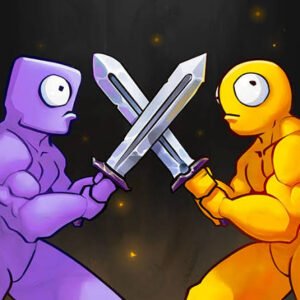
Stick Rush is a stickman action game from EasyCats where you protect an arena against repeated waves of computer-controlled enemies, collect gold, improve your defenses, unlock additional rooms, and strengthen your character as each round becomes harder.
What I found most useful was treating each wave as one step in a longer progression loop. Clearing enemies gives you gold, and that gold feeds back into upgrades and new areas. The game feels less confusing once you stop thinking about each wave separately and start planning around the next few rounds.
| Game Detail | Information |
|---|---|
| Game | Stick Rush |
| Developer | EasyCats |
| Genre | Action, Stickman, Survival |
| Gameplay | Wave defense, upgrades, rooms, local co-op |
| Controls | WASD, Arrow Keys, mouse drag, F, Spacebar |
| Supported Devices | Desktop, Phone, Tablet |
| Release | November 2024 |
| Latest Verified Update | January 2026 |
| Current Rating | 4.3 |
| Current Votes | 141K+ |
| Modes | Single-player, Local Two-Player |
| Multiplayer | Local co-op on the same computer |
Poki identifies EasyCats as the developer and describes Stick Rush as a wave-based stickman game where collected gold is used to improve abilities, unlock rooms, and strengthen defenses.
How Stick Rush Works
The game is built around repeated waves.
You enter an arena.
A group of computer-controlled enemies appears.
After clearing the wave, you receive resources that can support later progression.
The basic loop is:
clear wave → collect gold → improve setup → unlock more areas → start next wave
Each successful round brings you closer to additional upgrades and more difficult stages.
Stick Rush Controls
The current Poki controls are:
- WASD: Move
- Arrow Keys: Move
- Mouse click and drag: Alternative movement
- F: Start the next wave
- Spacebar: Equip the currently available in-game item
Poki lists these controls directly on its current game page.
These controls apply only to the fictional arcade game.
Start By Learning Movement
Stick Rush gives you several ways to move.
You can use WASD.
You can use the Arrow Keys.
You can also click and drag with the mouse.
I would pick one control style first and stay with it for a few waves.
Switching constantly between keyboard and mouse can make movement feel less predictable.
Waves Control The Pace
You do not face the entire game at once.
Enemies arrive in waves.
That creates a useful rhythm:
play → finish round → prepare → continue
The game even gives you a dedicated F key to begin the next wave manually.
This means you can take a moment between rounds to understand what changed before continuing.
Gold Drives Progression
Gold is one of the main resources.
Poki says it is collected from defeated enemies and used for progression.
That makes each completed wave useful even beyond simply surviving it.
The resources you earn can make future rounds easier to manage.
Upgrade Skills Over Time
Stick Rush includes skill improvements.
These upgrades help your character become stronger as later waves become more demanding.
I found it easier to think of upgrades as long-term progress rather than something that has to be changed every few seconds.
Rooms Can Be Unlocked
Poki also confirms that gold can be used to unlock additional rooms across different levels.
This means progression is not only about increasing character strength.
The arena itself also opens up as you continue.
That gives the game a light base-building feel.
Defenses Are Part Of The Progression
Defensive upgrades are another confirmed part of the game.
As more rooms and waves appear, these systems become increasingly important.
The broader idea is simple:
progress in one area helps prepare you for the next.
Do Not Start The Next Wave Immediately
Because F manually starts the next wave, you do not need to rush into it.
Use the short break to check:
- Available gold
- Current upgrades
- Newly opened rooms
- Your position in the arena
That gives you a cleaner start to the next round.
Arena Position Matters
Stick Rush takes place in compact areas.
Movement can therefore matter almost as much as upgrades.
I found it useful to stay aware of the full arena rather than focusing on one small section.
Knowing where open space and newly unlocked rooms are located makes later waves easier to read.
More Waves Mean More Progress
Each completed wave moves you toward further unlocks.
Poki says progressing through waves brings you closer to additional powerful upgrades.
That creates a clear reason to keep playing even after the basic controls are familiar.
The Game Supports Local Two-Player
Stick Rush can also be played with another person on the same computer.
Poki specifically describes it as either:
- Single-player
- Local multiplayer
with a friend using the same computer.
This is not remote online matchmaking.
Local Multiplayer Uses One Computer
The multiplayer mode is designed for two people sharing the same machine.
Other current browser records describe Player 1 using WASD and Player 2 using the Arrow Keys.
That makes desktop the most natural device for the two-player mode.
Mobile Play Is Supported
Poki currently lists:
- Desktop
- Phone
- Tablet
as supported devices.
On mobile, movement adapts to touch controls instead of requiring a physical keyboard.
The main wave-based structure remains the same.
Desktop Has The Full Keyboard Layout
Desktop gives you access to:
- WASD
- Arrow Keys
- F
- Spacebar
- Mouse movement
That makes it the clearest version for learning all published controls.
It is also the best fit for local two-player play because two keyboard control sets are available.
The Game Mixes Action And Management
Stick Rush is not only about clearing each current wave.
You are also making progression decisions between rounds.
That gives the game two connected layers:
Action layer: survive the current wave.
Management layer: use earned resources to improve future rounds.
That combination gives Stick Rush more structure than a simple endless arena game.
Unlocks Keep The Arena Changing
Opening additional rooms means the environment can change as your run progresses.
That prevents the game from feeling like one static screen forever.
It also gives your earned gold a visible effect on the playable space.
Difficulty Rises Gradually
Poki describes waves as becoming increasingly challenging.
That gradual increase works well with the upgrade system.
You become stronger.
The next waves become harder.
Then you improve again.
This creates the game’s main progression cycle.
Single-Player Is Easy To Start
You do not need another person to begin.
Single-player works with computer-controlled enemies and lets you experience the main wave, gold, room, and upgrade systems alone.
That makes it the easiest mode for learning the game.
Two-Player Changes The Feel
Local co-op adds another person to the same arena.
The underlying goals remain similar, but managing movement with two characters makes the screen busier.
I would learn the single-player controls first before trying local two-player.
Who Created Stick Rush?
Stick Rush was created by EasyCats.
Poki currently connects EasyCats with several other browser games, including:
- Archer Castle
- Battle Wheels
- Merge Arena
- Merge Penguins
- War Master
EasyCats Has Several Stickman And Strategy Games
The current EasyCats catalogue on Poki includes action, strategy, stickman, and merge-style titles.
That makes Stick Rush part of a broader group of casual browser games built around simple controls and repeated progression loops.
Battle Wheels Comes From The Same Developer
Battle Wheels is another EasyCats title listed alongside Stick Rush.
The gameplay is different, but both use compact arenas and short-session browser design.
The shared developer is the main connection.
Archer Castle Is Another EasyCats Game
Poki also identifies Archer Castle as another EasyCats title.
That game leans more heavily into castle defense, while Stick Rush uses moving stickman characters and wave-based arena progression.
Release Date
Poki currently lists:
Release: November 2024.
Localized versions of the same page agree with this release month.
For the Mopoga details table, November 2024 is the safest verified date.
Latest Stick Rush Update
Poki currently lists:
Latest update: January 2026.
This is the freshest primary-platform update date I found.
For a September 2026 article, January 2026 should therefore be used instead of older platform snapshots.
Current Stick Rush Rating
The current English Poki listing shows approximately:
4.3 from more than 141,000 votes.
The exact vote count continues changing as more players rate the game.
It should be treated as a current platform snapshot.
Is Stick Rush Multiplayer?
Yes.
Stick Rush supports both:
- Single-player
- Local two-player multiplayer
Poki explicitly confirms that two players can share the same computer.
There is no need to describe it as remote online matchmaking.
Common Stick Rush Mistakes
One mistake is starting the next wave immediately without checking available upgrades.
Another is moving randomly around the arena without learning its layout.
Players can also spend resources without noticing which part of progression currently matters most.
In local two-player mode, another common problem is mixing up the two control sets.
A Better Way To Progress
Choose one movement method and learn it.
Clear the first few waves.
Collect gold.
Check what can be improved or unlocked.
Use the break between waves before pressing F.
Once the controls and progression systems feel familiar, try local two-player if you have someone sharing the computer.
The basic rhythm is:
move → clear wave → collect gold → improve → unlock → start next wave
Related Categories
Stick Rush fits naturally into:
- Action Games
- Stickman Games
- Survival Games
- Wave Games
- Two-Player Games
- Local Multiplayer Games
- Management Games
- Mobile Games
Poki currently associates it with Action, Mouse, 3D, Two-Player, Stickman, Survival, and Management categories.
What Makes Stick Rush Different?
Stick Rush combines short wave-based action with a simple progression system.
You clear one wave.
Collect gold.
Open additional rooms.
Improve defenses and character abilities.
Then decide when to begin the next round.
That manual pacing gives you a little breathing room between waves, while local two-player support makes the game more social on desktop.
The controls remain small, the goals are easy to understand, and the upgrade loop gives you a reason to continue after learning the basics.



Reviews
There are no reviews yet.