

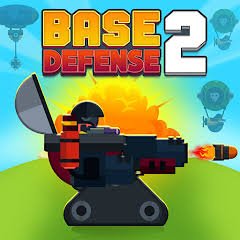
Base Defense 2 is a tower-defense strategy game from Beedo Games where you protect your base from repeated waves of fictional enemies by placing defensive units on marked spaces, earning resources, strengthening those units, and gradually building a stronger defense.
What I like about Base Defense 2 is that the action mostly runs automatically after you place a unit. Your main job is deciding where each defender belongs and when an upgrade is worth buying. That makes it more about planning than fast controls.
| Game Detail | Information |
|---|---|
| Game | Base Defense 2 |
| Developer | Beedo Games |
| Genre | Strategy, Tower Defense |
| Gameplay | Place units, survive waves, earn resources, upgrade defenses |
| Controls | Drag, drop, click or tap |
| Supported Devices | Desktop, Phone, Tablet |
| Poki Release | July 28, 2022 |
| Latest Poki Update | July 2022 |
| Google Play Update | January 17, 2023 |
| Current Poki Rating | 4.5 |
| Current Poki Votes | 78K+ |
| Multiplayer | Single-player |
| Main Goal | Keep the base active through enemy waves |
Poki directly credits Beedo Games, while Google Play lists the developer as BeedoGames and identifies the legal company as Beedo Games Studios SMC-Private Limited.
How Base Defense 2 Works
Each stage sends waves of computer-controlled enemies toward your base.
You place defensive units on highlighted positions.
Once placed, those units work automatically.
You then watch how the wave develops, collect rewards from defeated enemies, and decide whether to improve existing units or add new ones.
The basic progression is:
place units → start defense → earn resources → upgrade → survive next wave
Base Defense 2 Controls
The current Poki version uses a very small control system.
- Drag: Move a unit toward a placement tile
- Drop: Place the unit
- Click or tap a unit: Open its upgrade options
- Upgrade button: Improve that unit
Poki officially supports desktop, phone, and tablet.
Start By Looking At The Path
Before placing everything immediately, look at the route enemies follow.
The important question is not simply which unit looks strongest.
It is whether the unit can affect a useful part of the path.
Because units work automatically once deployed, placement becomes one of your main decisions.
Highlighted Tiles Show Where Units Can Go
You cannot place defenders anywhere you want.
The game uses marked tiles for deployment.
This keeps each stage structured.
The puzzle is deciding which available tile gives your current lineup a useful position.
Units Attack Automatically
Once deployed, defensive units handle their own attacks.
Poki specifically says incoming enemies are attacked automatically after placement.
That means you do not manually control every action.
Your role is closer to a manager:
choose positions, improve units, and prepare for the next wave.
Resources Come From Defeated Enemies
Successful defenses provide resources that can be spent on progression.
Current official descriptions mention:
- Gold coins
- Metal or scrap-style resources
These are earned from defeated computer-controlled enemies and used to improve your in-game defense.
Spend Resources Between Important Decisions
It can be tempting to buy an upgrade as soon as you can afford one.
I found it more useful to first check what the current stage actually needs.
Ask:
Is one area struggling?
Would another unit help more?
Is an existing defender already doing enough?
That makes resource spending feel more deliberate.
Several Defender Types Become Available
The game introduces multiple fictional defensive unit types as you progress.
Official descriptions mention options such as:
- Gunners
- Sentries
- Triple shooters
- Turret-style defenders
- Throwing-axe units
These are purely fictional game units within the tower-defense system.
New Units Expand Your Options
Unlocking a new defender does not mean every older unit becomes useless.
Instead, your available combinations increase.
One stage may benefit from several basic defenders.
Another may work better when resources are concentrated into fewer improved units.
The useful part is testing what fits each layout.
Upgrades Improve Existing Units
Clicking or tapping a placed unit opens its upgrade menu.
Poki confirms that existing units can be improved directly from this pop-up system.
This creates two broad spending choices:
buy another unit
or
improve one already placed
That choice is a major part of the strategy.
Do Not Upgrade Everything Equally
A common mistake is spreading resources across every unit simply because an upgrade button is available.
Sometimes one important unit contributes more than several small upgrades elsewhere.
It helps to watch the current wave and notice which positions are actually doing useful work.
Waves Become Harder
Base Defense 2 is built around increasingly difficult waves.
The Google Play description specifically describes repeated incoming enemy waves and the need to keep strengthening the base.
This gives upgrades a clear purpose.
Your defense has to keep improving because later stages ask more from the same system.
Early Waves Help You Learn
The first part of a run is useful for understanding the map.
You can see:
- Where enemies appear
- Which route they follow
- Which tiles are available
- How quickly your units respond
- Where pressure builds
That information becomes more important as later waves become stronger.
Placement And Order Both Matter
Poki describes the player’s job as controlling both the placement and order of units.
This is a useful way to think about the game.
You are not only choosing what to place.
You are also deciding what should be purchased first and which area should receive attention first.
A Strong Start Can Save Resources Later
A poorly planned opening can force you to spend heavily fixing mistakes.
A cleaner opening can leave more resources available for later upgrades.
That makes the beginning of each stage more important than it first appears.
Watch Before Making The Next Purchase
Because the units work automatically, you can spend a little time observing.
Notice:
- Which areas handle enemies comfortably
- Which areas fall behind
- Whether one position is underused
- Which unit deserves the next upgrade
This is often more useful than buying immediately.
Base Defense 2 Is A Strategy Game First
Although the screen contains plenty of action, your direct controls are limited.
You are not manually controlling a character around the map.
The main challenge comes from:
- Placement
- Resource management
- Upgrade timing
- Unit selection
- Wave preparation
That is why Poki places Base Defense 2 in its Strategy Games category.
The Game Is Also A Tower Defense Title
Poki additionally categorizes Base Defense 2 under tower-defense games.
That label fits well.
Enemies follow a structured route toward the base while your deployed units automatically try to stop them.
The player’s job is to build an effective defense around that route.
Base Defense 2 Is Different From The First Base Defense
Beedo Games also created the original Base Defense.
Poki currently lists the first game as an August 2020 release with a December 2024 update.
Base Defense 2 follows the same broad tower-defense idea but uses its own progression and stage design.
They should be treated as separate games.
The Original Game Is Still More Recently Updated On Poki
One unusual detail is that the first Base Defense currently has a newer Poki update date than Base Defense 2.
The original lists:
Latest update: December 2024
while Base Defense 2 lists:
Latest update: July 2022.
A sequel does not always receive the newest platform update.
Mobile App History Is Separate
Google Play also carries Base Defense 2 from BeedoGames.
The store currently lists:
Updated: January 17, 2023.
This is later than the Poki update.
The clean timeline is:
Poki release: July 28, 2022
Latest Poki update: July 2022
Google Play update: January 17, 2023
These should stay separate because browser and mobile editions can be updated at different times.
Phone And Tablet Play
Poki officially lists:
- Phone
- Tablet
- Desktop
as supported devices.
Touch controls work naturally because the main interactions are dragging, dropping, tapping units, and choosing upgrades.
There is no complicated keyboard layout to recreate.
Desktop Play
Desktop uses the mouse.
Drag a unit.
Drop it onto a highlighted tile.
Click an existing unit if you want to check its upgrade menu.
That makes the game easy to understand without memorizing several keys.
Mobile Controls Fit The Game Well
On phone or tablet, dragging with your finger replaces mouse movement.
Tap a placed unit to open its options.
Because gameplay is mainly selection-based, the core experience transfers well to touch devices.
Who Created Base Defense 2?
Base Defense 2 was created by Beedo Games.
Poki credits the developer directly.
Google Play uses the name BeedoGames and identifies the registered developer company as Beedo Games Studios SMC-Private Limited.
Other Beedo Games Titles
Poki currently links Beedo Games with several browser titles, including:
- Base Defense
- Clash of Tanks
- Clash of Armour
- Clash of Skulls
- Tanko.io
- Chicken Merge
- Call of Tanks
- Pirate Defense
- Mafia Wars
- Idle Gold Miner
- Eggy Car
- Jelly Sokoban
The catalogue covers several different casual strategy styles.
Chicken Merge Uses Another Defense System
Chicken Merge is another Beedo Games title that mixes unit progression with base defense.
Instead of using the exact Base Defense 2 system, it focuses on combining matching chicken units into stronger ones before placing them on defense lines.
That makes it related without being the same game.
Pirate Defense Is Another Strategy Title
Poki also connects Pirate Defense with Beedo Games.
Players who enjoy placement-based strategy may recognize the same broad focus on building a defensive setup before or during waves.
Current Base Defense 2 Rating
Current Poki localized pages show approximately:
4.5 from more than 78,000 votes.
The total changes as more users vote.
It should therefore be treated as a current platform snapshot rather than a permanent number.
Is Base Defense 2 Multiplayer?
Current primary listings do not describe online or local multiplayer.
Base Defense 2 is best treated as a single-player strategy game.
You defend against computer-controlled waves rather than competing directly against another person.
Do Not Confuse It With The 2007 Flash Game
There is an unrelated older game also called Base Defense 2.
That title appeared on Y8 in April 2007 and used Flash-era controls built around direct aiming and separate keyboard commands.
It is not the Beedo Games tower-defense title discussed here.
For Mopoga, the correct modern game is the 2022 Beedo Games version.
Common Base Defense 2 Mistakes
One mistake is placing every available unit immediately without studying the path.
Another is upgrading every defender equally instead of checking which positions matter most.
Players can also spend all available resources early and leave themselves with little flexibility when later waves become harder.
Another common problem is buying a new unit just because it unlocked rather than because the current layout needs it.
A Better Way To Play
Start by studying the route.
Place a small initial defense.
Watch the first wave.
Notice where pressure builds.
Improve the useful units or add another defender.
Then reassess before the next wave.
A simple rhythm is:
inspect → place → watch → earn → upgrade → prepare
Related Categories
Base Defense 2 fits naturally into:
- Strategy Games
- Tower Defense Games
- Base Defense Games
- Mouse Games
- Mobile Games
- Upgrade Games
- Single-Player Games
- Casual Strategy Games
Poki currently connects it with Strategy, Action, Mouse, and Tower Defense categories.
What Makes Base Defense 2 Different?
Base Defense 2 keeps direct controls small and puts most of the challenge into planning.
You place fictional defensive units.
They work automatically.
You collect resources.
Then you decide whether to improve what you already have or add something new.
The marked placement tiles make each map easy to understand, while increasingly difficult waves force you to keep adjusting your setup.
That balance between automatic action and manual planning is what gives Base Defense 2 its identity.




Reviews
There are no reviews yet.