

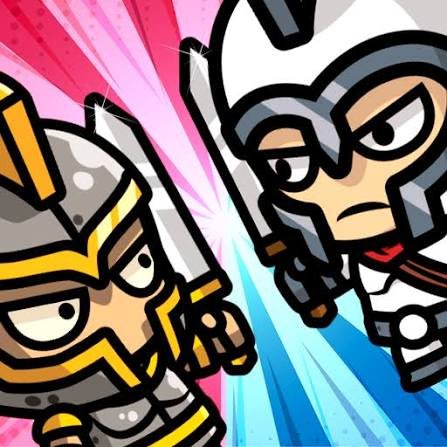
MiniBattles is a local multiplayer party game from Shared Dreams Studio where two to six people share the same device and compete across a collection of short one-button challenges. The mini-games change constantly, covering sports, vehicles, flying, physics contests, boxing-style matches, and other quick arcade activities.
What makes MiniBattles work is that nobody needs to memorize a complicated control layout. Each player gets a single button. The challenge comes from understanding what that button does in the current mini-game and pressing it at the right moment.
| Game Detail | Information |
|---|---|
| Game | MiniBattles |
| Developer | Shared Dreams Studio |
| Genre | Action / Party |
| Gameplay Style | Local multiplayer mini-games |
| Players | 2 to 6 |
| Mini-Games | Up to 30 |
| Controls | One assigned button per player |
| Supported Devices | Desktop, Phone, Tablet |
| Browser Release | July 2020 |
| Latest Verified Browser Update | November 2020 |
| Current Rating | About 4.2 |
| Current Votes | 1.04M+ |
| Multiplayer | Local multiplayer |
| Mobile App Update | August 2026 |
Up To Six Players Can Share One Game
MiniBattles is designed around local multiplayer.
Instead of joining an online lobby, people play together on the same device.
The browser version supports as many as six players, which is unusual for such a simple browser game.
That gives it a different feel from a normal two-player title.
A small group can all join the same session without needing separate accounts or devices.
MiniBattles Controls
Each player receives one keyboard button.
The current browser controls are:
- Player 1: C
- Player 2: N
- Player 3: Q
- Player 4: P
- Player 5: Left Arrow
- Player 6: Right Arrow
On phones and tablets, players use the corresponding touch buttons shown around the screen.
That one-button layout is the main reason six players can realistically share one device.
One Button Can Mean Something Different Every Round
The control itself stays simple.
What changes is the action attached to it.
In one mini-game, pressing your button may control movement.
In another, timing determines when your character acts.
A sports challenge may use the button differently from a vehicle or flying game.
This means the first few seconds of every round matter.
I found it useful to watch what happens before pressing repeatedly.
The question is not:
Which button do I need?
You already know that.
The real question is:
What does my button do in this mini-game?
There Are Up To 30 Mini-Games
The current browser description says MiniBattles contains up to 30 different mini-games.
That is much larger than 12 MiniBattles, despite the similar name.
The activities include themes such as sports, cars, flying, boxing, tanks, archery-style arcade challenges, Vikings, spaceships, and other short contests. The official Android listing also confirms examples such as soccer, cars, sumo, Vikings, and spaceships.
The important part is that the games do not all behave the same way.
You need to adjust every time the activity changes.
MiniBattles Is Not The Same As 12 MiniBattles
The names are easy to mix up.
12 MiniBattles is the earlier Shared Dreams Studio game built mainly around two-player local matches and twelve mini-games.
MiniBattles expands the idea to:
- up to six local players
- as many as 30 mini-games
- more player combinations
- a wider party-game format
The current 12 MiniBattles listing confirms its two-player A and L control scheme and twelve-game structure.
For Mopoga, the two titles should have separate pages.
MiniBattles Also Differs From 12 Mini Battles 2
Shared Dreams Studio later released 12 Mini Battles 2.
That game returned to a two-player structure and added another set of twelve activities, including basketball, street racing, and foosball.
MiniBattles remains the larger group option because it supports as many as six people on one device.
Sports Mini-Games Keep The Rules Short
Several MiniBattles activities use familiar sports ideas.
The advantage of this is that many players already understand the basic objective.
You may not know exactly how the one-button control behaves yet, but you can usually recognize what the mini-game wants you to accomplish.
That shortens the learning time between rounds.
Vehicle Mini-Games Change The Timing
Vehicle-based challenges often feel different from sports rounds because momentum becomes more important.
The same one-button idea remains, but you may need to learn when the vehicle reacts rather than constantly pressing the button.
I found that random button pressing usually made these activities harder.
A short test input is often enough to understand what the current round expects.
Flying Games Need Patience
Flying-style mini-games can use timing differently again.
Instead of thinking about repeated fast inputs, watch how the on-screen character or vehicle responds.
Once you understand whether your button changes height, direction, or another arcade action, the challenge becomes much easier to read.
The useful skill is adapting quickly, not memorizing a long move list.
Physics Make Some Rounds Unpredictable
MiniBattles includes physics-based activities.
That means an action does not always produce a perfectly neat result.
Characters can bounce, lean, or move farther than expected depending on the mini-game.
This unpredictability is part of the party-game style.
A round can stay funny even when everyone already understands the controls because the physics still create different outcomes.
Do Not Assume The Previous Rules Still Apply
This was the easiest mistake for me to make.
One mini-game ends.
Another starts.
My first instinct was to press the button with the same timing I had just learned.
That often failed because the new activity used completely different rules.
A better rhythm is:
new game → watch briefly → understand the action → play
That tiny reset makes switching between activities much easier.
Local Multiplayer Works Without Online Matchmaking
The Android version specifically describes MiniBattles as a same-device multiplayer game that can be played without internet.
That makes the multiplayer format different from games where every player needs a separate phone or online account.
The main requirement is simply having enough room around the device for everyone playing.
Two Players Still Works Fine
You do not need six people.
MiniBattles supports different group sizes from two through six players.
That means the same game can work for:
- 2 players
- 3 players
- 4 players
- 5 players
- 6 players
The official mobile listing explicitly describes tournaments for groups from two to six.
Larger Groups Become More Chaotic
Two-player MiniBattles is relatively easy to follow.
With five or six people, there is much more happening on screen.
That is part of the appeal.
Everyone still has only one button, so the control system does not become more complicated even when the number of players increases.
The screen becomes busier, but the rules remain accessible.
Tournament Play Keeps Track Of Winners
The current Android version includes a tournament-style system where a counter records how many battles each player has won.
This is useful for longer group sessions.
Instead of treating every mini-game as completely separate, the group can keep playing and compare total wins across several rounds.
The browser version centers on the same collection of local multiplayer challenges, though the mobile app currently has the newer feature/update history.
Phone And Tablet Play
The current browser listing supports both phone and tablet.
Touch buttons appear around the screen so players do not need a physical keyboard.
This works because every participant only needs one main action.
A six-player match can still become crowded around a small phone, so tablets or desktop screens may feel more comfortable for larger groups.
Desktop Is Especially Good For Bigger Groups
Desktop play gives all six keyboard controls their own physical key.
The buttons are spread across the keyboard:
C, N, Q, P, Left Arrow, and Right Arrow.
That separation makes it easier for several players to share the keyboard without everyone reaching for the same area.
Who Created MiniBattles?
MiniBattles was created by Shared Dreams Studio.
The studio also created:
- 12 MiniBattles
- 12 Mini Battles 2
- MiniMissions
These games share a design idea: use very few controls and create variety through constantly changing challenges rather than complicated button combinations.
MiniBattles And MiniMissions Come From The Same Developer
MiniMissions takes the one-button idea in a different direction.
Instead of competing with up to six local players, MiniMissions is mainly a single-player sequence of 80 short skill challenges.
MiniBattles focuses on playing against people beside you.
MiniMissions focuses on completing changing tasks yourself.
That makes them good companion pages on Mopoga without being redundant.
Browser Release And Latest Update
The current Poki timeline is:
Release: July 2020
Latest Browser Update: November 2020.
CrazyGames independently gives:
Android Release: June 2020
HTML5 Release: July 2020.
That makes July 2020 the cleanest browser release date for Mopoga.
The Mobile App Is Still Being Updated
The official Google Play listing shows the Android edition was updated in August 2026.
That date should not replace the browser’s November 2020 update field.
The cleanest presentation is:
Browser Latest Update: November 2020
Android App Latest Verified Update: August 2026
This keeps the two platform histories separate.
MiniBattles Has More Than One Million Browser Votes
The current Poki listing shows approximately:
4.2 from 1,042,191 votes.
That is a much larger rating sample than many newer browser games.
For an evergreen Mopoga details table, 1.04M+ votes is cleaner than treating one exact number as permanent.
The Android Version Has More Than One Million Downloads
Google Play currently shows 1M+ downloads for MiniBattles and a rating around 4.8 from 20.5K reviews.
Those mobile statistics should stay separate from the browser rating.
They refer to different platforms and different rating systems.
Is MiniBattles Online Multiplayer?
MiniBattles is primarily a local multiplayer game.
Players compete on the same device rather than joining remote opponents through an online lobby.
The official Android description specifically describes same-device play, including offline sessions.
For Mopoga, the clearest field is:
Multiplayer: Local, 2 to 6 players
Common MiniBattles Mistakes
The first mistake is assuming every mini-game uses the same timing.
The second is pressing repeatedly before learning what your one button does.
Another problem is confusing MiniBattles with 12 MiniBattles, which supports fewer players and has a different mini-game structure.
In larger matches, it can also help to make sure everyone knows their assigned button before the round starts.
Finally, some activities use cartoon action or battle themes, but they remain short fictional arcade mini-games rather than realistic simulations.
A Better Way To Start A MiniBattles Session
This approach works well:
- Choose how many people are playing.
- Give everyone their assigned button.
- Start the first mini-game.
- Spend a moment understanding what the button does.
- Play the short round.
- Reset your expectations when the next mini-game appears.
- Keep track of wins if you are using tournament-style play.
- Rotate players between sessions if more than six people want to join.
The main trick is adapting quickly rather than mastering one complicated control scheme.
More Local Multiplayer Games On Mopoga
For a physics-based football match, A Small World Cup on Mopoga supports solo and local two-player play with a simple drag-and-release control system.
For a more direct fighting game, Stick Fighter on Mopoga offers single-player challenges and local 1v1 matches with six fighters.
You can also use Mopoga’s game library to browse more multiplayer, sports, action, and arcade titles.
MiniBattles Compared With A Small World Cup
Both games are easy to learn and support local multiplayer.
But they use that simplicity differently.
MiniBattles focuses on:
- up to six players
- many different mini-games
- one button per person
- quick rule changes
- party-style sessions
A Small World Cup focuses on:
- one football activity
- physics-based movement
- solo or two-player matches
- drag-and-release controls
- tournament modes
MiniBattles offers more variety.
A Small World Cup gives you more time to learn one specific game.
MiniBattles Compared With MiniMissions
MiniBattles and MiniMissions share the same developer and both rely on very limited controls.
The difference is social structure.
MiniBattles: compete locally with other people.
MiniMissions: complete a sequence of short individual challenges.
MiniBattles is therefore the stronger party-game choice when several people are around one device.
What Makes MiniBattles Different?
MiniBattles takes the one-button idea much farther than most local multiplayer games.
Six people can play.
Nobody needs a controller.
Nobody needs a large keyboard layout.
The activity can switch from sports to vehicles to flying to another arcade challenge within moments.
The controls stay simple while the rules keep changing.
For me, that constant change is the most important part of the game. MiniBattles is not about becoming perfect at one activity. It is about understanding a new challenge faster than the people sitting beside you.
Related Categories
MiniBattles fits naturally into:
- Multiplayer Games
- Local Multiplayer Games
- Party Games
- Mini Games
- Action Games
- Sports Games
- Arcade Games
- Two-Player Games
- Mobile Games
The current browser listing primarily classifies MiniBattles under Action Games while also placing it in multiplayer, party, sports, arcade, mini-game, PvP, and two-player collections.
About MiniBattles
MiniBattles is a local multiplayer party game by Shared Dreams Studio where two to six people compete across as many as 30 short mini-games.
Each participant uses only one assigned button, making sports, vehicles, flying, physics, and other quick arcade activities easy to start without a complicated control scheme.
The browser edition was released in July 2020 and currently lists November 2020 as its latest browser update. The separate Android edition continued receiving updates through August 2026.
MiniBattles works best as a same-device group game. Its biggest strength is not one individual mini-game but how quickly it moves everyone from one simple challenge to something completely different.

Reviews
There are no reviews yet.