

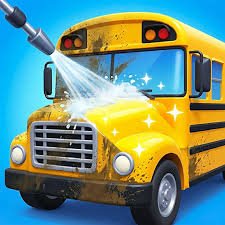
School Cleaning is a relaxing simulation game from Finz Games where you tidy messy classrooms and school areas, wipe away dirt, repair damaged objects, organize clutter, and gradually turn untidy spaces into clean environments.
What I like about the game is how little pressure it puts on you. There is no complicated movement system to learn. You simply look at what needs attention, click or tap it, and work through each cleaning task one step at a time. Poki describes the game around cleaning messy spaces, fixing broken items, and restoring order with simple taps and swipes.
| Game Detail | Information |
|---|---|
| Game | School Cleaning |
| Developer | Finz Games |
| Genre | Simulation, Cleaning |
| Gameplay | Clean dirt, repair objects, organize messy school areas |
| Controls | Click, tap, swipe |
| Supported Devices | Desktop, Phone, Tablet |
| Release | May 2026 |
| Latest Verified Update | June 2026 |
| Current Rating | 4.3 |
| Current Votes | 55K+ |
| Main Setting | Classrooms and school hallways |
| Multiplayer | Single-player |
Poki directly credits Finz Games and currently classifies School Cleaning as a simulation game.
How School Cleaning Works
Each section gives you a messy school space that needs attention.
You may need to:
- Remove dirt
- Clear clutter
- Repair broken items
- Wipe surfaces
- Organize objects
- Finish the current cleaning task
The goal is to gradually change the room from messy to clean.
Poki specifically describes classrooms and hallway spaces as part of the game’s setting.
School Cleaning Controls
The controls are very simple:
- Mouse click: Select or clean something on desktop
- Tap: Interact with objects on mobile
- Swipe: Used for some wiping or cleaning actions
Poki summarizes the main control as click or tap to play, while the current browser version also uses swipe-style interactions for cleaning.
Start By Looking At The Whole Room
Before clicking randomly, look over the current area.
Try to notice:
- The dirtiest surfaces
- Broken objects
- Loose clutter
- Items that clearly need attention
This gives you a simple order for completing the room.
Clean One Area At A Time
Jumping between several parts of the room can make it harder to see what remains.
I find it easier to finish one visible section before moving to the next.
For example:
clean desk area → repair object → clear clutter → move to next section
That keeps progress easy to follow.
Dirt Is One Of The Main Tasks
Poki specifically says you wipe away dirt as part of School Cleaning.
These tasks are straightforward.
Select or swipe across the dirty area until it looks clean.
The visual change gives immediate feedback that the task is working.
Broken Items Need Repairing
Not every job is about wiping surfaces.
Poki also confirms that broken objects can be repaired.
This gives the game more variety than repeatedly cleaning the same kind of stain.
One moment you may be wiping dirt.
The next task may involve fixing something damaged.
Clutter Needs Organizing
Messy school areas can also contain objects that need to be put back in order.
That makes the game partly about tidying rather than only washing.
This fits the overall theme of restoring a classroom or hallway instead of simply removing dirt.
Classrooms Are A Main Setting
Poki describes messy classrooms as one of the primary areas in School Cleaning.
Classrooms naturally provide different kinds of objects to work with, including furniture and smaller items.
That helps make each cleaning scene visually different.
Hallways Also Need Attention
Hallway spaces are another setting directly mentioned by Poki.
These areas can feel more open than classrooms and give the cleaning theme a little more variety.
The main interaction stays simple even as the environment changes.
Every Task Gives Immediate Feedback
One of the more satisfying parts of School Cleaning is seeing the room change as you work.
Dirty areas become clean.
Broken objects get repaired.
Clutter disappears or becomes organized.
This visible progress makes it easy to understand how close you are to finishing the current area.
The Game Has A Relaxing Pace
Poki describes School Cleaning as a relaxing simulation rather than a fast challenge.
There is no need to master quick reflexes.
The focus is more on completing small tasks and watching the room improve.
Sounds Support The Calm Style
Poki’s description also mentions soothing sounds with taps and swipes.
That audio feedback supports the game’s slower pace.
It makes individual cleaning actions feel more noticeable without turning the experience into a high-pressure challenge.
You Do Not Need Complicated Controls
There are no:
- WASD movement keys
- Jump controls
- Large action menus
- Complex combinations
Most actions happen through clicking, tapping, and swiping.
That makes School Cleaning easy to understand within a few moments.
Mobile Controls Fit Naturally
School Cleaning works particularly well with touch input because many tasks involve direct interaction with the screen.
You can tap an object or swipe across a dirty surface.
That feels more natural than translating a large keyboard layout onto mobile.
Desktop Play
On desktop, the mouse handles the main interactions.
Move the cursor toward the object or surface that needs attention.
Click and follow the visual instructions.
Poki officially supports desktop play.
Phone And Tablet Play
Poki also officially supports:
- Phone
- Tablet
alongside desktop.
The same basic cleaning actions are adapted to taps and swipes.
There Is No Need To Rush
School Cleaning is better approached as a calm task-based game.
If a section looks unfinished, take another look before moving on.
Small dirty areas or broken details can be easier to notice once the larger mess has been cleared.
Check The Edges Of Each Scene
Large dirty areas are obvious.
Small details near:
- Corners
- Furniture edges
- Walls
- Floor boundaries
can be easier to miss.
A quick final scan helps make sure the current space is actually finished.
Repair Tasks Add Variety
Cleaning games can become repetitive if every task is identical.
The repair system helps by changing the type of interaction.
Instead of always wiping or clearing, you sometimes need to fix something before the environment looks complete.
The Game Focuses On Transformation
The central reward is seeing a messy school space become neat.
That transformation gives each task a clear purpose.
You begin with clutter or dirt.
Then the room gradually changes as you interact with it.
School Cleaning Is Single-Player
Poki does not list local or online multiplayer for School Cleaning.
The game is best described as a single-player cleaning simulation where you work through each environment yourself.
Who Created School Cleaning?
School Cleaning was created by Finz Games.
Poki directly confirms the developer.
The same developer currently has several other games available on Poki.
Other Finz Games Titles
Poki currently connects Finz Games with titles including:
- Connect Puzzle
- Punchy Guy
- Indoor Soccer
- Karate Fighter
- World Soccer Champions
- Flip Pounce
- Sling Star Kick
- Cannon Shooter
- Arrow Color Blast
Karate Fighter Comes From The Same Developer
Karate Fighter is another current Finz Games title listed by Poki.
Its gameplay is very different from School Cleaning, but the developer connection is confirmed directly by the platform.
Connect Puzzle Is Another Finz Games Release
Poki also lists Connect Puzzle under Finz Games.
This shows that the studio works across several casual genres rather than focusing only on simulation games.
Release Date
Poki currently lists:
Release: May 2026.
Localized Poki pages agree with the same release month.
For the Mopoga details table, May 2026 is the safest verified date.
Latest Update
Poki currently lists:
Latest update: June 2026.
That means the game received a platform update shortly after its May 2026 release.
Current School Cleaning Rating
The latest English Poki listing shows approximately:
4.3 from 54,969 votes.
Other localized Poki pages show totals around the same range because the vote count continues changing.
For publishing, 4.3 from 55K+ votes is the cleaner format.
Do Not Confuse It With The Older School Cleaning Game
There is also an unrelated browser title called School Cleaning that some sites date to May 2015.
That older game focuses more on finding student belongings around school areas and uses a different gameplay structure.
It is not the Finz Games simulation discussed here.
For Mopoga, the correct current version is:
School Cleaning by Finz Games, released on Poki in May 2026.
Common School Cleaning Mistakes
One common mistake is clicking randomly without checking which object currently needs attention.
Another is switching between several areas before finishing one section.
Players can also miss small dirty spots after cleaning the most obvious parts of the room.
A better approach is to work methodically from one area to another.
A Better Way To Play
Start by scanning the whole room.
Choose one messy section.
Complete its cleaning or repair task.
Move to the next area.
When the room looks nearly finished, check corners and smaller objects.
A useful rhythm is:
inspect → clean → repair → organize → recheck → finish
Related Categories
School Cleaning fits naturally into:
- Simulation Games
- Cleaning Games
- School Games
- Relaxing Games
- Mouse Games
- Mobile Games
- Casual Games
- Single-Player Games
Poki currently classifies it under Simulation Games and also associates it with Mouse, Idle, Popular, New, and Phone game categories.
What Makes School Cleaning Different?
School Cleaning keeps its gameplay very simple.
You do not control a character through complicated levels.
You do not race against another player.
Instead, you interact directly with messy school environments.
You wipe dirt.
Fix broken objects.
Organize clutter.
Then watch each room gradually become clean.
The classroom and hallway settings, simple touch-friendly controls, soothing sound effects, and low-pressure task structure make it a comfortable casual simulation that is easy to start on almost any supported device.




Reviews
There are no reviews yet.