

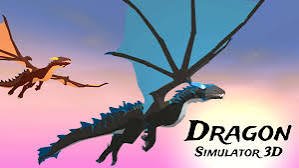
Dragon Simulator 3D is an adventure simulation game where players become a powerful dragon and explore a large fantasy world. The game combines flying, exploration, missions, combat-style challenges, and character upgrades into a free-roaming dragon experience.
The first mistake I made was flying around without paying attention to the objectives. The world feels open, but completing missions and collecting rewards is the fastest way to improve your dragon. I improved once I started balancing exploration with completing tasks.
| Game Detail | Information |
|---|---|
| Game | Dragon Simulator 3D |
| Developer | CyberGoldFinch |
| Genre | Simulation / Adventure / 3D |
| Gameplay Style | Open-world dragon exploration and missions |
| Controls | WASD, Mouse, Spacebar, Q, C, Shift and other controls |
| Supported Devices | Desktop, Phone and Tablet |
| Original Release | February 2020 |
| Latest Verified Update | November 2025 |
| Multiplayer | Single-player |
| Main Objective | Complete missions, upgrade your dragon, and explore the world |
About Dragon Simulator 3D
Dragon Simulator 3D gives players control of a customizable dragon in a large 3D environment.
Instead of traditional racing or fighting gameplay, the focus is on experiencing life as a dragon.
Players can:
- fly across the world
- complete missions
- attack targets
- collect rewards
- improve dragon abilities
The open-world design allows players to explore at their own pace.
How Dragon Simulator 3D Gameplay Works
The gameplay combines exploration and progression.
A typical session involves:
- Choosing a dragon.
- Exploring different areas.
- Completing missions.
- Collecting stars and rewards.
- Upgrading the dragon.
The more missions you complete, the stronger your dragon becomes.
Dragon Simulator 3D Controls
The controls provide full movement and flight control.
Common controls include:
- WASD: Move the dragon
- Left Mouse Button: Use fire attack
- Right Mouse Button: Tail attack
- Q: Take off or land
- Spacebar: Fly upward
- C: Fly downward
- Shift: Increase speed
- L: Lock cursor
- H: Hide interface
The MDN KeyboardEvent documentation explains how browser games detect keyboard input.
Flying And Dragon Movement
Flying is one of the main attractions of Dragon Simulator 3D.
Controlling a flying creature requires learning:
- movement direction
- speed control
- landing timing
- camera awareness
The dragon feels different from normal vehicles because movement happens in three dimensions.
Dragon Types And Abilities
The game allows players to choose different dragon types.
Each dragon can have different characteristics related to:
- power
- speed
- appearance
- abilities
Choosing the right dragon style can make exploration and missions more enjoyable.
Missions And Progression
Missions provide the main progression system.
Completing tasks helps players:
- earn stars
- improve their dragon
- unlock stronger abilities
- continue exploring new areas
The mission system gives purpose to the open-world environment.
Exploring The Open World
The world is designed for free exploration.
Players can discover:
- different landscapes
- mission locations
- areas with challenges
- hidden opportunities
The freedom to fly anywhere creates a different experience from level-based games.
Dragon Attacks And Challenges
The dragon has multiple ways to interact with the environment.
Players can use:
- ranged attacks
- close-range attacks
- movement abilities
Understanding when to use each ability makes missions easier.
Upgrading Your Dragon
Progression is an important part of the game.
Upgrades help improve:
- strength
- speed
- overall performance
A stronger dragon makes later missions easier.
Learning From Mistakes
A common mistake is focusing only on flying and ignoring objectives.
Other mistakes include:
- wasting time exploring without a plan
- ignoring upgrades
- using abilities without strategy
I improved once I started completing missions before spending too much time exploring.
Why Simulation Games Stay Popular
Simulation games remain popular because they allow players to experience different roles.
Players enjoy:
- controlling unusual characters
- exploring new worlds
- improving abilities
- creating their own goals
Dragon Simulator 3D adds fantasy elements to the simulation style.
Who Created Dragon Simulator 3D?
Dragon Simulator 3D was created by CyberGoldFinch.
The developer is known for animal simulation games, including other simulator titles featuring different creatures.
For Mopoga structured information:
Developer: CyberGoldFinch
Release History
Verified details:
Developer: CyberGoldFinch
Original Release: February 2020
Latest Verified Update: November 2025
Desktop, Phone And Tablet Support
Dragon Simulator 3D supports:
- Desktop
- Phone
- Tablet
Desktop controls provide better precision for flying, while mobile versions allow players to enjoy the game on touch devices.
The W3C Pointer Events specification explains how browsers support different input methods.
Browser Performance
3D simulation games require smooth movement and responsive controls.
Performance issues can affect:
- flying control
- camera movement
- mission interaction
Google’s web.dev performance guide explains how browser performance affects interactive experiences.
If gameplay feels slow:
- refresh the browser
- close unnecessary tabs
- reduce background activity
Common Mistakes I Made
The first mistake was exploring without completing missions.
The second was ignoring upgrades.
The third was not learning flight controls properly.
Once I focused on missions and movement, the game became much easier.
Dragon Simulator 3D Compared With Tiger Simulator 3D
Both games are animal simulation experiences from CyberGoldFinch.
Dragon Simulator 3D focuses on:
- flying
- fantasy abilities
- dragon exploration
Tiger Simulator 3D focuses more on land-based animal movement.
One lets players experience a mythical creature.
The other focuses on wildlife simulation.
Dragon Simulator 3D Compared With Adventure Drivers
Both include exploration elements.
Adventure Drivers focuses on vehicle exploration and racing.
Dragon Simulator 3D focuses on:
- fantasy exploration
- flying
- creature progression
One uses vehicles.
The other gives players control of a dragon.
What Makes Dragon Simulator 3D Different?
Dragon Simulator 3D stands out because it combines open-world exploration with dragon simulation.
Its main features include:
- 3D fantasy world
- dragon customization
- flying mechanics
- missions
- upgrades
- exploration
The controls take some practice.
The challenge comes from mastering flight and improving your dragon.
Related Games On Mopoga
Dragon Simulator 3D fits naturally beside Mopoga adventure and simulation games.
Adventure Drivers is a good choice for players who enjoy exploration-based gameplay.
Magikmon offers creature-focused progression, while Apple Knight Mini Dungeons provides adventure challenges.
For internal linking, use only confirmed Mopoga URLs from:
https://imopoga.com/product-sitemap.xml
https://imopoga.com/product_cat-sitemap.xml
I have not added guessed URLs because accurate internal links are more valuable for indexing.
About Dragon Simulator 3D
Dragon Simulator 3D works because it gives players the feeling of controlling a powerful creature in a large world.
The controls are simple to learn.
The real skill comes from managing flight, completing missions, and upgrading your dragon.
For me, the biggest improvement came from focusing on objectives first and using exploration as a reward.




Reviews
There are no reviews yet.