

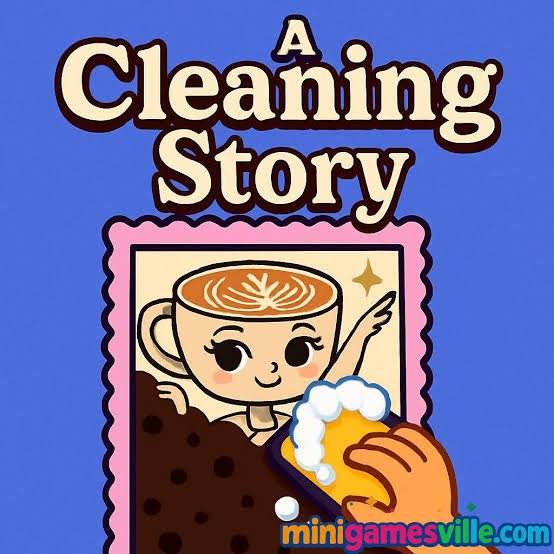
A Cleaning Story is a casual cleaning simulation game where you scrub, soap, brush, and wash dirty carpets and messy surfaces until the hidden designs underneath become visible again. Some stages begin with so much dirt covering the surface that you cannot immediately tell what picture is underneath.
The part I found most satisfying is not simply moving a brush across the screen. It is figuring out which areas are still dirty after most of the obvious mess has disappeared. My first few attempts looked finished long before they actually were because small patches near corners and edges were easy to miss.
| Game Detail | Information |
|---|---|
| Game | A Cleaning Story |
| Developer | AJ Ordaz |
| Genre | Simulation |
| Gameplay Style | Cleaning, scrubbing and tool-based restoration |
| Main Tasks | Brush, soap, wash and remove dirt |
| Controls | Click or tap, click and hold to move tools |
| Supported Devices | Desktop, Phone, Tablet |
| Browser Release | September 2025 |
| Latest Verified Update | June 2026 |
| Current Rating | About 4.1 |
| Current Votes | 18K+ |
| Multiplayer | Single-player |
Start By Finding The Dirtiest Areas
Each cleaning task gives you a messy surface that needs attention.
Instead of moving the tool randomly across everything, I found it easier to identify the darkest or most obviously dirty parts first.
That gives you a simple order:
inspect → clean the worst areas → check the edges → finish small patches
It also makes progress easier to see.
Once a large dirty section becomes clean, the hidden picture starts appearing and gives you a better idea of what is still left.
How To Play A Cleaning Story
The controls are intentionally simple.
Desktop
- Click to choose an option or tool.
- Click and hold while moving the mouse to move the cleaning tool.
Phone And Tablet
- Tap to make a choice.
- Touch and hold while moving your finger to clean the surface.
The current browser edition officially supports desktop, phone, and tablet.
For some technical background, the MDN Pointer Events guide explains how modern web pages can respond to mouse, touchscreen, and pen input through a common event model.
Cleaning Happens In Several Steps
A Cleaning Story is more interesting when the surface needs more than one quick wipe.
Depending on the task, you may need to:
- Scrub dirty areas
- Apply soap
- Brush stubborn sections
- Wash away grime
- Search for patches you missed
The current game description specifically mentions washing carpets, finding stains and mold, brushing corners, and revealing pictures hidden underneath the dirt.
That means a stage is closer to a small restoration process than a single click-and-finish activity.
Hidden Designs Give You A Reason To Keep Cleaning
One of the better ideas in A Cleaning Story is that the surface underneath is not always obvious at the beginning.
Cleaning gradually reveals colorful designs.
The current version includes pictures ranging from cute animals to humorous character designs.
This gives the task a small mystery.
I found myself wanting to clear one more section simply to see what was underneath.
It is a simple reward, but it fits the game better than adding a complicated scoring system.
Check The Corners Before You Finish
Corners were where I missed dirt most often.
Large central areas are easy to see because your eyes naturally focus on them.
Small patches near edges are less noticeable once most of the surface is already clean.
Before deciding a section is finished, I would check:
- Top edge
- Bottom edge
- Left and right corners
- Small gaps around the revealed design
That final scan prevents you from repeatedly cleaning areas that are already finished while one tiny dirty patch remains somewhere else.
Move The Tool Slowly Over Small Patches
Fast movements are useful when a large section is completely covered.
They are less effective when only a few small dirty areas remain.
I found slower movements much better near the end.
This makes it easier to tell exactly where the tool has already passed.
On a phone, this matters even more because your finger can cover part of the surface while you are cleaning it.
Do Not Scrub Randomly
It is tempting to move the brush everywhere because the interaction itself feels satisfying.
That works early in a stage, but it becomes inefficient later.
Once most of the dirt is gone, random movement makes it harder to notice what still needs attention.
A better approach is to clean in sections.
For example:
top left → top right → middle → bottom left → bottom right
You do not need to follow that exact order.
The useful part is having an order at all.
Soap And Washing Change The Visual Progress
Cleaning games work best when each action visibly changes the object.
A Cleaning Story uses dirt removal, soap, brushing, and washing to show gradual progress.
That feedback helps you understand whether the current tool is doing something useful.
I usually stop moving a tool once the visible change becomes very small and check whether the game expects another cleaning step.
Continuing to scrub an already clean area rarely helps.
A Cleaning Story Is A Simulation, Not A Real Cleaning Guide
The game uses dirt, stains, and mold as visual challenges, but its cleaning system is simplified for play.
Real mold cleanup can involve health and building-safety considerations that a casual browser game does not represent.
For real-world background, the U.S. Environmental Protection Agency’s mold cleanup guidance explains that moisture control and appropriate cleanup practices matter when dealing with actual mold.
The CDC’s mold information also provides general health information about damp and moldy environments.
Those resources are useful for understanding the real topic, while A Cleaning Story should be treated purely as entertainment.
Phone Play Works Naturally
A Cleaning Story is particularly well suited to touch controls.
Dragging a finger across a dirty carpet feels close to the motion the game is trying to represent.
There are no movement keys to remember.
You simply select the required tool and move it across the area.
The current listing confirms phone support rather than treating the mobile browser experience as an unofficial extra.
Tablet Gives You More Room
Tablet play uses the same touch approach but provides more screen space.
For this type of game, that can be useful because small dirty patches are easier to see on a larger display.
I would probably choose tablet over phone for longer sessions simply because there is less chance of covering a large portion of the picture with your finger.
The gameplay itself does not change.
Desktop Gives More Precise Pointer Control
On desktop, the mouse makes small corrections easier.
This becomes useful near the end of a cleaning task when only tiny patches remain.
Click and hold while moving the tool over the surface.
When the whole picture is visible, check the edges before assuming you are finished.
Desktop does not give you an extra gameplay advantage or separate mode.
It simply changes how you control the same cleaning actions.
Why The Cleaning Feels Satisfying
The game gives you very clear before-and-after feedback.
A dirty surface begins messy and difficult to read.
Your actions gradually reveal:
- Cleaner colors
- Sharper shapes
- Hidden characters
- More of the original design
That visible progress is important.
You can immediately see that your actions are changing the object.
The game therefore does not need complicated instructions to show whether you are moving in the right direction.
Try Cleaning In Lines
One simple method that helped me was moving the tool in repeated lines rather than circles.
For example:
left to right → move slightly down → right to left → repeat
This makes it easier to know which part of the surface has already been covered.
Circular scrubbing still works, especially around stubborn patches.
But for large rectangular areas, a simple back-and-forth pattern reduced the number of places I accidentally skipped.
Leave Detailed Checking Until The End
There is little reason to search for tiny patches while half the carpet is still dirty.
Clean the obvious areas first.
Then slow down.
This creates two clear stages:
Stage one: Remove most of the visible dirt quickly.
Stage two: Inspect carefully and finish anything you missed.
That approach felt faster than constantly stopping to examine tiny details during the first part.
Who Created A Cleaning Story?
A Cleaning Story was created by AJ Ordaz.
The same developer is associated with several other browser games, including:
- A Pretty Odd Bunny
- Nekopirate
- Nekopirate: Quest for Gold!
- A Pretty Odd Bunny: Roast It!
- Cannon Blast
- Ranch UFO
- La Petite Avril
- Lidle Legend
That catalogue is quite varied, so A Cleaning Story is not simply another version of one repeated cleaning game.
Release And Latest Update
The current verified browser timeline is:
Release: September 2025
Latest Update: June 2026
That makes the June 2026 version substantially newer than the original release.
For Mopoga, I would keep both dates in the details table rather than replacing the release date with the latest update.
Current A Cleaning Story Rating
The current listing gives A Cleaning Story a rating of approximately 4.1 from just over 18,000 votes.
Ratings and vote totals can change as more people play.
For that reason, 18K+ votes is more suitable for the main table than treating one exact number as permanent.
Is A Cleaning Story Multiplayer?
A Cleaning Story is best described as a single-player simulation game.
The current game information focuses on cleaning individual surfaces and does not list competitive matchmaking, cooperative cleaning, or another multiplayer mode.
That suits the relaxed structure.
You can start a task immediately and work through it at your own pace.
Common A Cleaning Story Mistakes
The first mistake is cleaning the same large area repeatedly.
Once it looks clear, move somewhere else.
The second is ignoring corners.
Those small edge sections are easy to miss.
Another problem is using fast sweeping movements when only tiny patches remain.
Slow down near the end.
I also found it unhelpful to stare at the cleaning tool itself.
Watch the surface behind it.
The changing dirt pattern tells you much more about where to move next.
A Better Cleaning Routine
A simple routine works well:
- Look at the full dirty surface.
- Choose the required tool.
- Clear the largest patches.
- Work systematically across the remaining area.
- Check corners and edges.
- Slow down for small spots.
- Look at the revealed picture before moving on.
The main idea is organization.
Random movement works, but a simple pattern usually finishes the same task with less repeated cleaning.
More Simulation Games On Mopoga
If you like simple tool-based interactions, Become a Nurse uses guided click, drag, and touch tasks in a hospital-themed simulation. Instead of cleaning carpets, you follow visual prompts and use the correct virtual tool for each mini-game.
For a more creative simulation, Mermaid Dress Up lets you build an underwater character using different hairstyles, facial features, tails, clothes, colors, and accessories.
You can also browse Mopoga’s wider Simulation collection when you want more games built around simple tasks, management ideas, and repeated interactive actions.
What Makes A Cleaning Story Different?
A Cleaning Story takes a very ordinary task and turns its visible progress into the reward.
You begin with something messy.
Each pass of the tool removes part of the problem.
A picture slowly appears.
Then the last few hidden patches become a small search challenge.
For me, the most useful change was stopping the random scrubbing once most of the surface was clean. Working section by section made it much easier to identify the final spots and finish a task without repeatedly covering areas that were already done.
Related Categories
A Cleaning Story fits naturally into:
- Simulation Games
- Cleaning Games
- Casual Games
- Satisfying Games
- Tool Games
- Mobile Games
- Touch Games
- Single-Player Games
Its main current browser classification is Simulation Games.
About A Cleaning Story
A Cleaning Story is a cleaning simulation from AJ Ordaz where you use simple tools to scrub, soap, brush, and wash dirty surfaces.
The goal is to remove grime, find stubborn patches, clean around edges, and gradually reveal the colorful design hidden underneath.
The game supports desktop, phone, and tablet, with click, drag, and touch controls that are easy to understand from the first task.
Its strongest feature is the visible transformation. Every cleaned section makes the final image clearer, giving even a very simple interaction a satisfying sense of progress.



Reviews
There are no reviews yet.