

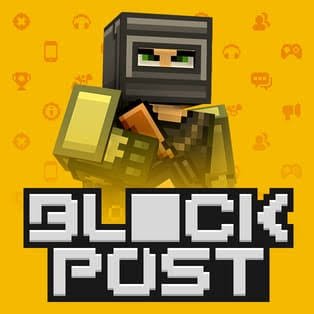
Blockpost is a block-style 3D online shooter from Skullcap Studios built around short multiplayer matches, multiple maps, character progression, and several competitive modes. Its visual style is simple, but the matches can move quickly because players are constantly repositioning, changing routes, and reacting to opponents appearing from different parts of the map.
What stood out to me is that the game is easier to understand than it is to play consistently. Movement and basic actions are simple, but knowing the layout of a map and recognizing where other players are likely to appear makes a much bigger difference than pressing buttons faster.
| Game Detail | Information |
|---|---|
| Game | Blockpost |
| Developer | Skullcap Studios |
| Genre | 3D Multiplayer Shooter |
| Gameplay Style | Online matches, team modes, progression |
| Movement | WASD or Arrow Keys |
| Jump | Spacebar |
| Supported Browser Device | Desktop |
| Original PC Release | April 25, 2019 |
| Maps | 20+ listed in original PC version |
| Game Modes | 7 listed in original PC version |
| Multiplayer | Online PvP |
| Current Browser Rating | Around 4.4 |
| Browser Votes | 1.8M+ |
The original PC release is listed by Steam as April 25, 2019, with Skullcap Studios credited as both developer and publisher.
How Blockpost Matches Work
Blockpost places players into real-time multiplayer arenas where the objective changes depending on the selected mode.
Some matches focus on team performance, while others use different objectives or rules. The original PC listing confirms seven game modes and more than 20 locations, so learning the maps becomes an important part of long-term progression.
A new player can understand the basic idea almost immediately: move through the map, stay aware of other players, and help complete the current objective.
The difficult part comes from reading the arena.
After several matches, certain corners, open areas, and connecting routes start becoming familiar. That knowledge often matters more than making constant rushed movements.
Blockpost Controls
The current browser version uses a familiar desktop control layout:
- WASD or Arrow Keys: Move
- Spacebar: Jump
- Mouse: Look around
- Number Keys: Change available equipment
The browser listing currently supports desktop devices rather than phones or tablets.
For technical background, the MDN KeyboardEvent documentation explains how browsers recognize keyboard input during web applications and games.
One useful habit is keeping movement simple at first. New players sometimes make every situation harder by constantly changing direction even when a safer route is already available.
Seven Different Game Modes
One of Blockpost’s more substantial features is the number of ways matches can be structured.
The original release lists seven game modes, which gives the game more variety than a single repeating arena format.
Different modes can change what matters during a match.
A team-focused mode rewards staying aware of what the group is doing.
An objective-based mode may make reaching or protecting an area more important than simply moving around the arena.
This is why I would avoid learning Blockpost as if every match has exactly the same goal.
Check the mode first, then adjust how you move through the map.
More Than 20 Maps
Blockpost’s original PC version includes more than 20 game locations.
That variety matters because map knowledge becomes part of improvement.
During my first few matches in games structured this way, I usually make the mistake of following whatever route looks shortest.
After a while, it becomes clear that the shortest path is not always the easiest one.
Maps can contain:
- Open areas
- Tight corridors
- Elevated sections
- Connecting routes
- Small side passages
- Objective-focused areas
Rather than trying to memorize an entire map immediately, learn one useful route at a time.
That approach feels much less confusing.
Progression And Coins
Blockpost also includes progression outside individual matches.
The current browser description says players earn coins while playing, and continued participation contributes to leveling and unlocking additional content.
This means a match still contributes something even when your team does not finish first.
I prefer systems like this when progression is gradual because they give new players time to understand the game before worrying about every available option.
The mistake is assuming that unlocking more items automatically fixes weak fundamentals.
Knowing a map, understanding the current objective, and avoiding unnecessary risks usually matters first.
Character Customization
Customization has been part of Blockpost since its earlier PC release.
Steam’s official description lists character customization alongside progression and improvements to the available game content.
These options give players a way to personalize their profile and appearance without changing the basic structure of the game.
For me, customization works best as a secondary goal.
First learn how matches flow.
Then start paying more attention to cosmetic options and longer-term progression.
Team Play Matters
Blockpost includes team-based play, and the original game listing also confirms a clan or team system.
A common mistake in multiplayer games is treating every round like a solo challenge.
That can make objective modes much harder.
You do not need complicated communication to play more effectively with a team. Simply noticing where teammates are moving and avoiding completely isolated routes can make matches feel more organized.
If several teammates are already concentrating on one area, you may also notice that another part of the map has been left open.
That type of awareness comes with experience.
Learning Maps Before Chasing Progress
One of the fastest ways to make Blockpost feel less chaotic is to stop worrying about progression for a few matches.
Instead, pay attention to the environment.
Look for:
- Where players commonly enter an area
- Which routes connect major parts of the map
- Where objectives appear
- Which paths leave little room to change direction
- Which areas provide several exits
That knowledge carries from one match to the next.
By comparison, concentrating only on coins or level progression can leave you repeating the same positioning mistakes.
Movement Is Easy To Learn
Blockpost does not require an unusual movement system.
If you have used WASD controls in other browser games, the basic layout should feel familiar immediately.
The W3C UI Events specification provides the broader web standard behind many keyboard and mouse interactions used by browser applications.
The useful skill is knowing when not to keep moving.
Constant movement can make it harder to understand where you are on an unfamiliar map.
Sometimes slowing down long enough to recognize the next route is the better decision.
Multiplayer And Real Players
Blockpost is designed around online PvP.
The current browser version describes matches against real players, while Steam also officially lists Online PvP among the supported features.
That means difficulty can vary noticeably from one match to another.
Some rooms may contain experienced players who already know every route.
Others may have several people learning the game at the same time.
That variation is normal in online multiplayer games and is one reason a single difficult match should not be treated as a measure of the entire game.
Blockpost Browser Version
The present browser listing supports desktop play.
It currently reports a rating of around 4.4 from more than 1.8 million votes, although rating figures can change as new votes are added.
There is also an important date issue in the current browser metadata.
The listing displays July 2025 as a release date while also showing May 2022 as its latest update. Because an update cannot normally predate a release, I would not treat those two browser dates as a reliable chronological history.
For that reason, the clearly documented April 25, 2019 PC release is the safer historical date to use.
Blockpost Legacy
The original PC version is now listed as BLOCKPOST LEGACY on Steam.
It was released on April 25, 2019 and remains credited to Skullcap Studios. Steam describes it as a free-to-play action game with multiplayer support, customization, seven modes, more than 20 maps, and a large collection of in-game equipment.
Steam also currently shows thousands of user reviews, making it useful for checking the history of the original release rather than relying entirely on newer browser listings.
The official Steam Support page for Blockpost Legacy additionally confirms Skullcap Studios as the developer and publisher.
Who Created Blockpost?
Blockpost was created by Skullcap Studios.
Steam identifies Skullcap Studios as both the developer and publisher of BLOCKPOST LEGACY.
The studio has also continued working on other Blockpost-related releases, including a separate mobile-focused version.
Steam Community announcements for that project show continuing developer activity into 2025 and 2026, including community items and earlier cross-platform work.
That history helps confirm that Blockpost is part of an ongoing series rather than a one-off browser upload.
Mistakes New Players Often Make
The first mistake is trying to learn everything during one match.
There are multiple maps, modes, routes, and progression systems. Trying to understand all of them immediately makes the game feel more complicated than it really is.
The second mistake is ignoring the objective.
A player can stay busy for an entire match without actually helping with the current mode.
The third is taking the same route every time.
Once other players recognize where you repeatedly appear, predictable movement becomes easier to respond to.
The fourth is focusing only on unlocks.
Progression is useful, but learning the maps generally produces more noticeable improvement during early matches.
A Better Way To Learn Blockpost
I would separate learning into three stages.
First, learn movement and one map.
Second, start identifying what each game mode expects from you.
Third, pay more attention to progression and customization.
This prevents the menus and unlock systems from distracting from the main game.
It also makes mistakes easier to understand.
If you lose your direction on a map, that is a navigation problem.
If your team ignores an objective, that is a mode-awareness problem.
Keeping those problems separate makes improvement much easier.
Supported Devices
The current browser edition is listed for:
- Desktop
It does not currently list phone or tablet browser support.
That fits the game’s keyboard-and-mouse control layout.
There are separate Blockpost-related mobile projects, but those should not be confused with the browser version when documenting supported devices.
Related Categories
Blockpost fits naturally into:
- Multiplayer Games
- 3D Games
- Action Games
- Team Games
- Skill Games
- Online Games
The current browser listing places it primarily under Shooting Games, while Steam classifies the original PC version as Action, Indie, and Free to Play.
What Makes Blockpost Different?
Blockpost’s main strength is the amount of multiplayer structure packed into a simple visual style.
The block graphics make the environment easy to read, but seven modes, numerous maps, progression, teams, and customization give players more to learn underneath that surface.
The most useful improvement usually comes from understanding the map rather than trying to react faster to everything.
Once routes start feeling familiar, the game becomes much easier to read.
That is when its simple controls begin to make more sense.



Reviews
There are no reviews yet.