

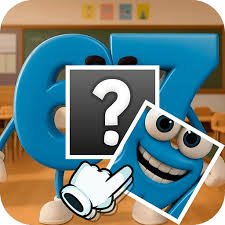
Brainrot Puzzle is a picture puzzle game from Playrea where you rearrange mixed-up image pieces until a complete meme character appears. Instead of dragging pieces into empty slots, you move one piece onto another to swap their positions, which makes each board more about recognizing where every section belongs.
The first mistake I made was concentrating only on the funniest or most recognizable part of the picture. That usually left the edges messy. I found it much easier to identify corners and large background areas first, then use faces and character details to finish the middle.
| Game Detail | Information |
|---|---|
| Game | Brainrot Puzzle |
| Developer | Playrea |
| Genre | Puzzle |
| Gameplay Style | Picture reconstruction and piece swapping |
| Main Objective | Rearrange pieces to complete each meme image |
| Controls | Click or tap and drag |
| Supported Devices | Desktop, Phone, Tablet |
| Browser Release | May 2025 |
| Latest Verified Update | June 2026 |
| Current Rating | About 4.5 |
| Current Votes | 135K+ |
| Multiplayer | Single-player |
Swap Pieces Until The Picture Makes Sense
Each Brainrot Puzzle stage begins with an image divided into pieces.
Those pieces are in the wrong positions.
To fix the picture, select one piece, drag it onto another, and release.
The two pieces switch places.
The basic loop is:
inspect the picture → identify a misplaced section → drag it onto another piece → check the new arrangement → repeat
The current browser listing confirms that swapping piece positions is the main control mechanic.
Start With Corners And Edges
Corners are often easier to identify than central pieces.
A corner piece usually contains two visible outer boundaries.
Edge pieces usually have one.
I found it useful to place those first because they create a frame for everything else.
Once the border starts looking correct, the remaining pieces become easier to compare.
This works particularly well on images with bright characters against simpler backgrounds.
Brainrot Puzzle Controls
The controls are simple.
Desktop
- Click and hold a puzzle piece.
- Drag it onto another piece.
- Release to swap their positions.
Phone And Tablet
- Touch and hold a puzzle piece.
- Drag it over another piece.
- Release to swap.
The current browser version supports desktop, phone, and tablet.
For some technical background, the MDN DragEvent documentation explains how browsers can represent drag-and-drop interactions.
The MDN Pointer Events guide also explains how mouse, pen, and touchscreen input can be handled through a shared browser input model.
Use Faces As Anchors
Faces are among the easiest parts of a character to recognize.
Eyes, mouths, and distinctive shapes give you useful reference points.
I usually place the face after sorting some of the border pieces.
Once the face looks right, surrounding body parts become easier to position.
This is much more reliable than trying to memorize the complete picture at once.
Background Pieces Matter Too
Background pieces can look unimportant because they contain fewer recognizable details.
They are still useful.
If two neighboring pieces share the same background color, line, or object edge, that gives you evidence that they belong together.
I often use the background to solve areas where the character itself does not provide a clear clue.
Brainrot Characters Give Each Puzzle A Different Shape
Brainrot Puzzle uses characters from the Italian Brainrot meme trend.
The current listing names characters including:
- Ballerina Cappuccina
- Tralalero Tralalá
- Tung Tung Tung Sahur
- Bombardiro Crocodilo
- Brr Brr Patapim
Playrea’s official site also describes the game as a collection of picture puzzles built around popular Italian Brainrot meme characters.
That means the puzzle mechanic stays the same while the pictures change.
Do Not Move A Correct Piece Without A Reason
Once a section clearly matches its neighbors, I leave it alone.
Moving correct pieces unnecessarily creates extra work.
Before swapping, ask:
Is this piece definitely wrong?
Do I know where it belongs?
If you only know the first answer, it may be better to keep looking before moving it.
That small pause reduced the number of swaps I had to undo later.
Work From Large Features To Small Details
Large visual features are easier to recognize.
These might include:
- a large face
- a distinctive hat
- a strong color block
- a big character outline
- a simple background section
Small decorative details are better left until later.
Once most of the picture is correct, their position becomes much more obvious.
Compare Neighboring Lines
A good puzzle clue is continuity.
If one piece contains half of an outline, stripe, arm, or object, check other pieces for the continuation of that line.
This is often more reliable than using color alone.
Two pieces may share a similar color but belong in completely different parts of the image.
A continuous line provides a stronger clue.
Solve One Area At A Time
Trying to fix the entire board simultaneously can make the puzzle feel more confusing.
I prefer dividing the picture mentally into sections:
top
middle
bottom
or
left side
character
right side
Then I solve one section before moving to another.
That reduces the number of pieces I need to compare at any one moment.
Do Not Swap Randomly
Random swapping can occasionally improve the picture by chance.
Most of the time it creates more confusion.
A better sequence is:
recognize → compare → choose → swap
That keeps each move connected to something you actually noticed.
If the swap does not improve the picture, you also know exactly which decision caused the problem.
Phone Play Works Well For Short Puzzles
Brainrot Puzzle officially supports phones.
Dragging a piece directly with your finger feels natural.
The main issue is that your finger can cover part of the image during a move.
I found it useful to pause after every swap and look at the full picture again rather than making several rapid changes in a row.
Tablet Gives More Visual Room
A tablet keeps the same touch controls but gives the puzzle more screen space.
That can make smaller visual details easier to compare.
For image puzzles, that extra room is helpful because you spend more time studying shapes than reacting quickly.
The game itself does not change between phone and tablet.
Desktop Makes Piece Comparison Easy
Desktop play uses a mouse.
That can be helpful when several pieces look very similar because the pointer does not cover as much of the image as a fingertip.
A larger monitor also makes small mismatches easier to notice.
The puzzle rules remain exactly the same.
Who Created Brainrot Puzzle?
Brainrot Puzzle was created by Playrea.
Playrea’s official website lists the game alongside other titles such as:
- Brainrot Merge
- Pizza Day
- Guess the Emojis
- Pocket Zoo
- Giant Sushi
- Zombie Puzzle
The studio describes Brainrot Puzzle as a picture-puzzle game focused on unlocking Italian Brainrot meme characters. Playrea’s official game catalogue provides the developer’s own description.
Brainrot Puzzle Also Has A Mobile App Version
Playrea also publishes a mobile version called Brainrot Puzzle: Meme Animals.
The Google Play listing describes the same drag-and-drop picture-swapping idea and shows more than 10,000 downloads.
That mobile record should not replace the browser dates on this Mopoga page.
For the browser version, use:
Release: May 2025
Latest Update: June 2026
The mobile app has its own update history.
Browser Release And Latest Update
The current verified browser timeline is:
Release Date: May 2025
Latest Update: June 2026
That gives the game more than a year between its original browser release and latest currently listed update.
For Mopoga, I would keep both dates in the details table so the release history remains clear.
Current Brainrot Puzzle Rating
The current browser listing shows approximately:
4.5 from 135,426 votes.
That vote total can continue changing.
For evergreen Mopoga content, 135K+ votes is cleaner than treating one exact count as permanent.
Is Brainrot Puzzle Multiplayer?
Brainrot Puzzle is a single-player puzzle game.
There is no current listing for online multiplayer or local competitive play.
The focus stays on completing the image puzzles and unlocking more character pictures.
That suits the game’s relaxed pace.
Common Brainrot Puzzle Mistakes
The first mistake is solving only by color.
Use outlines and neighboring shapes too.
The second is moving correct pieces unnecessarily.
Another common problem is concentrating entirely on the center while ignoring edges.
I also found random swapping unhelpful because it makes it harder to understand whether a move improved the puzzle.
Finally, do not rush through several swaps without checking the new picture after each one.
A single correct swap can reveal the position of several other pieces.
A Better Way To Solve Each Picture
This routine worked well for me:
- Look at the complete scrambled picture.
- Identify corner pieces.
- Build some of the outer edges.
- Locate the face or strongest character feature.
- Match continuous lines and color boundaries.
- Keep already-correct sections untouched.
- Solve the remaining smaller details.
- Check the whole picture before making another uncertain swap.
The important part is reducing the number of possibilities with each move.
More Puzzle Games On Mopoga
If you want a puzzle built around trick questions rather than images, The Impossible Quiz 2 uses unusual wording, visual clues, timed challenges, and hidden interactions across 120 questions.
For a physics-based puzzle, Eugene’s Life asks you to inflate, squeeze, and bounce a stretchy clay character through obstacle-filled levels.
You can also try Big Tall Small if you prefer logic puzzles where three differently sized characters need to cooperate to reach a shared exit.
Brainrot Puzzle Compared With Traditional Jigsaws
Traditional jigsaws often require you to drag each piece into an empty matching position.
Brainrot Puzzle uses swapping instead.
That means every move affects two locations at once.
Placing one correct piece can make another position worse if the piece you swapped with does not belong where it lands.
This makes it useful to think about both pieces before completing a move.
The action is simple, but the consequences are slightly different from a standard drag-to-empty-slot puzzle.
What Makes Brainrot Puzzle Different?
Brainrot Puzzle combines a familiar picture-reconstruction mechanic with meme-focused artwork.
The rules are very easy to learn.
The challenge comes from recognizing:
- character features
- image boundaries
- matching colors
- continuous outlines
- correct neighboring pieces
For me, the biggest improvement came from stopping random swaps and building the image from recognizable anchors.
Once the corners, face, and large shapes are correct, the final pieces usually become much easier to place.
Related Categories
Brainrot Puzzle fits naturally into:
- Puzzle Games
- Picture Puzzle Games
- Brain Games
- Meme Games
- Brainrot Games
- Casual Games
- Mobile Games
- Single-Player Games
Its current primary browser classification is Puzzle Games.
About Brainrot Puzzle
Brainrot Puzzle is a picture puzzle game by Playrea where you rearrange scrambled image pieces to reveal meme characters from the Italian Brainrot trend.
Drag one piece onto another to swap their positions, use character details and background lines as clues, and continue until the full picture is restored.
The browser edition supports desktop, phone, and tablet, making the same puzzle system playable with either mouse or touchscreen controls.
The controls are easy, but solving efficiently depends on recognizing strong visual clues before making each swap.
Reviews
There are no reviews yet.