

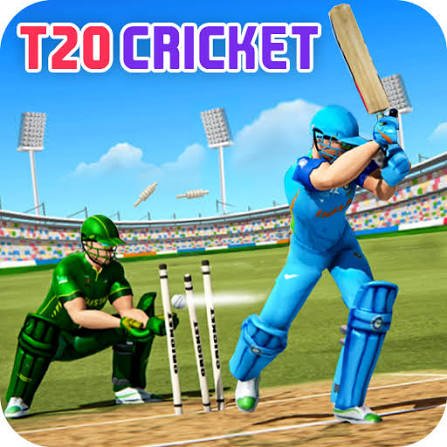
Cricket World Cup is a simple browser cricket game from Freak X Apps where you choose an international team and try to score enough runs to beat each opponent. The game cuts away most complicated cricket controls and concentrates mainly on one skill: timing your shot when the ball reaches the batter.
That simplicity can be misleading. I found that clicking as soon as the ball appeared was the fastest way to waste an attempt. Waiting until the delivery reaches a useful hitting position makes the batting feel much more controlled.
| Game Detail | Information |
|---|---|
| Game | Cricket World Cup |
| Developer | Freak X Apps |
| Genre | Sports, Cricket |
| Gameplay Style | Timing-based cricket batting |
| Controls | Mouse click or touchscreen tap |
| Supported Devices | Desktop, Phone, Tablet |
| Original Browser Release | June 2019 |
| Latest Verified Browser Update | October 11, 2024 |
| Current Rating | 4.3 |
| Current Votes | 380K+ |
| Multiplayer | Single-player |
The game was originally released for browsers in June 2019. Current browser listings identify Freak X Apps as the developer and support play on desktop and mobile devices.
How Cricket World Cup Works
The main objective is easy to understand.
Choose the country you want to represent, step up to bat, and score enough runs to defeat the opposing team.
You do not need to control every player on the field.
Instead, the game focuses on incoming deliveries and your batting timing.
Each ball becomes a small decision.
Click too early and your timing is poor.
Wait too long and the delivery may pass the useful hitting point.
The best results usually come from watching the ball rather than watching the batter.
Cricket World Cup Controls
The game uses one main input:
- Desktop: Left mouse click to hit
- Phone: Tap the screen to hit
- Tablet: Tap the screen to hit
That very small control system means there is no keyboard layout to memorize.
The challenge comes almost entirely from timing.
Modern browser games can handle both mouse and touchscreen input through common web input systems. The MDN Pointer Events guide explains how browsers recognize different pointer devices such as a mouse, finger, or stylus.
Choose Your Country
Before playing, Cricket World Cup allows you to select the team you want to represent.
The country choice gives the tournament a recognizable international-cricket feel, but it does not turn the game into a detailed team-management simulation.
You are still controlling the batting directly.
I would therefore choose the team you like rather than worrying about finding a hidden statistical advantage.
The real difference in results comes from how consistently you time each delivery.
Batting Timing Matters Most
The most important lesson is not to click automatically.
Watch the incoming ball.
Wait for it to enter the hitting area.
Then take the shot.
I made more mistakes when I tried to predict every delivery before it arrived.
A calmer approach worked better because it gave me a fraction more time to judge the ball.
That small delay becomes especially useful when the pace changes.
Do Not Watch Only The Batter
Your batter is easy to focus on because the character sits directly in front of you.
The ball is more important.
Try following the delivery from the moment it leaves the bowler’s side of the screen.
This gives you more time to understand its path.
By the time it reaches the batter, you should already have a good idea of when you want to click.
Watching only the character makes the delivery seem much faster because you notice it later.
One Click Does Not Mean Random Clicking
Cricket World Cup has an unusually small control scheme.
That does not mean repeated clicking helps.
Every unnecessary click removes the timing decision that makes the game work.
Instead of clicking several times and hoping one input lands correctly, use one deliberate attempt.
That also makes mistakes easier to understand.
If the result was poor, you can ask whether you clicked too early or too late.
With random clicking, there is nothing useful to learn from the attempt.
Scoring Runs
Your goal is to build enough runs to outperform the opposition.
The browser game uses a simplified version of cricket scoring rather than reproducing every law and match situation.
In real cricket, runs can be scored in several ways. The MCC Law 18 guide to scoring runs explains the official rules governing completed runs, boundaries, extras, and penalties.
Cricket World Cup keeps this much simpler.
You mainly need to concentrate on making successful contact and increasing the score.
Boundaries Reward Better Timing
Good batting can send the ball farther and produce stronger scoring results.
That makes timing more important than simply making contact.
In real cricket, boundary scoring is covered separately under the official Laws. The MCC guide to cricket boundaries explains how boundary allowances work in the sport.
The browser game simplifies these rules, but the basic idea remains familiar: a stronger successful shot can produce a better scoring outcome.
Learn The Delivery Rhythm
After several attempts, you may notice that the game begins to feel less unpredictable.
That is because you are learning the rhythm.
You start recognizing approximately how long a ball takes to reach the batter.
Once that happens, you spend less effort reacting and more effort fine-tuning the timing.
This is where improvement becomes noticeable.
A player who understands the rhythm usually performs more consistently than someone clicking purely on reaction.
Avoid Clicking Too Early
Early shots were the mistake I noticed most.
The ball appears.
You know it is coming.
Your first instinct is to hit immediately.
But knowing that the ball is coming is not the same as the ball being ready to hit.
Give the delivery time to reach the useful batting area.
That fraction of patience makes the controls feel much less random.
Do Not Wait For The Perfect Moment Forever
There is an opposite mistake too.
If you become too cautious, you can wait past the useful hitting point.
The goal is not to delay every shot.
It is to learn the small window where contact works best.
After several deliveries, that timing should become easier to recognize.
Think of it as finding a rhythm rather than reacting from zero every time.
Short Sessions Make Practice Easy
Cricket World Cup works well for short browser sessions.
There are no complicated menus to learn before batting.
You can choose a team and get into the main challenge quickly.
That also makes repeated attempts useful.
Instead of trying to master everything in one long session, play several shorter rounds and focus on one mistake.
For example:
- First round: stop clicking early
- Second round: watch the ball more carefully
- Third round: concentrate on consistent timing
That gives each attempt a clear purpose.
Cricket World Cup On Mobile
The game supports:
- Desktop
- Phone
- Tablet
The browser version is built using HTML5 technology and works with both mouse and touchscreen input.
Freak X Apps has described its wider work as focused on HTML5 browser games that can operate across different devices.
That fits Cricket World Cup well because the game only requires one main input.
There are no virtual directional buttons taking up screen space.
You simply tap when you want the batter to play the shot.
Desktop Or Mobile: Which Is Easier?
Neither platform changes the basic game.
Desktop uses a mouse.
Mobile uses a finger.
A mouse may feel slightly more precise if you already play browser games on a computer.
Touchscreens feel natural because the action is only a tap.
I would use whichever device lets you reproduce the same timing consistently.
Changing platforms will not solve poor timing by itself.
Cricket World Cup And Real Cricket
Cricket World Cup is an arcade-style interpretation rather than a complete simulation of the sport.
Real cricket includes detailed Laws covering:
- Innings
- Overs
- Runs
- Boundaries
- Wickets
- Dismissals
- Fielding
- No-balls
- Wides
The official MCC Laws of Cricket provide the complete rule structure used as the foundation of the sport.
The browser game removes most of that complexity and keeps the part that is easiest to turn into a quick skill game: watching a delivery and timing the bat.
That is important when deciding what kind of cricket game you want.
If you want detailed team management and full match simulation, this is probably too simple.
If you want quick batting sessions, its limited control system is part of the appeal.
Who Created Cricket World Cup?
Cricket World Cup was created by Freak X Apps, also known through newer branding as Freak X Games.
The studio has worked primarily on HTML5 games designed for browsers and mobile-friendly web platforms.
Freak X Apps has publicly described its work as HTML5 game development and browser-game licensing.
Other games associated with the developer include:
- Ludo Multiplayer
- Stud Rider
- Ninja Action 2
The studio has produced games across several simple browser-friendly genres rather than focusing only on sports.
Cricket World Cup Release And Updates
The original browser release is listed as:
June 2019
A newer browser-host version records its latest update as:
October 11, 2024
Another current platform still lists June 2022 as its own latest update, which shows why browser-game update dates can differ between hosts.
For that reason, I would record October 11, 2024 as the newest browser update I could verify rather than assuming every site received the same build on the same date.
Current Cricket World Cup Rating
The current browser listing shows a rating of approximately:
4.3 from more than 380,000 votes.
This number can change as more players vote.
It should therefore be treated as a current snapshot rather than a permanent game specification.
Is Cricket World Cup Multiplayer?
Cricket World Cup is best treated as a single-player browser sports game.
You compete against opposing teams within the game’s tournament-style structure rather than entering confirmed real-time matches against another connected player.
That distinction matters because facing another team on screen does not automatically mean the opponent is controlled by another person online.
Mistakes That Make Batting Harder
The first mistake is clicking immediately when the delivery appears.
The second is watching the batter instead of the ball.
The third is clicking repeatedly rather than making one controlled attempt.
Another problem is changing your timing dramatically after one poor shot.
One mistake does not always mean your entire approach is wrong.
Make smaller adjustments.
If you were early, wait slightly longer next time.
If you were late, react slightly sooner.
Small timing changes are easier to control.
A Better Way To Improve
Start by forgetting about the highest possible score.
Use the first few deliveries to understand the timing.
Watch the ball from its release.
Take one deliberate shot.
Notice whether you were early or late.
Then adjust only a little.
Once you can make contact consistently, start concentrating more on scoring.
This approach worked better for me than trying to hit every delivery as aggressively as possible from the first ball.
Related Categories
Cricket World Cup fits naturally into:
- Cricket Games
- Sports Games
- Ball Games
- Skill Games
- Timing Games
- Mobile Games
- Browser Games
Its strongest fit is Cricket Games because almost the entire experience is built around batting and scoring against international opponents.
What Makes Cricket World Cup Different?
Cricket World Cup does not try to recreate an entire cricket match.
That is exactly why it works as a quick browser game.
You choose your country.
You watch the delivery.
You time the shot.
You build the score.
Almost everything else has been removed.
That makes mistakes very easy to identify.
When a shot goes wrong, the problem is usually timing rather than a complicated control combination.
The game is therefore a better fit for players who want short cricket sessions than for someone searching for a detailed cricket simulator.




Reviews
There are no reviews yet.