

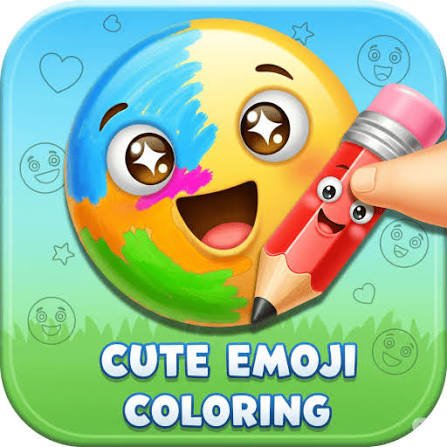
Emoji Coloring is a casual coloring game where you fill familiar emoji-style pictures with color using a mouse or touchscreen. Instead of giving you only a small collection of drawings, the game includes more than 1,000 coloring pages spread across categories such as animals, food, faces, and other familiar symbols.
You can follow the suggested colors when you want a straightforward coloring session or ignore them and create your own combinations. I found the second approach more interesting after completing a few pictures because unusual colors make even very familiar emoji designs look different.
| Game Detail | Information |
|---|---|
| Game | Emoji Coloring |
| Developer | illusivegames |
| Genre | Coloring, Decoration |
| Gameplay | Select colors and paint emoji pictures |
| Coloring Pages | 1,000+ |
| Main Categories | Animals, Emoticons, Food and more |
| Controls | Mouse click and drag or touchscreen |
| Supported Devices | Desktop, Phone, Tablet |
| Release Date | October 2024 |
| Latest Verified Update | June 2026 |
| Current Rating | About 4.4 |
| Current Votes | 55K+ |
| Multiplayer | Single-player |
What You Do In Emoji Coloring
Each picture begins as an uncolored emoji-style illustration.
You choose a color and apply it to different sections of the image until the picture is complete.
The basic loop is simple:
choose a picture → select a color → paint an area → switch colors → finish the design
There is very little setup, which makes the game easy to understand even if you have not played a digital coloring game before.
What kept it from feeling completely repetitive for me was the freedom to stop following the suggested palette. A familiar object can look noticeably different once you begin using your own shades.
More Than 1,000 Pictures
Emoji Coloring currently advertises more than 1,000 coloring pages.
That number matters more here than it would in a short level-based game because each picture is essentially its own small activity.
The available themes include categories such as:
- Animals
- Emoticons
- Food
- Familiar emoji-style objects
- Other themed illustrations
I would not try to work through them in a fixed order. Browsing the categories and choosing whatever looks interesting makes the large library feel less like a checklist.
Emoji itself is a much broader standardized system than any one coloring game. The Unicode Consortium’s official Emoji Charts show how emoji characters and sequences are officially organized across the Unicode standard.
Emoji Coloring Controls
The controls are intentionally limited.
Desktop
- Move the mouse to choose a color.
- Click and drag to apply color to the picture.
Phone and Tablet
- Use touchscreen input to choose a color.
- Drag your finger across the areas you want to fill.
There are no movement keys or complicated button combinations.
That makes the game a natural fit for touchscreen devices.
Modern web applications can handle mouse, touchscreen, and pen input through a shared input model. MDN’s Pointer Events guide explains how browsers can represent these different pointing devices through one event system.
The current W3C Pointer Events specification also describes hardware-independent input for devices including a mouse, pen, and touchscreen.
Suggested Colors Or Your Own Palette
Emoji Coloring gives you two noticeably different ways to approach a picture.
You can use the prepared colors and try to recreate the expected design.
Or you can ignore the usual appearance and create something completely different.
I prefer starting with the recommended palette when the picture has several small areas because it helps me understand which parts belong together.
After that, changing one or two major colors is an easy way to make the picture feel more personal without turning every section into a random shade.
Start With The Largest Areas
One practical mistake is beginning with tiny details.
It feels productive because those sections are quick to finish, but I found it easier to lose track of the overall palette that way.
A better order is:
- Fill the largest section.
- Choose the main secondary color.
- Complete medium-sized areas.
- Leave small details until the end.
This gives you a clearer idea of how the finished picture is developing.
It also makes it easier to change direction before you have colored dozens of small sections.
Food, Animals And Emoticons
The category system helps separate a very large image collection into smaller groups.
Food pictures work well when you want simple recognizable objects.
Animal pictures tend to have more separate features to color.
Emoticons are useful when you want something quick because the main shape is often immediately recognizable.
There is no gameplay advantage to one category.
The choice mainly changes what sort of picture you are working on.
Why Familiar Emoji Shapes Work Well Here
Emoji designs are usually made to remain recognizable at small sizes.
That makes them a sensible subject for a casual coloring game.
You can often tell what an image represents before adding any color at all.
The official Unicode emoji list groups characters by names and related keywords, showing how recognizable symbols are organized into categories such as faces, animals, food, activities, objects, and symbols. See the Unicode Emoji List
Emoji Coloring uses that familiar visual idea for a creative activity rather than communication.
Try A Small Color Palette First
Using every available color at once can make a picture harder to coordinate.
I found that choosing three or four main shades first usually creates a cleaner result.
For example:
- One main color
- One darker supporting color
- One lighter shade
- One contrasting detail color
You can always add more later.
This is particularly useful when you are intentionally creating a different version of a familiar emoji instead of copying its normal appearance.
Contrasting Colors Can Change The Whole Picture
A picture does not need realistic colors to work.
A purple banana or green heart may be completely unrealistic, but that is part of the appeal of a coloring game.
Try making one major part deliberately different from the rest.
If most of the design uses warm shades, a cooler color in one area can become the visual focus.
Because Emoji Coloring is not scoring artistic accuracy, experimentation does not create a gameplay penalty.
Mouse Versus Touchscreen
The same basic activity works on all supported devices, but the experience is slightly different.
A mouse gives you a precise pointer, which I found useful around smaller sections.
A phone gives you direct touch control but less screen space.
A tablet provides more room while keeping touchscreen input.
That means there is no single device that is automatically better for every player.
If the picture contains lots of small regions, a larger display may simply feel more comfortable.
Why Dragging Feels Natural In A Browser Coloring Game
Browser drawing and coloring tools can be built around changing graphics directly on the page.
MDN explains that the Canvas API can be used for browser-based drawing, game graphics, image manipulation, and other 2D visual work.
That does not confirm the exact rendering technology used by Emoji Coloring, but it helps explain the kind of browser graphics capability that makes interactive painting tools possible without installing separate desktop software.
Do Not Rush The Small Sections
Dragging quickly works well across large open areas.
Small parts deserve more care.
My most common mistake was moving too quickly simply because the controls felt easy.
Slowing down for smaller sections made the final picture look much cleaner.
This becomes especially noticeable on a phone where your finger can cover part of the area you are trying to see.
Make Several Versions Of The Same Picture
One way to get more value from a coloring page is to stop treating it as something you can finish only once.
Try the same picture again with a different rule.
For example:
Version one: Follow the expected colors.
Version two: Use only cool colors.
Version three: Use three colors total.
Version four: Make every major area different from the normal emoji.
This makes repeated pictures feel more like small design exercises than simple repetition.
Who Created Emoji Coloring?
Emoji Coloring was created by illusivegames.
The same developer is also associated with games including Prismo Coloring and Prismo Puzzles.
That connection makes sense because Emoji Coloring also focuses on simple visual interaction rather than movement-heavy gameplay.
The current browser record gives October 2024 as its release month.
Latest Emoji Coloring Update
The most recent verified update currently listed is June 2026.
For Mopoga’s game-details table, that is the latest update date I would use rather than treating the original October 2024 release as the most recent version.
Browser listings can change over time, so rating totals and vote counts should be treated as current snapshots rather than permanent game statistics.
Current Emoji Coloring Rating
The current listing gives Emoji Coloring a rating of approximately 4.4 from more than 55,000 votes.
That is useful as a rough indication of current player feedback, but it should not be treated as a fixed quality score.
Vote totals continue changing as more players rate the game.
Desktop, Phone And Tablet Support
Emoji Coloring officially supports:
- Desktop
- Phone
- Tablet
That broad device support suits its control design.
There are no keyboard-heavy actions that would make touchscreen play difficult.
The main interaction is simply choosing and applying colors.
Is Emoji Coloring Multiplayer?
Emoji Coloring is a single-player creative game.
There is no competitive match, shared online canvas, or multiplayer ranking system listed in the current game information.
The focus is entirely on choosing pictures and coloring them yourself.
That makes it better suited to relaxed individual sessions than competitive play.
Common Emoji Coloring Mistakes
There is no real losing condition, but a few habits can make coloring less enjoyable.
The first is changing colors constantly without deciding on any overall palette.
The second is rushing through small sections because the basic controls feel easy.
Another is treating the suggested colors as mandatory.
They are useful guidance, not a restriction.
I also found that randomly selecting pictures from one category repeatedly can make the game feel more repetitive than it actually is.
Moving between animals, food, faces, and other categories keeps the picture shapes noticeably different.
A Simple Way To Color Each Picture
A practical routine is:
choose the picture → identify the largest sections → select two or three main colors → fill large areas → add smaller colors → finish details
Then decide whether the finished picture looks balanced.
If not, try the same design again with a different palette rather than changing everything randomly halfway through.
That small amount of planning makes the creative side of the game more noticeable.
More Creative Games On Mopoga
If you prefer character design instead of coloring fixed pictures, Mermaid Dress Up lets you combine hairstyles, tails, clothes, colors, facial features, and accessories to create your own mermaid.
For a more traditional logic challenge, Big Tall Small replaces coloring with character-switching puzzles where three differently sized characters need to cooperate to reach the exit.
You can also try Eugene’s Life if you want something more active. Its puzzles are based around changing the shape of a stretchy clay character to move through obstacles.
What Makes Emoji Coloring Different?
Emoji Coloring is not trying to turn coloring into a complicated progression game.
Its main strength is choice.
There are more than 1,000 pictures.
You can move among different categories.
You can copy familiar colors.
Or you can ignore them entirely.
That makes it suitable for quick sessions when you only want to complete one picture, while the much larger image library gives you enough variety to return later.
I think the game works best when you stop worrying about whether an emoji is colored “correctly.” Following the expected palette is useful for the first attempt, but changing those familiar colors is where the creative side becomes more noticeable.
Related Categories
Emoji Coloring fits naturally into:
- Coloring Games
- Decoration Games
- Drawing Games
- Creative Games
- Casual Games
- Emoji Games
- Kids Games
- Mobile Games
- Single-Player Games
Its main identity is a simple coloring and decoration game built around familiar emoji-style pictures.
About Emoji Coloring
Emoji Coloring is a browser coloring game from illusivegames with more than 1,000 pictures covering animals, emoticons, food, and other familiar symbols.
Choose a suggested color when you want guidance or create your own palette when you want a different result.
Mouse and touchscreen controls keep the interaction simple across desktop, phone, and tablet.
There is no score pressure or multiplayer competition. The main reason to continue is simply finding another picture and seeing how differently you can color it.


Reviews
There are no reviews yet.