

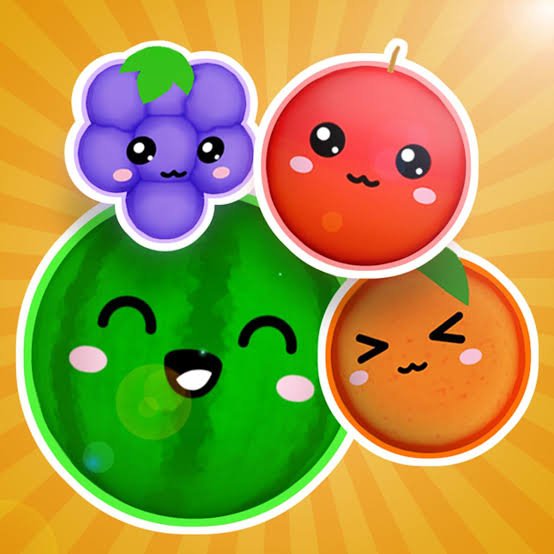
Kawaii Fruits 3D is a physics-based merge puzzle where you drop cute fruits and other themed balls into a container, combine matching pieces, and gradually create larger ones. The core idea is easy to understand, but the 3D physics make placement less predictable because pieces can roll, bounce, and push one another after landing.
My first mistake was aiming only for the matching fruit directly below the drop point. That worked early on, but once the container became crowded, one bounce could move several pieces. I started getting better results when I looked at where the new merged fruit was likely to settle rather than only whether the first collision would happen.
| Game Detail | Information |
|---|---|
| Game | Kawaii Fruits 3D |
| Developer | Okashi Games |
| Genre | Skill / Puzzle / Merge |
| Gameplay Style | 3D physics-based drop and merge |
| Controls | Move with mouse, click to drop |
| Mobile Controls | Touch / tap |
| Supported Devices | Desktop, Phone and Tablet |
| Browser Release | January 2024 |
| Latest Verified Browser Update | January 2026 |
| Current Browser Rating | 4.3 |
| Current Browser Votes | 70K+ |
| Progression | Level objectives and saved progress |
| Multiplayer | Single-player |
The current browser edition identifies Okashi Games as the developer, confirms January 2024 as the release date and January 2026 as the latest update, and lists desktop, phone, and tablet support.
Start With The Current Level Goal
Kawaii Fruits 3D is not only about creating the biggest fruit possible.
Each level gives you a target to reach before moving forward.
That changes how I approach a run.
Instead of chasing every available merge, I pay attention to what the level actually wants. If the target only requires a certain fruit size or number of merges, using the container efficiently matters more than building one enormous piece.
The current browser description confirms that reaching the goal advances you to the next level.
Drop Matching Fruits Together
Each turn begins with a fruit or themed ball positioned above the container.
Move it horizontally, choose a landing point, and release it.
When two matching pieces touch, they combine into a larger one.
The basic loop is:
drop → collide → merge → create a larger piece → repeat
The rules are simple.
The difficulty comes from the fact that every merge changes the available space.
Kawaii Fruits 3D Controls
The controls are very small.
- Mouse movement: Position the fruit
- Mouse click: Drop it
- Touchscreen: Position and release through touch input
These are the current verified browser controls.
For technical background, the MDN Pointer Events documentation explains how web applications can handle mouse, touch, and pen input through a shared interface.
3D Physics Make Placement Less Predictable
Kawaii Fruits 3D does not lock pieces to fixed grid cells.
They can:
- roll
- bounce
- shift
- push neighboring pieces
- settle into small gaps
That means the final position can differ from where the fruit first lands.
I found that dropping slightly beside a matching piece sometimes worked better than aiming directly at its center.
A softer side contact can let the fruit roll into position without disturbing the entire stack.
Cute Fruits Are Only One Theme
The game includes more than one visual set.
The current browser description specifically mentions themes ranging from cute fruits to ornament balls.
That gives the game more visual variety without changing the core rules.
I like this because merge games can become repetitive when every run looks exactly the same.
Changing the theme gives the same physics puzzle a different feel without forcing you to learn new controls.
Keep Large Pieces Low
As pieces merge, they become larger and consume more space.
I try to keep the biggest ones near the bottom whenever possible.
A large fruit near the top can block useful drop zones and make the container reach its limit much faster.
Keeping heavy pieces low also leaves more room for smaller fruits to move and find matching partners.
This became much more important after the first few levels.
Empty Space Is Part Of The Puzzle
A successful merge is not automatically a good move.
Sometimes it creates a large piece in an awkward place and leaves several tiny gaps that are difficult to use.
I started treating open space as another resource.
A useful merge should ideally do three things:
- increase the fruit size
- reduce the overall height of the pile
- leave flexible landing areas
That is often more valuable than choosing the most obvious match immediately.
Level Progress Is Saved
One useful feature is that Kawaii Fruits 3D saves your level progress.
The current browser listing says you can return later and continue from where you stopped.
That fits the level-based structure well.
You do not need to treat every session as one long attempt.
For me, that makes the game easier to play in short sessions because finishing one or two levels still feels like useful progress.
Build Toward Chain Reactions
The most satisfying merges happen when one successful combination creates another.
If two medium-sized matching fruits are already close together, combining smaller pieces nearby can create the exact fruit needed to trigger a second merge.
These chain reactions can also free a lot of space.
I started getting more of them once I stopped spreading similar sizes across opposite sides of the container.
Keeping related fruits in the same general area makes later combinations easier.
Do Not Rush Every Pair
Two identical fruits sitting close together can look like an automatic move.
Sometimes waiting is better.
If another matching fruit is likely to arrive soon, placing it nearby may create a stronger sequence after the first merge.
That does not mean delaying every combination.
It means looking one move ahead before using an easy pair.
The difference becomes noticeable once the container starts getting crowded.
When The Container Gets Crowded
Late in a level, the most important question changes.
Early on, I ask:
What can I merge?
Later, I ask:
Which drop creates the most usable space?
That shift helped me avoid filling the top of the container with small isolated pieces.
A large merge is useful, but a low-value merge that clears an awkward corner can sometimes be even more important.
Who Created Kawaii Fruits 3D?
Kawaii Fruits 3D was created by Okashi Games.
Okashi Games describes itself as a French indie studio specializing in mobile and web games, with a focus on simple casual mechanics and immediate play. Its official portfolio lists Kawaii Fruits 3D as available in HTML5, iOS, and Android formats.
The studio also lists games such as:
- Micro Wars
- Micro Wars 2
- Nano War
- Park Out
- Karakuri
- Real Estate Rush
Using the developer’s official portfolio helps separate the real Okashi Games title from unrelated pages using similar fruit-merging names.
Release And Latest Update
The current verified browser release is January 2024.
The latest verified browser update is January 2026.
Those dates are consistent across several current language versions of the browser listing.
For Mopoga, I would use:
Release: January 2024
Latest update: January 2026
rather than relying on third-party pages that show different publication dates.
Desktop, Phone And Tablet Support
Kawaii Fruits 3D currently supports:
- Desktop
- Phone
- Tablet
That makes sense because the game only needs horizontal positioning and a drop action.
I prefer desktop when the pile becomes crowded because a mouse gives very deliberate positioning.
Touch controls feel natural for casual sessions because the interaction is already based on simple pointer movement.
The W3C Pointer Events specification explains the standard behind handling different pointer types in web applications.
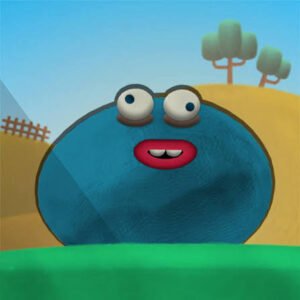
How Kawaii Fruits 3D Differs From Blob Drop
Kawaii Fruits 3D and Blob Drop use a similar physics-merging idea.
Both involve:
- dropping pieces
- matching identical objects
- creating larger versions
- managing limited space
- reacting to bouncing physics
The biggest difference is progression.
Kawaii Fruits 3D uses level objectives and saved progress, while Blob Drop is more focused on maintaining the container and building increasingly large blobs.
That makes Kawaii Fruits 3D feel slightly more structured.
Kawaii Fruits 3D Compared With Merge Rot
Merge Rot also uses a container-based merging system, but its presentation is much more meme-focused.
Kawaii Fruits 3D uses cute fruit and ornament themes.
Merge Rot uses character sets such as Brainrot, cats, dogs, and other internet-style themes.
The physics-planning challenge is similar, but the tone and progression structure are noticeably different.
A Better Way To Read Each Drop
Before releasing the current fruit, I check four things:
- Where is the closest matching piece?
- What will the merged fruit become?
- Where is that larger fruit likely to settle?
- Will the result help the current level goal?
That final question matters because Kawaii Fruits 3D is level-based.
A move that would be excellent in an endless high-score game may not be the quickest route toward the current objective.
Browser Performance
Because Kawaii Fruits 3D uses animated 3D pieces and physics, smooth rendering helps make collisions easier to read.
Google’s web.dev performance guidance explains how browser rendering and responsiveness can affect interactive experiences.
If the fruit movement suddenly looks choppy, I would first close unusually heavy browser tabs and reload the game before assuming the physics changed.
Common Mistakes I Made
The first was dropping directly onto every matching fruit.
The second was letting large pieces remain near the top.
The third was forgetting the actual level objective while chasing a larger merge.
All three mistakes made the container harder to control.
Once I started thinking about space, position, and the goal together, levels became much more manageable.
What Makes Kawaii Fruits 3D Different?
Kawaii Fruits 3D combines familiar Suika-style merging with a more structured level system.
Its main features include:
- 3D physics
- cute fruit themes
- ornament-ball themes
- matching and merging
- increasingly large pieces
- level objectives
- saved progress
- desktop play
- phone and tablet support
- simple pointer controls
The controls take almost no time to learn.
Most of the challenge comes from predicting what the pile will look like after each merge.
Related Games On Mopoga
Kawaii Fruits 3D fits naturally beside Mopoga games based on merging, physics, and limited-space planning.
Blob Drop is the closest match because it also uses bouncing pieces and container management.
Merge Rot offers a more meme-focused version of the same broad merge formula, while Impossible 13 replaces falling physics with a more structured number-merging board.
I checked Mopoga’s two source-of-truth XML sitemaps again, but the current web reader still returns them as unsupported text/xml, so I have not guessed individual product URLs.
The canonical internal-link sources remain:
https://imopoga.com/product-sitemap.xml
https://imopoga.com/product_cat-sitemap.xml
Once their exact product URLs are readable, the strongest 2–3 internal links here would be to verified pages for Blob Drop, Merge Rot, and another closely related merge or puzzle game.
About Kawaii Fruits 3D
Kawaii Fruits 3D takes a very simple interaction and gets most of its challenge from physics and space management.
You move a fruit, drop it, merge matching pieces, and work toward the level target.
For me, the biggest improvement came from thinking about the position of the next larger fruit rather than only trying to make the current pair touch.
That small change makes the container much easier to manage.



Reviews
There are no reviews yet.