

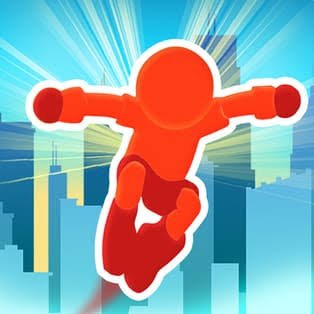
Parkour Race is a fast 3D running game from Madbox where you race a stickman across rooftops, barriers, ramps, and city obstacles while trying to reach the finish before the rest of the field. The runner moves forward automatically, so your main job is choosing the best line and moving left or right at the right moment.
The first thing I noticed is that the game rewards smooth positioning more than constant movement. I originally kept steering whenever another runner came close, but that often pushed me away from useful ramps or speed sections. Once I started choosing a route earlier and letting the runner follow it, races felt much cleaner.
| Game Detail | Information |
|---|---|
| Game | Parkour Race |
| Developer | Madbox |
| Genre | Skill / Running / Racing |
| Gameplay Style | Rooftop obstacle racing |
| Browser Controls | A/D or Left/Right Arrow |
| Mobile Controls | Touch / drag movement |
| Supported Devices | Desktop, Phone and Tablet |
| Browser Release | December 2020 |
| Latest Verified Browser Update | December 2020 |
| Current Browser Rating | 4.2 |
| Browser Votes | 1.5M+ |
| Mobile Availability | Android and iOS |
| Multiplayer | Competitive-style races |
The current browser listing identifies Madbox as the developer, gives December 2020 as the browser release and update period, and lists desktop, phone, and tablet support.
The Race Is About Keeping Momentum
Parkour Race looks like a simple left-and-right runner, but the courses give those two controls more importance than expected.
Your character automatically handles many movements such as jumps, flips, vaults, and wall-based transitions when you reach the correct part of the course. You mainly decide where the runner should be positioned.
The basic loop is:
run → choose a route → avoid slowdowns → hit useful sections → reach the finish
Madbox describes the game around rooftop running, jumping, vaulting, and record-setting across city environments.
Parkour Race Controls
The browser version keeps the control scheme very small.
- A or Left Arrow: Move left
- D or Right Arrow: Move right
The current browser edition confirms those as the main desktop inputs.
On phones and tablets, movement is handled through touch-based controls.
Because you are not pressing a separate button for every parkour animation, timing your horizontal movement becomes the main skill.
For readers interested in the technical side of keyboard input, the MDN KeyboardEvent documentation explains how web applications detect keys such as A, D, and the arrow keys.
Rooftop Routes Matter
Parkour Race courses are built around elevated urban environments.
You move between rooftops, structures, ramps, walls, and other obstacles while opponents take nearby routes.
The quickest-looking path is not automatically the best one.
I found that a slightly wider route could sometimes be better than cutting sharply toward a shortcut if the correction disrupted momentum.
The game’s current mobile description also emphasizes rooftop-to-rooftop movement and obstacle-based racing through city environments.
Speed Bumpers
Glowing speed sections can give the runner extra momentum.
These are worth noticing before you reach them because being in the wrong lane can mean missing a useful speed advantage.
My early mistake was steering toward a booster too late.
By the time I moved across, I would either miss it or enter the next obstacle from a poor position.
The better approach inside the game is simply to decide earlier whether the booster fits your current route.
The browser version specifically identifies glowing speed bumpers as a way to gain momentum.
Vaults And Flips Happen Naturally
Many of the game’s parkour movements are automatic.
When the runner approaches the correct obstacle from a suitable position, the game can trigger actions such as:
- vaults
- flips
- wall transitions
- jumps
- rooftop movement
That keeps the controls accessible because you do not need to memorize a large movement list.
Madbox’s official game page highlights flipping, jumping, falling, and vaulting as central parts of Parkour Race.
These are game mechanics only, not instructions for attempting parkour moves outside the game.
Why Changing Lanes Too Often Can Hurt
The runner is always moving forward.
That means every sideways correction changes where you will meet the next obstacle.
I used to steer repeatedly when an opponent moved near me, even when that opponent was not actually blocking the route.
That usually created unnecessary problems.
Now I think of each course as a series of short lanes.
Once I have chosen a good line, I stay with it until there is a clear reason to change.
That makes the controls feel much more precise.
Racing Against The Crowd
Parkour Race places other runners on the course with you.
They help create the feeling of a competitive race because you can see your position changing as different routes and obstacle choices affect speed.
The goal is straightforward: reach the finish before the other runners.
Madbox describes the game as racing against a crowd and trying to claim first place.
I would avoid copying every route an opponent takes.
Another runner being slightly ahead does not mean their current path will still be best at the next obstacle.
Shortcuts Can Change A Race
Some course layouts provide routes that can save time.
The interesting part is recognizing whether reaching that route requires too much sideways movement.
A shortcut is only useful if you can enter it cleanly.
If moving toward it causes a large correction or makes you miss a speed section, the safer-looking main path can sometimes produce the better result.
This is one of the reasons Parkour Race has more decision-making than its two-button control scheme initially suggests.
Tricks And Speed
Madbox’s mobile description says that performing tricks can contribute to extra speed during races.
Because many animations happen automatically once you enter the correct route, the useful decision is usually where to place your runner rather than trying to manually execute the animation.
This keeps the game accessible while still rewarding players who learn how different course sections connect.
Daily Race Content
The mobile version includes daily race content with additional rewards.
Madbox specifically mentions daily races as part of the current Android and iOS experience.
The exact content available can differ between browser and mobile editions, so I would not assume every browser build contains every mobile event.
That distinction is worth keeping in mind because Parkour Race has been updated on mobile long after its original browser release.
Character Customization
Parkour Race also includes cosmetic customization.
Current mobile versions let players earn:
- outfits
- back accessories
- visual effects
- character customization items
These do not replace the basic racing mechanics, but they provide another progression goal beyond finishing first.
The official Google Play and App Store descriptions both mention unlockable cosmetic items.
I would treat these mainly as visual rewards rather than something that changes the basic left-and-right racing system.
Cities And Course Themes
The mobile edition references recognizable city themes including New York, Paris, and Tokyo.
These settings give different races a stronger visual identity even though the central movement system remains familiar.
The important gameplay elements continue to be rooftops, obstacles, ramps, walls, and route selection.
I find this approach more effective than changing the controls for every environment because you can focus on learning the course rather than relearning movement.
Who Created Parkour Race?
Parkour Race was created by Madbox.
Madbox’s official game catalogue currently lists Parkour Race alongside titles such as Stickman Hook, Idle Ants, and Sausage Flip.
Google Play also identifies MADBOX as the current developer of the mobile game.
The official developer site is useful here because it confirms that Parkour Race genuinely belongs to Madbox rather than relying only on third-party game pages.
Parkour Race Release And Updates
The established browser edition dates to December 2020 and currently lists that same month as its latest browser update.
The mobile edition has continued receiving newer maintenance.
Google Play currently shows an update dated August 24, 2026, with performance improvements listed in the latest release notes.
That means the dates should be kept separate:
Browser edition: December 2020
Mobile edition: still maintained in 2026
A newer mobile update should not automatically be presented as a new browser release.
Desktop, Phone And Tablet Support
The browser listing supports desktop, phone, and tablet.
The mobile game is also officially available through Google Play and Apple’s App Store.
I prefer desktop when I want very deliberate left-right corrections because individual keys make each movement obvious.
Touch controls work well for shorter sessions because the game needs only simple directional input.
The W3C Pointer Events standard provides technical background on how browsers can handle mouse and touchscreen interaction across different devices.
Browser Performance
Parkour Race depends on responsive movement more than complicated controls.
If input starts feeling delayed, I would first check whether the browser itself is struggling.
Google’s web.dev performance guide explains how rendering work, responsiveness, and page load can affect interactive web experiences.
Closing unusually heavy browser tabs and allowing the game page to finish loading can help on lower-powered devices.
The important distinction is between making a poor in-game movement choice and having an input register noticeably late.
Three Mistakes I Would Avoid
My first mistake was oversteering.
My second was changing lanes just because another runner was close.
The third was chasing every speed section without checking what obstacle appeared immediately afterward.
None of those mistakes comes from misunderstanding the controls.
They come from reacting to the current second without considering the next part of the course.
Once I started reading farther ahead, races became much more consistent.
What Makes Parkour Race Different?
Parkour Race takes a visually complicated activity and simplifies it into a very accessible browser control scheme.
The main features include:
- automatic forward running
- left-right steering
- rooftop courses
- obstacle racing
- speed bumpers
- vaults and flips
- multiple route choices
- competitive races
- daily content on mobile
- cosmetic customization
- city-themed environments
The interesting part is that most of the flashy movement happens automatically.
The player’s real job is choosing a clean path through the course.
Related Games On Mopoga
Parkour Race fits naturally beside other Mopoga games based on running, obstacle timing, and movement.
Dreadhead Parkour is a close thematic match because obstacle navigation is also central there.
Temple Run 2 Frozen Shadows shifts the idea toward endless running, while Stickman Hook is another Madbox title built around momentum and reaching the end of obstacle-filled stages.
I checked Mopoga’s product and category sitemaps, but their XML format could not be parsed reliably by the current web fetcher. I therefore have not invented internal product URLs.
The canonical sources remain:
https://imopoga.com/product-sitemap.xml
https://imopoga.com/product_cat-sitemap.xml
Exact game URLs should be taken from those sitemaps when accessible rather than guessed from a title.
About Parkour Race
Parkour Race works because it keeps the controls simpler than the movement happening on screen.
Your runner handles much of the jumping, flipping, and vaulting automatically
, while you concentrate on route choice and positioning.
For me, the biggest improvement came from steering less.
Choosing a line early, staying centered, and only changing direction when the next obstacle required it produced much cleaner races than constantly reacting to nearby opponents.
Reviews
There are no reviews yet.