

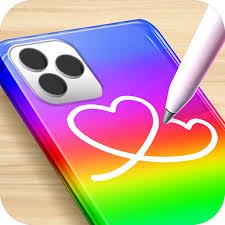
Phone CASE DIY is a creative simulation and decoration game by WeLoPlay where you run a small phone-case shop, design custom cases for customers, earn money from finished creations, and use those rewards to improve the studio.
The game combines several simple activities. You can clean a case, choose colors, apply acrylic-style art, add stickers or emojis, and finish a design before moving on to another customer.
What worked best for me was deciding on one main idea before adding decorations. Choosing the main color first made it much easier to decide which stickers and smaller details actually fit the case.
| Game Detail | Information |
|---|---|
| Game | Phone CASE DIY |
| Developer | WeLoPlay |
| Genre | Decoration / Simulation |
| Gameplay Style | Phone-case customization and shop progression |
| Main Objective | Create cases for customers and improve your shop |
| Main Activities | Cleaning, painting, acrylic art, stickers and decoration |
| Shop Progression | Earn money and upgrade/decorate the store |
| Controls | Click or tap |
| Supported Devices | Desktop, Phone, Tablet |
| Global Launch | June 13, 2026 |
| Poki Release | June 2026 |
| Latest Verified Update | September 2026 |
| Current Rating | About 4.1 |
| Current Votes | 170K+ |
| Multiplayer | Single-player |
Start With A Plain Phone Case
Each design begins with a case that needs some attention before it feels finished.
The current Poki description highlights several parts of the process:
- cleaning the surface
- choosing paint colors
- applying acrylic-style designs
- adding stickers and emojis
- creating a finished accessory for a customer
The overall loop is simple:
prepare → color → decorate → finish → earn money → improve shop
That structure makes the game easy to understand even if you have not played many decoration games.
Phone CASE DIY Controls
The official controls are extremely simple:
Click or tap to make a selection.
Desktop
Use the mouse to:
- select colors
- choose decorations
- interact with the case
- select shop upgrades
Phone And Tablet
Tap the same objects directly on screen.
Poki currently confirms support for:
- desktop
- phone
- tablet
There are no movement keys or complicated button combinations.
Clean The Surface First
The current game description specifically mentions cleaning before decoration begins.
That gives the customization process a clear starting point.
Rather than immediately choosing stickers, complete the preparation step first.
I found this useful because it makes the sequence feel organized:
clean → paint → decorate
The game tells you when to move on.
Choose The Main Color Before Small Details
Color is one of the biggest visual choices.
A different base color can make the same stickers feel completely different.
I usually choose the main color first.
Then I decide whether the smaller decorations should:
- match it
- contrast with it
- use a similar color family
There is no correct design.
This simply gives the case a clear starting idea.
Acrylic Art Adds Another Layer
Phone CASE DIY includes acrylic-style artwork as one of its decoration options.
This gives you something between the plain base color and the final stickers.
You can use it to make the case feel more detailed without filling every part of the surface with separate objects.
For me, acrylic patterns work best when they support the main color rather than competing with every other element.
Stickers Make Each Case More Personal
Stickers are one of the main finishing tools.
The current description specifically mentions cute stickers as part of customer designs.
They are useful near the end because the larger visual choices are already settled.
A simple workflow is:
- Choose the base color.
- Add acrylic art.
- Look at the empty spaces.
- Add one or two stickers.
- Check whether the case still feels balanced.
That is easier than covering the whole case immediately.
Emojis Add Quick Visual Details
Poki also mentions emoji-style decorations.
These are small, easy-to-recognize elements that can quickly change the personality of a case.
They work well when you want a playful design without rebuilding everything.
A case with only a few carefully placed details can look just as complete as one filled with decorations.
You Run A Phone-Case Shop
Phone CASE DIY is not only a design screen.
You also manage a small phone-case business.
The current description says you create cases for customers, earn money from your work, and use that money to upgrade and decorate the shop.
That gives your designs a larger purpose.
You are not only making one case.
You are gradually improving the studio around you.
Customer Orders Give Each Design A Goal
Customers help give the game structure.
Instead of creating without any context, you work through a sequence of requests.
That means every new case becomes another small design challenge.
I found it useful to treat each customer as a fresh start rather than repeating exactly the same colors and stickers.
Earn Money From Finished Designs
Completing cases earns money.
That reward contributes to the wider shop progression.
The basic progression becomes:
make a case → finish the order → earn money → improve the studio
This gives the creative part of the game a simple management layer.
Shop Upgrades Give You Another Goal
The money you earn can be used to improve and decorate the shop.
That means there are two kinds of visual customization happening:
- the phone cases
- the shop itself
This keeps progression from depending only on making another cover.
You can also watch the environment around the design station improve.
Do Not Spend Without Looking At The Shop First
When upgrade choices appear, I prefer looking at the current studio before buying anything.
That makes each improvement feel more intentional.
You might focus on:
- making one area look more complete
- upgrading a noticeable feature
- saving until a more useful option appears
There is no need to rush every purchase.
The Game Includes Light Prank Humor
Poki’s current description says the game can occasionally let you prank annoying customers for extra humor.
This is presented as cartoon game comedy rather than something serious.
It adds a little variety to the normal:
design → serve → earn
loop.
For Mopoga, I would keep this as a minor feature rather than making it the main focus of the page.
Creative Freedom Is The Main Attraction
There is no one correct phone case.
You can try:
- bright colors
- calmer combinations
- simple stickers
- more detailed art
- playful emojis
- cleaner minimal designs
The game works best when you experiment.
A design that looks very different from your previous one can make the next customer feel less repetitive.
Try A Two-Color Design
One easy creative challenge is limiting yourself to two main colors.
Use those across:
- base paint
- acrylic art
- stickers
This gives the case a cleaner visual direction.
You can then add one small contrasting detail if you want something to stand out.
Try A Minimal Case
You do not need to fill every empty area.
A simple case can use:
- one color
- one pattern
- one sticker
This can look completely different from a heavily decorated design.
I found alternating between detailed and minimal cases more interesting than making every design equally busy.
Try A Sticker-First Design
Most of the time, I prefer choosing color first.
But reversing the process can create new ideas.
Pick one sticker you like.
Then choose a base color that supports it.
This is an easy way to stop designs from becoming repetitive.
Use Contrasting Details Carefully
A contrasting sticker or emoji can make one part of the case stand out.
Too many contrasting elements can make the design harder to read.
A simple rule I use is:
one main idea + one standout detail
It is not a scoring rule.
It just makes the creative process easier.
Replay Value Comes From New Combinations
Phone CASE DIY does not need a complicated campaign to stay replayable.
The main replay value comes from trying new combinations.
You can change:
- colors
- acrylic patterns
- sticker placement
- emoji choices
- overall visual theme
The shop progression then gives those repeated designs a larger purpose.
Phone Play Fits The Game Well
Phone CASE DIY officially supports phones.
Touch controls are a natural fit because almost every action involves selecting a visual option.
You do not need virtual direction buttons.
Tap the color.
Tap the decoration.
Complete the case.
The short design sessions also work well on a smaller screen.
Tablet Gives The Case More Space
Tablet support is also confirmed.
A larger touchscreen makes it easier to see:
- small stickers
- color differences
- acrylic patterns
- shop details
while keeping the direct feel of touch controls.
For a decoration game, tablet play is especially comfortable.
Desktop Makes Small Details Easy To Compare
Desktop players use the mouse.
A larger display helps when you want to compare several decorations or smaller visual details before making a choice.
The game itself remains the same.
Only the input method changes.
Who Created Phone CASE DIY?
Phone CASE DIY was created by WeLoPlay.
WeLoPlay’s official website describes the studio as focused on:
- dress-up games
- DIY games
- makeover games
- decoration games
and lists Phone Case DIY among its current studio hits.
That makes the game a strong match for the developer’s wider catalogue.
WeLoPlay Focuses On Creative Games
WeLoPlay’s official site currently features games such as:
- Beauty Salon
- Phone Case DIY
- Star Blogger
- Anime Dress Up
- Nails DIY
- Glam Girl
- Lips DIY Master
- Kigurumi Dress Up
- My Cozy Home
Many of these games use simple input and focus on visual customization.
Phone CASE DIY fits that pattern closely.
Phone CASE DIY Had A June 2026 Global Launch
Poki gives the release month as:
June 2026.
WeLoPlay later posted a more specific launch record saying:
Global Launch: June 13
and described the game as having spent seven months in development.
Because the post refers to the 2026 launch, the clean timeline for Mopoga is:
Global Launch: June 13, 2026
Poki Release: June 2026
The Game Reached The Top Trending Position
WeLoPlay said Phone CASE DIY reached #1 trending on Poki shortly after launch and recorded a peak of more than 12,000 concurrent players.
That provides useful developer-side context for how strongly the game launched.
These are launch-period performance figures rather than permanent statistics.
Latest Verified Update
The current English Poki page lists:
Latest Update: September 2026.
Some cached localized pages still show July or August because they were indexed earlier.
For the current Mopoga page, September 2026 is the best date to use because it comes from the freshest English record.
Current Phone CASE DIY Rating
The current English Poki listing shows approximately:
4.1 from 170,106 votes.
Because the vote count is still increasing, I would use:
170K+ votes
in the evergreen table.
The 4.1 rating should also be treated as a current platform snapshot.
Is Phone CASE DIY Multiplayer?
The current browser description focuses entirely on one player designing cases and managing the shop.
There is no online matchmaking or local multiplayer system currently documented.
For Mopoga, the clean classification is:
Multiplayer: Single-player
Do Not Confuse It With The CrazyLabs Game
There is another well-known mobile game called Phone Case DIY published by CrazyLabs.
Google Play lists that separate title with more than 100 million installs.
That is not the game covered on this page.
The browser title here is:
Phone CASE DIY by WeLoPlay
This distinction matters because the games have different developers, histories, features, and platform records.
The WeLoPlay Version Is Newer
The CrazyLabs mobile title existed before WeLoPlay’s browser game.
WeLoPlay’s version launched globally in June 2026.
For Mopoga, do not copy the older game’s:
- download count
- developer
- update history
- app features
into this browser page.
Use WeLoPlay’s current browser information instead.
Common Phone CASE DIY Mistakes
The first mistake is adding every decoration immediately.
Another is using too many competing colors.
I also found that making every customer case with the same layout makes later rounds feel repetitive.
Another easy mistake is forgetting that the shop itself can be improved.
Finally, do not confuse this WeLoPlay title with the older CrazyLabs mobile game of the same general name.
A Better Way To Design Each Case
This simple routine works well:
- Clean or prepare the case.
- Choose one main color.
- Add acrylic art if you want more detail.
- Look at the remaining empty areas.
- Add stickers or emojis.
- Remove anything that makes the design too crowded.
- Finish the customer order.
- Collect the money.
- Check the shop for useful upgrades.
- Start the next case with a different idea.
The useful workflow is:
prepare → color → decorate → finish → upgrade
Phone CASE DIY Compared With Mermaid Dress Up
Mermaid Dress Up on Mopoga is another creative customization game, but the object you design is completely different.
Phone CASE DIY focuses on:
- phone cases
- colors
- acrylic art
- stickers
- emojis
- shop upgrades
Mermaid Dress Up focuses on:
- characters
- hairstyles
- facial features
- clothing
- tails
- crowns
- ocean accessories
Phone CASE DIY adds a business-progression layer.
Mermaid Dress Up is more focused on open character creation.
Phone CASE DIY Compared With Fashion Games
Mopoga’s Beauty category currently includes Anime Dress Up, Fashion Legends, Super Dress, Wedding Dress Up, Eliza Mall Mania, Mermaid Dress Up, and other creative titles.
Those games mainly focus on characters and clothing.
Phone CASE DIY changes the creative object from a person or character to a phone accessory.
That gives it a different feel even though both use simple click-or-tap customization.
More Creative Games On Mopoga
If you want character creation instead of object decoration, Mermaid Dress Up lets you customize hair, facial features, clothing, tails, crowns, and ocean accessories.
You can also browse Mopoga’s Beauty games for titles such as Fashion Legends, Super Dress, Anime Dress Up, and Wedding Dress Up.
These are useful alternatives when you want another relaxed customization game.
What Makes Phone CASE DIY Different?
Phone CASE DIY combines creativity with simple shop progression.
You are not only changing colors.
You:
clean the case
paint it
add acrylic art
place stickers
use emojis
finish the order
earn money
improve the shop
That combination gives every design a small purpose.
For me, the game became more enjoyable once I stopped trying to use every decoration and started giving each case one clear idea.
A simple case and a heavily decorated case can both work.
The main goal is making the next design feel different from the previous one.
Related Categories
Phone CASE DIY fits naturally into:
- Decoration Games
- Simulation Games
- DIY Games
- Creative Games
- Casual Games
- Shop Games
- Mobile Games
- Single-Player Games
Poki currently identifies the game as a Decoration Game, while its description also clearly includes simulation and shop-management elements.
About Phone CASE DIY
Phone CASE DIY is a creative decoration and simulation game by WeLoPlay where you run a phone-case shop and create custom designs for customers.
Clean each case, choose bright colors, add acrylic artwork, place stickers and emojis, finish customer orders, earn money, and use your rewards to upgrade and decorate the studio.
WeLoPlay says the game launched globally on June 13, 2026, while Poki lists June 2026 as its browser release and September 2026 as the latest update.
The current browser edition supports desktop, phone, and tablet with simple click-or-tap controls.



Reviews
There are no reviews yet.