

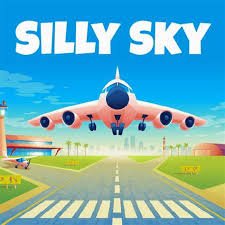
Silly Sky is a colorful management and skill game from Project GD where you guide incoming airplanes and helicopters toward matching runways and helipads. Aircraft arrive from different directions, so the challenge is keeping the fictional airspace organized while dealing with increasingly busy traffic and unusual map hazards.
The part I found most important was not reacting to every aircraft immediately. When several arrive together, dragging one without checking the others can create a new problem somewhere else. Looking at the whole screen first makes the game much easier to manage.
| Game Detail | Information |
|---|---|
| Game | Silly Sky |
| Developer | Project GD |
| Genre | Skill, Management |
| Gameplay Style | Aircraft routing, runway matching, traffic management |
| Controls | Mouse drag and drop |
| Mobile Controls | Touch and drag |
| Supported Devices | Desktop, Phone, Tablet |
| Release | December 2023 |
| Latest Verified Update | September 2026 |
| Current Rating | 4.1 |
| Current Votes | 54K+ |
| Maps | Multiple unlockable environments |
| Multiplayer | No live multiplayer documented |
The current browser listing identifies Project GD as the developer and confirms the December 2023 release, September 2026 update, and support for desktop, phone, and tablet.
How Silly Sky Works
Aircraft enter the map from different directions.
Each one needs to be matched with the correct destination.
That may be a runway for an airplane or a helipad for a helicopter.
The destinations use colors to help you work out where each aircraft belongs.
You drag an aircraft and guide it toward the appropriate landing area while watching the rest of the traffic.
As more aircraft appear, the screen becomes harder to manage.
Poki describes the game as a fictional air-traffic-control management challenge built around color-coded runways, helipads, surprise arrivals, and increasingly busy maps.
Silly Sky Controls
The controls are simple.
Desktop: Use the mouse to drag and drop aircraft.
Phone and Tablet: Touch and drag aircraft.
The current listing confirms the same drag-based control across all supported devices.
This makes the game easy to start because there are no keyboard combinations to memorize.
Most of the difficulty comes from deciding what to move first.
Match Aircraft With The Correct Destination
Color is one of the most useful clues.
When an aircraft enters the screen, identify its matching runway or helipad before dragging it.
That prevents unnecessary movement.
I found it easier to make this a two-step habit:
First identify the destination.
Then move the aircraft.
Dragging first and thinking afterward creates more clutter when several vehicles are already moving.
Watch The Whole Screen
Focusing on one aircraft for too long can cause another to become difficult to manage.
The game becomes much easier when you scan the full map regularly.
Check:
- Where new aircraft are appearing
- Which landing areas are available
- Which aircraft are already moving
- Where traffic is becoming crowded
You do not need to stare at every vehicle equally.
The goal is simply to avoid becoming surprised by something entering from another side of the map.
Do Not Move Everything At Once
When several aircraft appear, it is tempting to drag each one immediately.
That can make the screen harder to understand.
I prefer handling the most obvious or urgent route first, then reassessing.
After one aircraft is safely moving toward its destination, the remaining choices may become much clearer.
The game rewards calm sequencing more than frantic dragging.
Leave Space Between Moving Aircraft
Silly Sky becomes harder when several routes cross the same area.
From a game perspective, it helps to avoid creating unnecessary overlap.
If two aircraft are already passing through one part of the screen, sending another through the same space can make the situation harder to read.
Look for a cleaner path when one is available.
This is an arcade-management tactic for the fictional game, not real aviation guidance.
New Aircraft Can Arrive Unexpectedly
One of Silly Sky’s main sources of difficulty is surprise traffic.
The current description says each game can include unexpected aircraft arrivals.
That means you should avoid using every open section of the map at once.
Leaving yourself some visual space makes it easier to respond when another aircraft appears.
The game feels much more manageable when you expect the screen to change.
Runways And Helipads Have Different Roles
Silly Sky includes both airplanes and helicopters.
That means not every landing area serves the same type of vehicle.
Recognizing the destination quickly saves time.
If you hesitate over where one aircraft belongs, look at its type and the available color-coded landing areas.
The game intentionally keeps the visual system simple so you can make those decisions quickly.
Progress Unlocks More Maps
As you continue playing, additional environments become available.
The current game description mentions several settings, including:
- Jungle areas with storms
- Cloudy city skies
- Desert maps with mountains
- Farmland affected by tornadoes
These environments do more than change the background.
They introduce different visual and environmental complications.
Jungle Storms Add More Pressure
The jungle environment includes storm conditions.
That gives the map a busier visual feel and creates another thing competing for your attention.
The useful approach is still the same:
identify each aircraft, find its destination, and avoid unnecessary route overlap.
Do not let the changing scenery distract you from the basic management loop.
City Maps Can Reduce Visibility
Cloudy city skies can make the play area feel more crowded.
When visibility becomes visually complicated, relying on the color and position of landing zones becomes even more useful.
I found it better to look for clear landmarks rather than trying to follow every aircraft continuously.
The destination is usually the most important reference point.
Desert Maps Add Mountain Obstacles
The desert setting introduces mountains as part of the environment.
That means there may be less obvious open space than on earlier maps.
Before dragging an aircraft, check the map layout.
A route that looked easy in another environment may not make sense here.
The game gradually asks you to pay more attention to the whole board rather than only the aircraft itself.
Farmland Can Include Tornadoes
Later environments can include tornado-filled farmland.
These hazards make the map less predictable and add another reason to avoid rushing.
The safest game strategy is simply to read the current board before committing to a route.
Do not assume the same path will always remain clear.
Maps Change How You Prioritize
Different environments create different problems.
That means a habit that worked well on an earlier map may need adjusting later.
The basic objective remains unchanged:
guide each aircraft to the correct destination.
What changes is how much attention the environment demands.
That gives the progression more variety without adding complicated new controls.
Avoid Fixating On One Corner
If several aircraft are arriving from one side, it is easy to keep your attention there.
Then something enters from the opposite edge.
A better habit is moving your attention around the screen.
After guiding one aircraft, quickly scan the remaining edges before selecting the next one.
This reduces surprise arrivals.
Pause Mentally After Every Landing
Once an aircraft reaches its destination, take a short moment to reassess.
Do not automatically grab the nearest vehicle.
Ask:
Which aircraft needs attention now?
Which destination is open?
Has anything new appeared?
This small reset keeps one decision from turning into several rushed decisions.
Simple Controls Create Most Of The Difficulty
Silly Sky only needs drag-and-drop input.
There are no complex button combinations.
That means the difficulty comes almost entirely from management.
As traffic builds, you need to keep several pieces of information in mind at once.
That is why later rounds feel harder even though the controls never change.
Mobile Play Works Naturally
Silly Sky supports:
- Desktop
- Phone
- Tablet
The current listing confirms all three device categories.
Touch controls suit the game because you can drag an aircraft directly with your finger.
On a smaller phone screen, I would make slower movements when several aircraft are close together.
That reduces accidental selections.
Tablet Gives You More Screen Space
A tablet can make busy maps easier to read because there is more physical room between objects.
The gameplay itself does not change.
You still drag aircraft toward matching destinations.
The larger display simply makes it easier to see several routes at once.
Desktop Gives You Precise Pointer Control
On desktop, the mouse allows small adjustments without covering part of the map with your hand.
That can be helpful when several aircraft are close together.
Move deliberately rather than making very large pointer movements.
The goal is to keep the board readable while you manage each route.
Silly Sky Is Not A Real Air Traffic Control Simulator
Silly Sky uses air traffic control as a playful management theme.
Real air traffic management is far more complex and safety-critical.
The International Civil Aviation Organization describes real air traffic management as involving coordinated systems for safety, traffic flow, communications, navigation, surveillance, airspace planning, and many other responsibilities.
The FAA also explains that real air traffic controllers have the primary responsibility of maintaining aircraft separation and communicating directly with pilots.
Silly Sky simplifies all of this into a casual drag-and-drop game.
Its mechanics should be understood only as fictional gameplay.
Who Created Silly Sky?
Silly Sky was created by Project GD.
The current Poki listing confirms the developer directly.
Project GD is also responsible for Village Builder, another management-focused browser game.
Poki identifies Village Builder as Project GD’s first title on its platform and lists Silly Sky as another game from the same developer.
Silly Sky And Village Builder
Both games come from Project GD, but their management systems are very different.
Silly Sky focuses on:
- Aircraft
- Landing areas
- Route management
- Quick decisions
- Increasing traffic
Village Builder focuses on:
- Houses
- Resources
- Buildings
- Placement
- Settlement growth
Village Builder is slower and more strategic.
Silly Sky demands faster reactions.
The shared idea is managing several systems while trying to use limited space efficiently.
Release And Update History
The current English Poki page lists:
Release: December 2023
Latest update: September 2026.
Some regional pages still show older update values such as August or July 2026.
That is likely a regional metadata delay.
For a current game page, the English listing is the strongest value to use:
Latest verified update: September 2026
Current Silly Sky Rating
The current English listing shows approximately:
4.1 from more than 54,000 votes.
Regional pages show slightly smaller totals because their data was captured earlier.
The figure should be treated as a current platform snapshot rather than a permanent game statistic.
Is Silly Sky Multiplayer?
The current game documentation does not describe live multiplayer, matchmaking, or a second-player mode.
For that reason, Silly Sky is best treated as a single-player management and skill game based on the currently documented browser version.
You are managing the aircraft generated by the game rather than competing directly against another connected player.
Common Silly Sky Mistakes
The first mistake is dragging an aircraft before checking its destination.
The second is concentrating on one vehicle for too long.
Another mistake is trying to move several aircraft at the same time without reassessing the map.
Players can also forget to watch the outer edges where new traffic appears.
Finally, do not assume that the same route will work equally well on every environment.
The maps introduce different obstacles and visual challenges.
A Better Way To Improve
Start by learning the color-matching system.
Next, practise identifying the destination before dragging.
Keep your attention moving around the whole screen.
When traffic increases, handle one clear decision and then reassess.
As new maps unlock, spend the first few moments learning their layout rather than rushing immediately.
That gives you a simple progression method:
identify → route → land → scan → repeat
The controls stay simple, but your awareness becomes much better.
Related Categories
Silly Sky fits naturally into:
- Skill Games
- Management Games
- Airplane Games
- Simulation Games
- Casual Games
- Mouse Games
- Mobile Games
- Single-Player Games
Poki currently places it primarily under Skill Games, while its management structure also makes it a good fit for casual simulation categories.
What Makes Silly Sky Different?
Silly Sky takes a complicated real-world theme and turns it into a very small game loop.
Aircraft appear.
You identify where they belong.
You move them.
Then more arrive.
The challenge grows without adding lots of buttons.
New maps instead make the screen busier through storms, clouds, mountains, tornadoes, and surprise traffic.
For me, that simplicity is what works best. The game is easy to understand in a few seconds, but keeping the whole screen organized becomes increasingly demanding as more aircraft arrive.




Reviews
There are no reviews yet.