

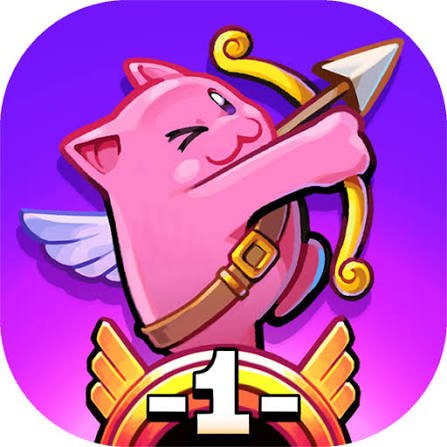
Twin Shot 2 is a co-op platform game from Nitrome where small angel-like characters use bows to defeat enemies, climb through stages, and clear more than 150 levels spread across Good and Evil themed worlds. Arrows are not only weapons either. When fired into certain walls, they can act as temporary platforms that help you reach higher areas.
That mechanic changed how I approached the game. I initially used every arrow on enemies, then realized that saving a shot for movement can sometimes be more useful. A difficult platform section becomes much easier when you remember that your bow also works as part of the level design.
| Game Detail | Information |
|---|---|
| Game | Twin Shot 2 |
| Developer | Nitrome |
| Genre | Platform / Action |
| Gameplay Style | Arrow combat, platforming and co-op |
| Levels | 150+ |
| Main Worlds | Good and Evil |
| Controls | Arrow Keys + Spacebar / WASD-style second-player controls |
| Supported Browser Device | Desktop |
| Original Flash Release | July 20, 2009 |
| Free Evil Pack Update | February 7, 2013 |
| HTML5 Port | 2021 |
| Multiplayer | Local co-op |
| Main Objective | Defeat enemies and clear each level |
Arrows Are More Than Weapons
Twin Shot 2 looks like a straightforward bow-and-arrow platform game at first.
Enemies appear around compact stages, and shooting them is the obvious goal.
The clever part is that arrows can also become platforms.
Fire an arrow into a suitable wall and your character can use it as a foothold.
That creates two possible uses for every shot:
attack an enemy
or
create a route
I found that remembering both possibilities made puzzle-like sections much easier.
More Than 150 Levels
Nitrome currently describes Twin Shot 2 as a co-op sequel with over 150 levels.
That large level count gives the mechanics time to develop.
Early stages teach basic movement and shooting.
Later areas can combine:
- enemies
- moving platforms
- walls
- vertical routes
- hazards
- arrow-platform puzzles
- co-op positioning
The controls stay simple while the level layouts become more demanding.
Twin Shot 2 Controls
The original desktop controls support both solo and local two-player play.
Player 1
- Left / Right Arrow: Move
- Up Arrow: Jump
- Spacebar: Fire an arrow
Player 2
- A / D: Move
- W: Jump
- F: Fire an arrow
These controls are documented in the preserved Twin Shot 2 game record.
Browser games can recognize these key values through standard keyboard events. The MDN KeyboardEvent reference explains how keyboard input is exposed to web applications.
Learn The Arrow Platform Mechanic Early
The easiest mistake is thinking every wall is only an obstacle.
Some walls can become part of your route once arrows are embedded in them.
A useful habit is:
- Check where the next platform sits.
- Look for a nearby wall.
- Fire an arrow at a useful height.
- Jump onto it.
- Continue upward.
This becomes particularly important when normal jumps cannot reach the next ledge.
Do Not Waste Every Arrow On The First Enemy
When several enemies appear, firing constantly feels natural.
I found it better to check whether the level also needs an arrow platform.
If you spend every shot immediately, you may still defeat the enemy but make the next movement section awkward.
Twin Shot 2 works best when you treat the bow as both a combat tool and a traversal tool.
Local Co-op Changes The Level Flow
Twin Shot 2 is designed for cooperative play as well as solo runs.
Nitrome still includes it in its multiplayer catalogue and specifically calls it a co-op sequel.
With two players, one person can deal with an enemy while the other prepares the route.
That can make some sections easier.
It can also create new problems if both players jump or shoot without watching each other.
I found it useful to avoid standing directly on the same narrow platform whenever possible.
Give Both Players Enough Space
Small stages can become crowded quickly in co-op.
If one player is lining up a jump, the second player does not always need to move at the same time.
A simple pattern works well:
one player moves → second player follows → both regroup
Trying to rush through tight areas together can cause unnecessary mistakes.
The game is cooperative, but that does not mean both characters need to perform every action simultaneously.
The Good And Evil Packs
Twin Shot 2 was originally known as Twin Shot 2: Good and Evil.
The game contains distinct Good and Evil content.
Nitrome later updated the game so that the extra Evil pack became free. That update was announced on February 7, 2013.
Nitrome’s current HTML5 catalogue now describes the title as having both Good and Evil packs available for free.
That means modern players get access to content that originally had a different unlock model.
Coins Became More Useful After The Update
Nitrome’s 2013 update also changed how some extra content worked.
The studio announced that Cheats n Treats could be unlocked by earning coins in the game.
That gives coin collection a reason beyond simply grabbing everything visible.
I would still prioritize surviving the level, though.
A risky coin is less useful if collecting it forces a restart.
Enemy Positioning Matters
Not every enemy needs to be approached immediately.
Sometimes staying on another platform gives you a cleaner shot.
I found it easier to separate two questions:
Can I hit the enemy?
Can I hit it from somewhere safe?
The second question matters more.
Moving into a dangerous area just to fire sooner often creates a harder situation than waiting for a better angle.
Use Height To Your Advantage
Because arrows can create footholds, vertical positioning is important.
A higher position can help with:
- reaching another ledge
- firing at enemies from a safer angle
- avoiding hazards below
- preparing the next jump
That makes the levels feel more like compact action puzzles than simple left-to-right platform stages.
Do Not Forget The Exit
Defeating enemies is central to progression, but it is still worth checking where the route continues.
I occasionally cleared a section and then spent time looking for the next platform because I had concentrated entirely on combat.
Before firing at the last enemy, glance around the level.
Knowing where you need to go next makes it easier to leave yourself in a useful position.
Solo Play Is Still Practical
The game supports co-op, but one player can still work through the levels.
Solo play makes positioning simpler because only one character needs space.
On the other hand, every enemy and platform challenge is now your responsibility.
I found solo mode useful for learning the mechanics because there is less movement happening on screen.
Co-op becomes more enjoyable once both players already understand jumping and arrow placement.
Twin Shot 2 Came From The Flash Era
Twin Shot 2 originally launched as an Adobe Flash game on July 20, 2009.
Nitrome had publicly teased the sequel earlier that month, calling it Twin Shot 2 – Good and Evil while it was still in final testing.
That original release date is important because the modern playable version came much later.
For Mopoga, I would separate:
Original Flash Release: July 20, 2009
Modern HTML5 Port: 2021
rather than describing Twin Shot 2 as a game first released in 2021.
Twin Shot 2 Returned In HTML5
Adobe Flash is no longer supported in modern browsers.
Adobe ended Flash Player support after December 31, 2020, which affected thousands of older browser games.
Nitrome later brought Twin Shot 2 back as part of its HTML5 catalogue. The preserved release record places the HTML5 conversion during 2021.
The Adobe Flash end-of-life information explains why original Flash games needed modern alternatives to remain playable.
Nitrome Still Lists Twin Shot 2
Twin Shot 2 remains in Nitrome’s current game catalogue.
It appears in:
- Nitrome’s HTML5 games
- Nitrome’s multiplayer catalogue
- Nitrome’s complete games list
All three describe it as a co-op sequel with more than 150 levels.
That provides stronger verification than relying only on archived third-party pages.
Who Created Twin Shot 2?
Twin Shot 2 was created by Nitrome.
Nitrome is a London-based game studio known for browser titles built around compact mechanics, pixel-art presentation, and short level structures.
Its current catalogue still includes Twin Shot 2 alongside games such as:
- Bad Ice-Cream 2
- Cave Chaos 2
- Test Subject Arena 2
- B.C. Bow Contest
- Calamari
- Bump Battle Royale
You can see Twin Shot 2 directly in the official Nitrome HTML5 catalogue.
Twin Shot 2 And The First Twin Shot
The original Twin Shot introduced the core idea.
Nitrome describes it as a dual-player arrow-firing action game set in an ancient cloud city.
Twin Shot 2 takes that foundation and expands it significantly.
The sequel adds:
- a much larger level count
- Good and Evil content
- expanded co-op play
- more progression
- additional enemy and stage variety
That makes it a substantial sequel rather than a minor level pack.
The Series Is Returning Again
Nitrome has also announced Twin Shot Deluxe, a modern reworking of the series for newer platforms.
The developer says the new project will include more than 200 new levels, local co-op for up to four players, refreshed visuals, controller support, and other modern improvements.
That game should not be confused with Twin Shot 2.
Twin Shot 2 remains the older Good and Evil sequel covered on this Mopoga page.
Common Twin Shot 2 Mistakes
The first mistake is using arrows only for combat.
Remember that they can help with movement.
The second is rushing jumps without checking whether an arrow platform would make the route easier.
Another problem is crowding the same space during two-player games.
Give each other room.
I would also avoid chasing every coin if doing so creates a dangerous route.
Finally, do not confuse the 2021 HTML5 conversion with the original release. Twin Shot 2 dates back to 2009.
A Better Way To Approach A New Level
This routine worked well for me:
- Check where the enemies are.
- Find the route toward higher or distant platforms.
- Identify walls that can hold useful arrows.
- Defeat nearby threats from a safe position.
- Create arrow footholds where needed.
- Move one player at a time through tight co-op sections.
- Collect safe coins.
- Check the exit route before finishing the remaining enemies.
The useful part is thinking about combat and movement together.
More Nitrome Games On Mopoga
If you want another Nitrome co-op game, Bad Ice-Cream 2 is one of the closest Mopoga matches. Instead of firing arrows, one or two players collect fruit while creating and breaking ice walls inside enemy-filled mazes.
For another game featuring familiar Nitrome characters, Bump Battle Royale brings characters from Twin Shot, Final Ninja, Toxic, Test Subject and other Nitrome worlds into arena battles.
If you want platforming without co-op combat, Fancy Pants focuses on momentum, ramps, slopes, loops, hidden areas and fast hand-drawn movement instead.
What Makes Twin Shot 2 Different?
Twin Shot 2 gives one simple weapon two jobs.
An arrow can defeat an enemy.
The same arrow can become part of the level.
That changes how you read every stage.
Walls stop being only barriers.
Shots stop being only attacks.
Co-op adds another layer because two players can divide the work between combat and movement.
For me, that dual-purpose bow mechanic is still the main reason Twin Shot 2 feels distinct from a standard platform shooter.
Related Categories
Twin Shot 2 fits naturally into:
- Platform Games
- Action Games
- Shooting Games
- Co-op Games
- Two-Player Games
- Pixel Games
- Arcade Games
- Multiplayer Games
- Single-Player Games
Nitrome continues to classify Twin Shot 2 among its multiplayer and HTML5 games.
About Twin Shot 2
Twin Shot 2 is a platform action game by Nitrome where angel-like characters use bows to fight enemies and create their own temporary platforms.
The sequel contains more than 150 levels, Good and Evil content, solo play, and local co-op.
It originally launched as a Flash game in July 2009, received a major content update in February 2013, and later returned through an HTML5 conversion in 2021.
The controls are simple, but the best solutions usually come from remembering that every arrow can solve two different problems: an enemy or a route.

Reviews
There are no reviews yet.