

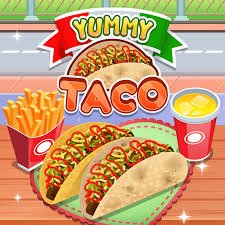
Yummy Taco is a cooking and restaurant simulation game from Go Panda Games Studio where you prepare taco ingredients from scratch, work through kitchen tasks, assemble customer orders, and eventually run a busy taco stand.
What I liked about the structure is that the game does not immediately place you behind the counter. It first introduces the food-preparation steps, then moves into kitchen tasks and customer service. That makes the later restaurant section easier to understand because you have already seen where the ingredients come from.
| Game Detail | Information |
|---|---|
| Game | Yummy Taco |
| Developer | Go Panda Games Studio |
| Genre | Cooking, Simulation, Restaurant |
| Gameplay | Food preparation, kitchen tasks, customer service |
| Controls | Mouse or touch |
| Supported Devices | Desktop, Phone, Tablet |
| Earlier Verified Browser Availability | December 15, 2021 |
| Poki Release | August 8, 2022 |
| Latest Poki Update | August 2022 |
| Current Poki Rating | 4.3 |
| Current Poki Votes | 190K+ |
| Technology | HTML5 |
| Multiplayer | Single-player |
Y8 credits Go Panda Games and records Yummy Taco as being added on December 15, 2021. Poki uses the fuller developer name Go Panda Games Studio and dates its own edition to August 8, 2022.
How Yummy Taco Works
Yummy Taco is divided into several types of tasks.
You do not only serve finished tacos.
The game takes you through activities such as:
- Preparing tortilla dough
- Making tortillas
- Preparing taco fillings
- Working with vegetables
- Handling kitchen equipment
- Cleaning parts of the kitchen
- Assembling customer orders
- Serving customers at the taco stand
Y8’s current description confirms the preparation of dough, tortillas, meat, vegetables, and customer service as major parts of the game.
Yummy Taco Controls
The control system is simple.
Desktop
- Mouse click: Pick up or use an object
- Move mouse: Follow on-screen arrow shapes during certain tasks
Phone And Tablet
- Tap: Pick up or use an object
- Move finger: Follow the indicated motion
Poki confirms this click-or-tap system and officially supports desktop, phone, and tablet.
Start With The Tortilla
The first major part of the game focuses on making the tortilla.
You work through preparation steps before the restaurant becomes busy.
Y8 describes the process as mixing flour with the necessary ingredients and water, then working the dough into the tortilla.
This opening acts like a tutorial because the game shows you how its mouse and touch interactions work.
Follow The On-Screen Arrows
Some cooking tasks ask you to move the mouse or your finger along a displayed shape.
Poki explicitly mentions following arrow shapes as part of the controls.
I found it easier to follow the movement steadily rather than trying to finish it as quickly as possible.
The game usually makes the required direction clear.
Preparing The Filling
After working on the tortilla, the game moves into preparing the taco filling.
Y8 mentions meat and vegetables as part of the preparation sequence.
These sections use the same simple interactive style.
You click, drag, or follow visual instructions instead of memorizing a large control layout.
Kitchen Tasks Break Up The Cooking
Yummy Taco also includes small tasks that are not directly about assembling food.
One current walkthrough-style description identifies four broad sections, including preparing tortillas, preparing the filling, cleaning or working on kitchen equipment, and finally serving customers.
That gives the game more variety than repeating one cooking action.
The Restaurant Section Comes Later
Eventually, you move from preparation into customer service.
This is where the game starts to feel more like a restaurant-management title.
Customers arrive with orders.
You need to assemble what they ask for and serve them.
The goal becomes less about learning individual ingredients and more about completing orders efficiently.
Watch The Customer Order
When customers arrive, check their requested combination first.
Do not begin selecting ingredients randomly.
The order acts as your guide.
I found it useful to read the full request before assembling anything.
That reduces the chance of reaching the final step and realizing something is missing.
Keep The Ingredient Order Clear
One browser description notes that the first customer helps show the order in which ingredients should be assembled.
That early example is useful.
Once you understand how orders are displayed, later customers become much easier to process.
Customer Patience Matters
Some versions of the game use a customer patience or time system.
If service takes too long, the customer can become unhappy and leave.
This makes the restaurant section different from the slower preparation stages.
You still need accuracy, but speed becomes more important once customers are waiting.
Accuracy Comes Before Speed
It can be tempting to rush as soon as the customer timer becomes noticeable.
I found that this often causes more mistakes.
A better approach is:
read order → select ingredients → check result → serve
Once that becomes familiar, your speed naturally improves.
Products Need To Match The Order
The game is easier when you think of each taco as a short checklist.
Instead of trying to remember the entire restaurant session, focus on one customer.
Check what they want.
Complete that order.
Then move to the next one.
Serving Customers Builds The Business
Poki describes the wider goal as running a busy street-food stall and building a successful restaurant through customer orders.
That means the preparation sections eventually feed into a simple business theme.
The game does not have a large financial management screen.
Progress is mainly shown through successful cooking and customer service.
The Game Uses A Street-Food Setting
Poki describes Yummy Taco as a busy street-food stall simulation.
That gives the restaurant section a compact setting.
You are not controlling a huge dining room.
The focus stays on food preparation and serving from the counter.
Yummy Taco Is More Than A Serving Game
Many food games begin with ready-made ingredients.
Yummy Taco spends more time showing where those ingredients come from inside its fictional cooking process.
You prepare tortillas.
Work with fillings.
Handle kitchen tasks.
Then serve the final food.
That structure makes the game feel more like a complete cooking sequence.
Mouse And Touch Controls Fit The Tasks
Because the game is based around selecting and moving objects, mouse and touch input both work naturally.
There is no need for:
- WASD
- Arrow-key movement
- Complicated shortcuts
That makes Yummy Taco easy to start on different devices.
Desktop Play
Desktop uses the mouse.
Click objects to select them.
Move the cursor when the game asks you to follow an arrow or shape.
This works well for the preparation stages because the larger screen keeps the instructions easy to see.
Phone And Tablet Play
Poki officially lists:
- Phone
- Tablet
along with desktop support.
On touchscreens, your finger replaces the mouse.
The core gameplay remains the same.
The Game Runs In HTML5
Y8 tags Yummy Taco as an HTML5 browser game.
That means it runs through modern web technology rather than depending on Adobe Flash.
This is consistent with its 2021 browser release period.
Original Browser Availability Was Earlier Than Poki
Poki gives:
Release date: August 8, 2022.
However, Y8 records Yummy Taco as being added on:
December 15, 2021.
Other browser sites also show publication in December 2021.
The clearest timeline is therefore:
Earlier verified browser release: December 2021
Poki release: August 8, 2022
Latest Poki update: August 2022
Why Release Dates Differ
Browser games are often added to different platforms at different times.
A game’s Poki release date is not necessarily its original worldwide release.
That is what appears to have happened with Yummy Taco.
The game was already available elsewhere in December 2021 before Poki published its version in August 2022.
Who Created Yummy Taco?
The strongest current records credit Go Panda Games Studio.
Poki names Go Panda Games Studio directly, while Y8 credits Go Panda Games.
Those matching records are more consistent than one secondary site that uses a different developer attribution.
For the Mopoga browser page, Go Panda Games Studio is the safer developer field.
Go Panda Games Has More Cooking Titles
Go Panda Games has released several casual food and cooking games.
Yummy Taco fits naturally into that type of catalogue because it combines:
- Food preparation
- Simple interactive tasks
- Restaurant service
- Touch-friendly controls
The studio’s games generally focus on short browser sessions rather than large simulation systems.
Yummy Taco Is Single-Player
The primary current descriptions do not list local or online multiplayer.
Y8 tags the game as 1 player.
Yummy Taco is therefore best described as a single-player cooking simulation.
You can begin immediately without waiting for another player.
Current Yummy Taco Rating
Poki’s current localized pages show approximately:
4.3 from around 190,000 votes.
The exact total changes as more players rate the game.
It should be treated as a current platform snapshot rather than a permanent number.
Common Yummy Taco Mistakes
One mistake is rushing through the preparation steps before reading the visual instructions.
Another is moving the mouse or finger too quickly during tracing tasks.
Players can also begin assembling customer orders before checking the full ingredient request.
Another common problem is becoming so focused on speed that an incorrect taco takes longer to fix than a careful order would have taken.
A Better Way To Play
Start by following the preparation instructions carefully.
Learn how the click, tap, drag, and tracing controls work.
When the restaurant opens, focus on one customer at a time.
Read the complete order.
Assemble the taco.
Check it.
Then serve.
The useful rhythm is:
prepare → read → assemble → check → serve
Related Categories
Yummy Taco fits naturally into:
- Cooking Games
- Food Games
- Restaurant Games
- Simulation Games
- Mouse Games
- Touchscreen Games
- Mobile Games
- Single-Player Games
Poki currently places it under Simulation Games and also connects it with cooking, restaurant, food, and relaxing-game categories.
What Makes Yummy Taco Different?
Yummy Taco does not begin with a fully prepared restaurant.
It walks you through several parts of the fictional food-making process first.
You make tortillas.
Prepare fillings.
Complete kitchen tasks.
Then move behind the counter and serve customer orders.
That sequence gives the game a clearer beginning-to-end structure than a simple order-serving game.
The controls remain easy throughout, while the challenge gradually shifts from following cooking instructions to managing customer orders accurately and quickly.




Reviews
There are no reviews yet.