Mopoga Play Free
  • Game
    • Action
    • Adventure
    • Arcade
    • Car
    • Casual
    • Driving
    • Fighting
    • Horror
    • Mobile Games
    • Multiplayer
    • Puzzle
    • Racing
    • RPG
    • Shooting
    • Simulation
    • Sports
    • Stickman
    • Strategy
    • Trivia
  • Gaming
  • Guides
  • Reviews
  • Contact
    • Why Choose
    • About Us
    • Privacy Policy
  • Blog
Reading: Why Mobile Games Drain Your Battery So Quickly
MopogaMopoga
Aa
Search
  • Game
    • Action
    • Adventure
    • Arcade
    • Car
    • Casual
    • Driving
    • Fighting
    • Horror
    • Mobile Games
    • Multiplayer
    • Puzzle
    • Racing
    • RPG
    • Shooting
    • Simulation
    • Sports
    • Stickman
    • Strategy
    • Trivia
  • Gaming
  • Guides
  • Reviews
  • Contact
    • Why Choose
    • About Us
    • Privacy Policy
  • Blog
Follow US
2026 © Mopoga . All Rights Reserved.
Mobile Games

Why Mobile Games Drain Your Battery So Quickly

Brew Gaming News and Tech
Last updated: 2026/09/12 at 2:59 AM
Brew Gaming News and Tech 4 Min Read
Share
Why Mobile Games Drain Your Battery So Quickly

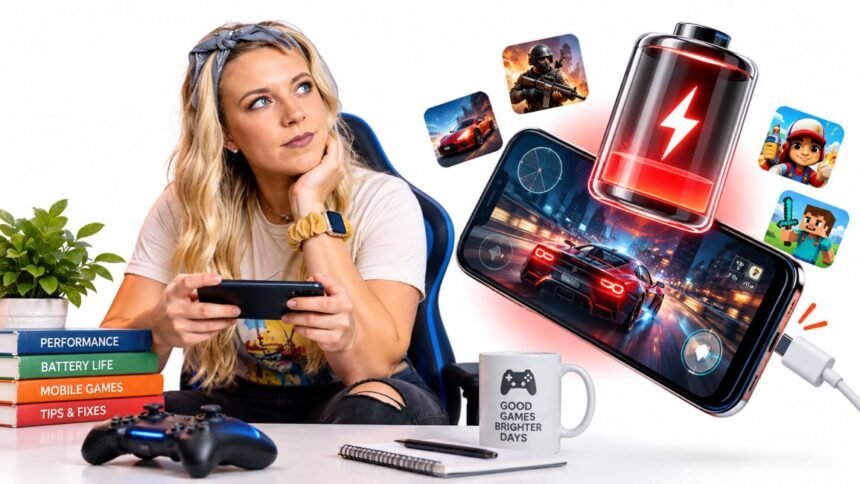
Mobile games can use battery much faster than normal apps. In my experience, the biggest reason is simple. Gaming makes several parts of your phone work hard at the same time.

Contents
High Screen BrightnessHigh Frame Rate SettingsHeavy Graphics SettingsMobile Data and Weak Wi FiBackground Apps Are Still RunningPlaying While ChargingQuick Battery Check Before GamingMy TakeGaming Disclaimer

Here are the main things I usually check.

High Screen Brightness

Your screen can use a lot of power, especially when brightness is near maximum.

I usually suggest:

  • Lower brightness indoors
  • Use auto-brightness if it works well
  • Avoid maximum brightness unless you need it
  • Reduce screen timeout outside gaming
What You NoticeWhat to Check
Battery drops quicklyScreen brightness
Phone gets warmBrightness and game load
Short play timeDisplay settings

High Frame Rate Settings

Games running at 60 FPS, 90 FPS, or 120 FPS can feel smoother, but they also make the phone work harder.

What I normally do:

  • Use 60 FPS for everyday gaming
  • Lower the frame rate if battery life matters more
  • Avoid maximum FPS on older phones
  • Test performance before choosing the highest setting

Higher is not always better if your battery drains too fast.

Heavy Graphics Settings

High graphics quality can increase battery use because the processor and graphics chip have more work to do.

I usually check:

  • Shadows
  • Reflections
  • Texture quality
  • Visual effects
  • Resolution settings

If I cannot see much difference during normal gameplay, I lower the setting.

Mobile Data and Weak Wi Fi

Online games keep your phone connected while you play. A weak connection can make the phone work harder to stay connected.

I usually look for:

  • Weak Wi Fi signal
  • Switching between Wi Fi and mobile data
  • Poor mobile signal
  • Background downloads
ProblemPossible Cause
Fast battery drain onlineNetwork use
Phone gets warmerWeak signal
Match lag and battery lossConnection problems

Background Apps Are Still Running

Sometimes the game is not the only thing using power.

Other apps may still be syncing, downloading, tracking location, or sending notifications.

Before longer gaming sessions, I usually:

  • Close apps I do not need
  • Pause large downloads
  • Turn off unnecessary location use
  • Check battery usage in phone settings

Playing While Charging

This is something I try not to make a habit of.

Gaming already creates heat, and charging can add more. If the phone becomes too warm, performance and battery health can be affected over time.

My simple rule is:

  • Avoid long gaming sessions while charging
  • Stop if the phone becomes unusually hot
  • Use the recommended charger
  • Let the phone cool when needed

Quick Battery Check Before Gaming

SettingMy Usual Choice
BrightnessMedium
Frame rate60 FPS
GraphicsBalanced
Background appsReduced
ConnectionStable Wi Fi
ChargingAvoid during long sessions

My Take

I do not think better mobile gaming always means using the highest settings.

I would rather have stable gameplay and longer battery life than maximum graphics that drain the phone quickly.

If your battery is dropping faster than expected, start with brightness, frame rate, graphics, heat, and background activity before blaming the battery itself.

Gaming Disclaimer

This guide is for general gaming and technology information. Battery use can vary by phone model, game, battery condition, software version, graphics settings, and network connection.


Share This Article
Facebook Twitter Email Copy Link Print
Brew Gaming News and Tech
By Brew Gaming News and Tech
Follow:
Brew | Founder of Mopoga I manage gaming and editorial content at Mopoga, covering gaming news, new releases, updates, guides, reviews, videos, technology, and industry trends. Passionate about games and tech, I’m focused on creating useful and engaging content for the gaming community.
Previous Article Mobile Gaming Review From 8 Years of Fixing Slow Phones Mobile Gaming Review From 8 Years of Fixing Slow Phones
Next Article Why Your Phone Gets Hot While Playing Mobile Games Why Your Phone Gets Hot While Playing Mobile Games
2 Comments 2 Comments
  • Pingback: Battery Test: Browser Games That Drain A Phone In Under An Hour - Mopoga
  • Pingback: How WebGPU Is Quietly Turning The Browser Tab Into A Game Console - Mopoga

Leave a Reply Cancel reply

Your email address will not be published. Required fields are marked *

Most Popular

A Memoir of Soccer, Grit, and Leveling the Playing Field
10 Super Easy Steps to Your Dream Body 4X
Mind Gym : An Athlete's Guide to Inner Excellence
Mastering The Terrain Racing, Courses and Training
Battery Test_ Browser Games That Drain A Phone In Under An Hour

Battery Test: Browser Games That Drain A Phone In Under An Hour

By Brew Gaming News and Tech

Five Minute Rule: What Makes A Browser Game Worth A Second Session

1 month ago

Games You Can Play At Work Without The Sound Giving You Away

1 month ago

You Might Also Like

Mobile Gaming Review From 8 Years of Fixing Slow Phones
Mobile Games

Mobile Gaming Review From 8 Years of Fixing Slow Phones

1 month ago

New Free Games, Straight To Your Inbox

Join the Mopoga list for new browser games, hand-picked guides, and playable AI experiments. No spam, unsubscribe any time.

By subscribing you agree to our privacy policy.

Mopoga

Mopoga brings together the best free online games to play directly in your browser. From RPGs and puzzle games to interactive AI games, every title is tested on iOS, Android, and desktop PC or Mac.

iOS Android PC & Mac

Play

  • All Games
  • Game Guides
  • Why Choose Mopoga

Company

  • Home
  • About Us
  • Contact Us

Policies

  • Terms & Conditions
  • Privacy Policy
  • DMCA Policy

Get In Touch

  • info.imopoga@gmail.com
  • +1 212-920-6533
  • Mopoga Office
    248 W 35th St
    New York, NY 10001
    United States
  • Our team works from Midtown Manhattan, a short walk from Penn Station. Post and courier deliveries should go to this address.

© 2026 Mopoga. Free online games you can play in your browser.

Privacy Terms DMCA Contact
Welcome Back!

Sign in to your account

Lost your password?