
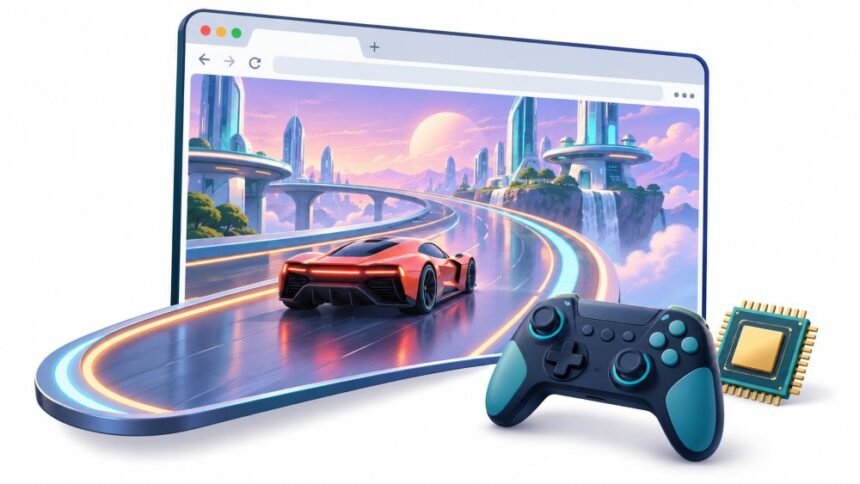
The strange thing about the last two years of browser graphics is how little noise it made.
There was no launch event. No console reveal trailer. What happened instead is that a low-level GPU API called WebGPU went from a Chrome-only curiosity to something that ships, by default, in every major browser engine. A generation of web developers quietly stopped treating “runs in a tab” as a compromise. If you opened a browser game in 2021, you were looking at a fifteen-year-old graphics API wearing a lot of makeup. If you open one in late 2026, there is a reasonable chance the GPU is doing particle simulation, frustum culling, and physics in compute shaders, the same way it would in a native title.
That is a real shift, and it deserves better than the two stories usually told about it. One says the browser is about to replace your console. The other says browser games are still Flash with extra steps. Both are wrong, and the reason they are wrong is the most interesting part.
What Actually Changed, And When
WebGL, the API that carried browser 3D for fifteen years, was built on OpenGL ES. It assumed a single render thread; it had no real compute support, and every draw call had to squeeze through a JavaScript layer that charged a heavy toll. You could build beautiful things with it. You could not build efficient things with it.
WebGPU is modeled on the APIs native engines actually use now: Vulkan, Metal, and Direct3D 12. It has explicit pipelines, command encoders, and a proper compute path. Mozilla’s reference documentation for the WebGPU API is the readable starting point if you want to see the shape of it.
The dates matter more than the architecture, because availability is what changed the calculus:
- Chrome shipped it in version 113, back in 2023, on Windows, macOS, and ChromeOS.
- Firefox shipped on Windows in version 141, in July 2025, then Apple Silicon Macs in 145, then all macOS versions in 147.
- Safari shipped in the 26 releases across macOS, iOS, iPadOS, and visionOS, which closed the last gap that mattered. Google’s own announcement that WebGPU is supported across the major browsers marks the point where developers stopped having to ask whether iPhone users would see anything at all.
Then read the fine print, which is where the honest version lives. The working group’s implementation status page is updated continuously, and as of its August 2026 revision, the picture is still uneven. On Chrome, Android support arrived in 121 for ARM, Qualcomm, and Intel GPUs on Android 12 and up, reached Imagination GPUs only in 139 on Android 16 and up, and Samsung’s Xclipse GPUs are still pending. Linux is rolling out piecemeal: Intel Gen12 and newer in Chrome 144, NVIDIA on Wayland with a recent driver in 147, everything else behind a command-line flag. Firefox on Linux and Android is still not shipping by default. Windows on ARM is behind a flag.
“Supported in all major browsers” is true at the headline level and messy at the device level. Hold onto that, because it is the whole story.
Two Things That Make It Feel Like A Console
Strip away the spec language and two capabilities explain most of what people notice.
- Compute shaders. This is the big one. WebGL could draw things; it could not really ask the GPU to think. WebGPU can. Particle systems with hundreds of thousands of elements, GPU-driven culling, cloth and fluid simulation, skinning, and Gaussian splat rendering all become viable because the work happens where the parallelism is. A lot of what used to eat your JavaScript frame budget moves off it.
- Lower cost per draw call. WebGL’s overhead meant that scene complexity hit a CPU wall long before it hit a GPU wall. WebGPU front-loads validation into pipeline objects, and batches work through command encoders, so the per-frame cost of talking to the GPU drops sharply. Below a hundred draw calls per frame, you will barely notice. Past several hundred, the gap becomes the difference between a game that holds frame rate and one that does not.
There is a third, quieter benefit: WGSL, the shading language, and WebGPU’s validation layer fail loudly and consistently instead of silently producing a black screen on one vendor’s driver. Anyone who has debugged a WebGL shader that worked everywhere except on Intel integrated graphics will understand why that is worth something.
Where The Console Analogy Breaks
Here is the part most coverage skips, and it is the part that actually determines whether a browser game is any good.
A console is not defined by its power. It is defined by being fixed. A developer targeting a PlayStation knows the exact GPU, the exact memory budget, the exact thermal envelope, and the exact driver. That certainty is what allows a studio to spend six months squeezing the last ten percent out of a frame. It is the entire economic basis of console optimization.
The browser is the precise opposite of that. Your game will run on an unknown GPU, on an unknown driver version, inside an unknown browser, on a machine that may be plugged in or on battery saver, with an unknown number of other tabs competing for the same GPU process. WebGPU raises the ceiling enormously. It does nothing whatsoever about the floor.
Three specific consequences are worth naming.
- Thermals decide sustained performance, not specs. A flagship phone SoC sustains something in the range of five to seven watts. A desktop graphics card sustains hundreds. Phones hold peak clocks for a couple of minutes at most before the first throttling step, and budget devices start throttling within ninety seconds. The frame rate you measure in the first minute is not the frame rate your players get in minute twenty. Laptops running on battery are the same story with a different mechanism, since most power profiles will cut GPU clocks hard the moment the charger comes out.
- A large slice of hardware cannot run core WebGPU at all. This is why Chrome built compatibility mode, an opt-in, slightly restricted subset of the API that runs on older graphics backends like OpenGL ES 3.1 and Direct3D 11. It shipped in Chrome 146 in early 2026, starting on Android. The reason it exists is blunt: by Chrome’s own telemetry, roughly 31 percent of its Windows users did not have Direct3D 11.1 or higher, and around 15 percent of Android users did not have Vulkan 1.1, including about 10 percent with no Vulkan at all. Compatibility mode applications are still valid WebGPU applications, so they run on modern devices too, and Chrome’s shipping discussion is candid that the mode was deliberately designed to interoperate with browsers that are never going to implement it. You opt in by passing a feature level when requesting an adapter. If you skip it, you quietly exclude a chunk of the world.
- Detection is not the same as working. A browser can expose navigator.gpu and still fail to give you a usable adapter, because of a driver blocklist, a software fallback, or a GPU process that already crashed once. Checking for the API is the easy half. Handling an adapter request that resolves to nothing is the half that ships.
So the useful framing is not “the browser is a console.” It is that the browser now has console-class capability with none of the console’s predictability. Design for the floor and let the ceiling be a bonus.
If You Make Games, Here Is The State Of Play
Engine support has moved fast enough that a lot of advice from a year ago is already stale.
Unity is the headline change. As of Unity 6.6, WebGPU is no longer experimental and is a fully supported graphics API for Web builds. It is still not the default: WebGL 2 remains the default target, and a Device Filter asset lets you control which browsers get the WebGPU path, with automatic fallback for the rest. The same release added a WebAssembly64 build option that lifts the old four-gigabyte memory ceiling to sixteen, with two caveats worth reading twice, since Safari does not support WebAssembly64 and the larger builds are worse for load time. Unity also falls back to compatibility mode automatically on devices that cannot meet core WebGPU limits.
Elsewhere: Three.js has shipped a production-ready WebGPU renderer with automatic WebGL 2 fallback since r171, though the default export is still WebGL. Babylon.js has been WebGPU-capable since version 5 and went WGSL-native in its core shaders in version 8, which cut a multi-megabyte translation layer out of WebGPU builds. PlayCanvas has a WebGPU path that is maturing rather than default. Godot’s web export is still WebGL 2 only through its Compatibility renderer, with the 4.7 line adding WebAssembly SIMD and a wasm64 option but no browser WebGPU backend. Unreal has no first-party WebGPU web target.
Practically, five things:
- Ship WebGL 2 as the baseline and WebGPU as progressive enhancement. Every mature engine path does this for a reason. Going WebGPU-only is a decision to lose users, and you should be able to say out loud how many.
- Test on a mid-range Android phone from three years ago. Not your workstation. The dev machine lies to you about everything that matters here.
- Measure sustained performance, not peak. Run the scene for ten minutes on a phone with no cooling and record the curve, not the high score.
- Budget for shader compilation. Pipeline creation is real work and a stall during gameplay reads as a bug to players. Compile during loading.
- Remember that load time is still your real competitor. WebGPU does nothing for a sixty megabyte bundle. Progressive and per-scene asset loading is usually a bigger win than the renderer swap.
If You Want To Play
Most of this is invisible to you, which is the point. But a few things are worth knowing.
Check whether your setup actually works by opening any WebGPU sample page rather than trusting a support table. In Chrome, chrome://gpu will tell you what is hardware accelerated and what has been blocklisted, which is usually a driver problem rather than a browser problem. Keep both the browser and the GPU driver updated, since browsers gate WebGPU on driver versions and an old driver is the single most common reason a page falls back to something slow.
Expect fan noise and battery drain. A browser game leaning on WebGPU is doing genuine GPU work, and a laptop on battery saver will deliver a fraction of what the same machine does plugged in. If a game stutters, shrinking the browser window is a surprisingly effective fix, because you are directly cutting the number of pixels being rendered.
And keep the expectation calibrated. WebGPU is not going to put a current-generation console title in a tab. What it does is make the gap between “web game” and “small downloadable game” narrow enough that the download stops being worth it. That is a smaller claim and a much more useful one.
Privacy Part Nobody Puts In The Headline
This is the section the enthusiastic coverage tends to leave out, and it is the one with actual consequences for readers.
Giving a web page detailed access to your GPU also gives it a detailed description of your GPU. The W3C WebGPU specification, currently at the Candidate Recommendation Draft stage, is explicit about this in its privacy considerations: the API can expose adapter details and a long list of hardware limits, and the spec notes that browsers are not obligated to report the real ones and can bin devices into groups to blunt the signal. It also acknowledges that compute pipelines give access to the GPU unmediated by fixed-function hardware, which adds fingerprinting risk beyond what WebGL carried.
Academic work has gone further. A paper presented at the ACM WiSec conference in 2025 demonstrated that the execution behavior of a device’s GPU, observed through WebGPU, can be characterized well enough to re-identify a device while evading conventional privacy protections. The uncomfortable implication is that this is a hardware signal, so clearing cookies does not touch it, private browsing does not touch it, and most tracker blockers do not either. Browsers are responding in different ways, including randomizing the values reported to sites. Still, the mitigations are partial by design because developers legitimately need some of this information to pick a rendering path.
There is a security dimension too. Every additional path from a web page into the graphics driver widens the attack surface, and driver code has never been the best-audited part of a system. This is precisely why browsers maintain GPU and driver blocklists and run graphics work in a separate sandboxed process, and it is why updating your graphics driver is a security action rather than just a performance one.
None of this is a reason to avoid WebGPU. It is a reason to understand that the trade you are making is real hardware access in exchange for real hardware exposure, and to know which lever you have if you care: a browser that actively randomizes these signals, rather than an extension that promises to.
What To Watch
The near-term questions are all about reach rather than capability: whether Chrome finishes the Linux rollout beyond specific vendor and driver combinations. Whether Firefox ships on Linux and Android on the timeline Mozilla has signaled for 2026; whether compatibility mode spreads from Android to ChromeOS and Windows, which is what would actually bring the long tail of old hardware into the fold. Whether Godot gets a real browser WebGPU backend, since it is the most-used engine still without one.
The specification itself is at Candidate Recommendation Draft, which is a fair description of the whole situation: stable enough to build a business on, still moving enough that you should check the implementation status page rather than a blog post from last year, including this one.
The browser did not become a console. It became something slightly stranger and more useful: a delivery platform with a genuinely modern graphics API, no install step, and a hardware floor you do not control. What developers do with that constraint over the next two years is the actual story.
Disclaimer: This article is provided for general informational purposes only and reflects the state of WebGPU implementations, engine support, and specifications at the time of writing. Browser support, driver requirements, engine features, and specification details change frequently. Verify current status against the official implementation and specification sources listed below before making technical or commercial decisions. Nothing here constitutes professional, security, or legal advice.
References
- W3C GPU for the Web Working Group. (2026, September 1). WebGPU. W3C Candidate Recommendation Draft. World Wide Web Consortium. https://www.w3.org/TR/webgpu/
- GPU for the Web Community Group. (2026, August 13). Implementation Status. gpuweb Wiki, GitHub. https://github.com/gpuweb/gpuweb/wiki/Implementation-Status
- MDN Web Docs contributors. WebGPU API. Mozilla Corporation. https://developer.mozilla.org/en-US/docs/Web/API/WebGPU_API
- web.dev. WebGPU is now supported in major browsers. Google LLC. https://web.dev/blog/webgpu-supported-major-browsers
- Beaufort, F. What’s New in WebGPU (Chrome 146). Chrome for Developers, Google LLC. https://developer.chrome.com/blog/new-in-webgpu-146
- Mozilla Graphics Team. (2025, July 15). Shipping WebGPU on Windows in Firefox 141. Mozilla Graphics Blog. https://mozillagfx.wordpress.com/2025/07/15/shipping-webgpu-on-windows-in-firefox-141/
- Unity Technologies. New in Unity 6.6. Unity Manual, version 6000.6. https://docs.unity3d.com/6000.6/Documentation/Manual/WhatsNewUnity66.html
- Unveiling Privacy Risks in WebGPU through Hardware-based Device Fingerprinting. (2025). In Proceedings of the 18th ACM Conference on Security and Privacy in Wireless and Mobile Networks (WiSec ’25). Association for Computing Machinery. https://doi.org/10.1145/3734477.3734700