
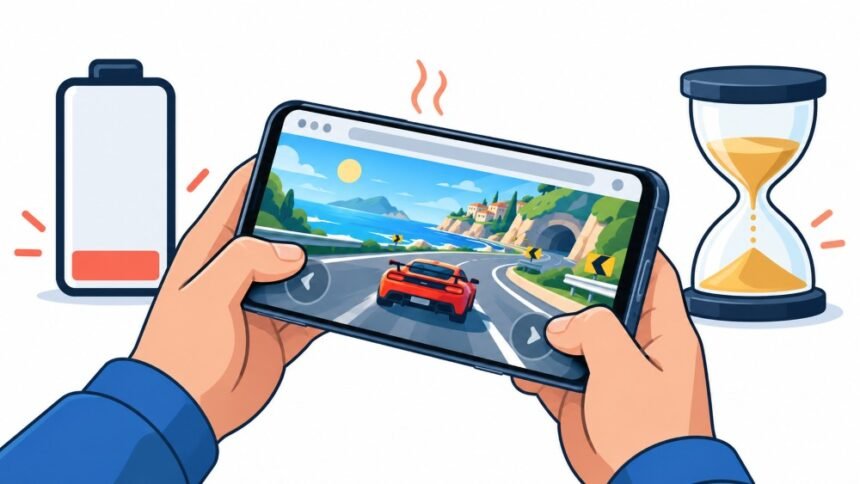
You open a game in your phone browser on the bus home, play for twenty-five minutes, and the battery has gone from 48 per cent to 19 per cent. The phone is warm enough that you notice it through your jeans. Nothing crashed, nothing warned you, and the game itself was a fairly simple thing with cartoon blobs in it.
That experience is real, and it is measurable, but the popular explanation is usually wrong. It is almost never the game’s code alone. It is a stack of things happening at once: the screen running bright at a high refresh rate, the GPU redrawing sixty or a hundred and twenty frames every second, three ad scripts phoning home, the radio waking up repeatedly, and heat slowly making all of it less efficient. Any one of those is survivable. Together they are what turns a casual game into something that flattens a half-charged phone before you get home.
What Actually Drains The Battery When You Play In A Tab

People assume the game logic is the expensive part. On a modern phone it rarely is. The expensive parts are the ones that push physical hardware: lighting pixels, redrawing them, and keeping a radio awake. Rough shares vary hugely by phone and by game, but the ordering below is fairly stable across devices.
| What Is Drawing Power | Typical Share Of The Drain | Why It Costs So Much |
| The display | Often the largest single item, sometimes near half | Brightness and refresh rate both raise it, and games keep the screen on continuously |
| GPU and compositing | Large in any animated or 3D game | Every frame is real work, and a game asks for a new one constantly |
| CPU running game and ad scripts | Moderate, spiky | JavaScript, physics, garbage collection, and third party trackers |
| Wi-Fi or mobile data | Moderate, worse on weak signal | Radios use power to wake, and weak signal makes them shout louder |
| Audio, haptics, sensors | Small but constant | Vibration motors in particular are surprisingly costly |
| Heat losses | Grows over time | A hot phone throttles, then does the same work less efficiently |
The last row is the one people miss. Power use is not steady across an hour. The first ten minutes of a session are usually the cheapest ten minutes you will get.
Twenty Minute Test That Gives You A Real Number
Battery percentages lie in the short term, because phones estimate rather than measure, and because the estimate jumps around near the top and bottom of the range. A test is still useful if you control the conditions. Here is a protocol that gives comparable numbers between games on the same phone, which is the only comparison that actually matters.
- Charge to somewhere between 80 and 60 per cent and unplug, since drain is most linear in the middle of the range
- Set brightness to a fixed level you can repeat, ideally with auto brightness switched off
- Put the phone in aeroplane mode with Wi-Fi on, so mobile signal strength does not skew the result
- Close every other tab and app, then let the phone sit idle for two minutes to settle
- Note the exact percentage and the clock time, play for twenty minutes without pausing, then note both again
- Multiply the drop by three to get a rough per-hour figure, and run each game twice before believing anything
Two practical warnings. Run the tests at similar room temperature, because a phone tested in a warm car will look worse than the same phone tested indoors. And never run this test while charging, because charging and playing at once produces heat that tells you nothing useful about the game and does real harm to the battery.
What Counts As Fast Drain, And What Is Normal
Here is the honest version of the headline. A healthy modern phone starting at 100 per cent almost never dies inside an hour from a browser game alone. What happens instead is that the heaviest games take somewhere between a third and a half of the battery in that hour, which flattens the phone most of us are actually carrying by six in the evening.
The bands below are indicative for a mid-range phone from the last three or four years at roughly half brightness. Your own numbers from the test above matter more than these, but they tell you which band you are looking at.
| Game Type | Rough Drain Per Hour | What Pushes It Higher |
| Static puzzle or card game, no animation between moves | Six to twelve per cent | Ads between rounds, screen brightness |
| Simple 2D canvas game, scrolling or platform style | Twelve to twenty per cent | Unlocked frame rate, background music |
| Busy 2D game with particles, or a heavy ad load | Twenty to thirty per cent | Several ad networks, video ad units |
| WebGL 3D game, shooter, racer, open world | Thirty to forty-five per cent | High refresh rate, full brightness, heat throttling |
| Anything running while the phone charges in a case | Add ten or more | Heat, which raises every other cost |
Screen Is Usually The Single Biggest Cost
This surprises people who assume graphics processing dominates. On phones, the panel itself is frequently the largest consumer during gameplay, and it is also the part you have the most direct control over. Researchers have been working on this for well over a decade, including a browser that recoloured web pages to cut OLED display power while keeping pages readable, which reported substantial savings from colour alone.
Three screen factors matter more than the rest:
- Brightness, which is not linear. Dropping from full to roughly sixty per cent often saves more than any in-game setting you can change.
- Refresh rate. A 120Hz panel asks the GPU for twice as many frames as a 60Hz one, and most phones will let a browser game run the panel flat out.
- Content brightness on OLED. On an OLED phone, a game with bright white or pale backgrounds genuinely costs more than the same game with a dark palette, because each pixel lights itself.
That last point is the one worth acting on. If a game has a dark mode or a dark theme, on an OLED phone it is not cosmetic; it is a power setting.
Frame Rate Is Where Browser Games Quietly Overspend
Native mobile games usually cap their frame rate. Browser games frequently do not, because the standard way to animate on the web asks the browser for a new frame as fast as the display will allow. The behaviour is documented plainly in the reference for the browser’s animation frame callback, which matches the display refresh rate rather than any target the game sets.
The practical result is a game that would look identical at 30 frames per second running at 120 instead, costing roughly four times the GPU work for no visible benefit. Signs you are in this situation:
- The phone warms noticeably within five minutes on a game that looks visually simple
- Battery drain improves a lot when you switch the phone to a 60Hz display mode
- The game feels smooth, but the animation itself is slow and gentle, with nothing fast moving
- A similar game from a different developer costs half as much on the same phone
Players cannot fix this from the outside. Forcing your phone to 60Hz in display settings is the only lever, and it is a good one.
Ads, Trackers And The Tabs You Forgot About
Free browser games pay for themselves with advertising, and advertising is not free in power terms. The classic study on this measured energy per page component on phones and found that downloading and parsing scripts and stylesheets consumed a large share of the total energy needed to render a page, with the authors cutting roughly thirty per cent from one site’s energy use by changing how its scripts loaded.
What that means when you are playing:
- Video ad units are the most expensive thing in many casual games, more expensive than the game itself
- Several ad networks on one page multiply the network wake-ups rather than sharing them
- Analytics and session recording scripts keep working while you play, not just at load
- Other game tabs left open in the background can keep animating, depending on the browser and how the page is written
That last habit is worth breaking. Browsers have gotten much better at suspending background pages, but coverage is not complete, and some pages are built specifically to keep running.
Heat Is The Part That Costs You Money Later
Fast drain is an annoyance. Heat is the part that shortens the life of the battery permanently, and this is the genuine safety and cost consideration in an otherwise low-stakes topic. Apple’s own guidance is blunt about it, warning against using or charging a device in ambient temperatures above 35 degrees Celsius because this can permanently reduce battery lifespan. Android manufacturers give similar guidance.
The materials science agrees. A post-mortem study of aged lithium-ion cells found distinctly different ageing mechanisms above and below roughly 25 degrees, with accelerated degradation at higher cell temperatures. Your phone does not need to feel dangerous to be losing capacity.
Things worth doing, in order of how much they help:
- Do not play demanding games while charging, which is the single worst combination for heat
- Take the case off during long sessions, especially thick protective ones
- Stop when the phone is uncomfortably warm rather than pushing through the throttling
- Keep the phone out of direct sunlight while playing, including on a car dashboard
- If the phone gets hot enough to show a temperature warning, let it cool before charging it
None of this is about avoiding an explosion, which is very unlikely in normal use. It is about whether your battery still holds a useful charge in two years.
What Your Browser Already Does To Help

Modern mobile browsers are quietly fighting on your behalf, and knowing what they do explains some behaviour that otherwise looks like a bug. Chrome, for example, now freezes eligible background tabs under Energy Saver, and the developer documentation on tab freezing explains that it suspends timers, event handlers, and promise resolution on pages that have been hidden and quiet for more than five minutes while using heavy CPU.
Useful things to know about browser-side power behaviour:
- A backgrounded game that resumes exactly where it stopped was probably frozen rather than paused by the game itself.
- Animation slows or halts in hidden tabs by design, so games that rely on timers can behave oddly when you return.
- Websites cannot read your battery level anymore in most browsers, since the interface for it was cut back on privacy grounds, so a game cannot adapt to your charge state even if it wanted to
- Energy-saving modes in the browser are separate from your phone’s own low-power mode, and using both is better than either.
The battery interface point is easy to check yourself in the draft specification maintained by the W3C, which now advises that browsers should not expose precise battery readouts at all, because researchers showed the values could be used to identify and follow individual users.
Settings That Buy You Real Minutes
Almost everything below can be done in under a minute, and the cumulative effect on a heavy game is large. These are ordered by how much they usually save, not by how easy they are.
- Drop brightness to the lowest level you can comfortably read, and turn off auto brightness while playing
- Switch the display to 60Hz if your phone offers the choice
- Turn on the phone’s low power or battery saver mode before you start, not after the warning appears
- Close other tabs, especially other games
- Use a dark theme if the game offers one, and your phone has an OLED screen
- Turn off in-game haptics and vibration, which cost more than most people expect
- Play on Wi-Fi rather than mobile data where signal is weak, since a struggling radio is expensive
- Turn off audio or use the lowest volume that works, and skip headphones over Bluetooth if you are desperate
A fair expectation for all of that combined on a heavy game is a reduction of a quarter to a third in drain per hour. It will not turn a 3D racer into a card game, but it can be the difference between arriving home with a working phone and arriving with a dead one.
How To Tell Whether It Is The Game Or The Phone
Sometimes the game is not the problem. Ageing batteries, a background app gone wrong, or poor signal can all produce the same symptom, and it is worth ruling those out before blaming a developer.
| Symptom | Points Towards | How To Check |
| Every game drains fast, so does video | The phone or the battery | Check battery health in settings, and test a static page for an hour |
| One game drains fast, others do not | That game | Run the twenty minute test on two similar games back to back |
| Drain is fine on Wi-Fi, terrible on mobile data | Signal strength, not the game | Repeat the test in a place with strong signal |
| Phone gets hot with the screen off | A background app, not the browser | Check per-app battery usage in system settings |
| Sudden percentage jumps, especially below 30 | An ageing battery misreporting | Look at cycle count and maximum capacity |
If you want to go further than settings screens allow, Android has a proper tool for this. The platform documentation covers analysing power use with Battery Historian, which turns a system report into a timeline of wake-ups, screen state and component activity. It was built for developers, but the report is readable enough for a curious player who wants to see exactly where an hour went.
What Developers Can Fix, And What Players Cannot
If you build browser games, most of the drain in the bad band is fixable, and fixing it is now a competitive advantage rather than a nicety. Players talk about which games kill their phones.
- Cap the frame rate to what the game actually needs, and let players choose a lower cap
- Pause the render loop when the page is hidden, rather than trusting the browser to do it
- Stop animating off-screen elements, and avoid constantly redrawing static backgrounds
- Keep the number of ad networks low, and avoid autoplaying video ads during play
- Offer a dark palette, which is a real power saving on OLED and costs nothing to provide
- Test on a mid-range phone rather than a flagship, because that is what most players hold
Players, meanwhile, control brightness, refresh rate, tabs, charging habits, and heat. That is a shorter list, but between them those five account for a large share of what a bad hour costs.
Disclaimer
This article is general information, not device-specific advice. Battery behaviour varies widely between phone models, operating system versions, browser versions and individual battery condition, so the figures given are indicative rather than measurements of any particular device, and your own testing should take priority over them. If a phone becomes very hot, swells, or behaves unusually while charging, stop using it and contact the manufacturer or an authorised repair centre rather than continuing to use or charge it. Battery replacement and repair should be carried out by qualified technicians.
References
- Apple Inc. (n.d.). Charge and maintain your iPhone battery. Apple Support. https://support.apple.com/en-us/105105
- Dong, M., & Zhong, L. (2011). Chameleon: A color-adaptive web browser for mobile OLED displays. In Proceedings of the 9th International Conference on Mobile Systems, Applications, and Services (MobiSys ’11) (pp. 85–98). Association for Computing Machinery. https://doi.org/10.1145/1999995.2000004
- Google. (n.d.). Analyze power use with Battery Historian. Android Developers. https://developer.android.com/topic/performance/power/battery-historian
- Mozilla. (n.d.). Window: requestAnimationFrame() method. MDN Web Docs. https://developer.mozilla.org/en-US/docs/Web/API/Window/requestAnimationFrame
- Thiagarajan, N., Aggarwal, G., Nicoara, A., Boneh, D., & Singh, J. P. (2012). Who killed my battery: Analyzing mobile browser energy consumption. In Proceedings of the 21st International Conference on World Wide Web (WWW ’12) (pp. 41–50). Association for Computing Machinery. https://doi.org/10.1145/2187836.2187843
- Waldmann, T., Wilka, M., Kasper, M., Fleischhammer, M., & Wohlfahrt-Mehrens, M. (2014). Temperature dependent ageing mechanisms in lithium-ion batteries: A post-mortem study. Journal of Power Sources, 262, 129–135. https://doi.org/10.1016/j.jpowsour.2014.03.112
- World Wide Web Consortium. (n.d.). Battery Status API. W3C. https://www.w3.org/TR/battery-status/