

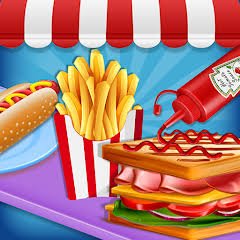
Cooking Fast is a restaurant simulation game by Increase Media where you prepare hot dogs, burgers, fries, and drinks for a steady line of customers. Orders need to be completed before customers lose patience, while the money you earn can be reinvested into pans, drink machines, and other kitchen improvements.
What helped me most was stopping the habit of preparing every order from zero. Once I understood which foods appeared most often, keeping a few common items ready made busy levels much easier to manage.
| Game Detail | Information |
|---|---|
| Game | Cooking Fast |
| Developer | Increase Media |
| Genre | Simulation / Cooking |
| Gameplay Style | Restaurant time management |
| Main Foods | Hot dogs, burgers, fries and drinks |
| Main Objective | Prepare orders before customers leave |
| Progression | Cash, equipment and kitchen upgrades |
| Controls | Mouse or touchscreen interaction |
| Supported Devices | Desktop, Phone, Tablet |
| Browser Release | October 2019 |
| Latest Verified Update | June 2022 |
| Current Rating | About 4.2 |
| Current Votes | 347K+ |
| Multiplayer | Single-player |
The Kitchen Gets Busy Quickly
Cooking Fast begins with a simple restaurant setup.
Customers arrive with food orders, and you need to prepare the requested items before their patience runs out.
The main loop is:
read the order → cook the food → assemble it → add drinks → serve → collect money
The current browser listing specifically mentions hot dogs, burgers, drinks, earning cash, and kitchen upgrades.
The challenge comes from keeping several orders moving at once.
Cooking Fast Controls
The official browser controls are simple.
Desktop
Use the mouse to interact with the kitchen, prepare food, and serve customers.
Phone And Tablet
The same actions can be handled through touchscreen taps.
The current listing supports desktop, phone, and tablet.
This simple control system suits a time-management game because the difficulty comes from organization rather than learning many buttons.
Read The Full Order First
My first mistake was starting to cook before checking everything the customer wanted.
That often led to missing a drink or preparing the wrong item.
A better order is:
- Read the complete request.
- Identify the food.
- Check whether a drink is included.
- Start the slowest cooking step first.
- Assemble everything once it is ready.
That short pause at the beginning can prevent wasted time later.
Hot Dogs Are A Core Menu Item
Hot dogs are one of the main foods highlighted in the official description.
They may require several small steps before they are ready to serve.
When several customers want similar orders, I found it useful to prepare common ingredients in a steady rhythm instead of waiting until each new order appeared.
Burgers Add More Order Variety
Burgers are another core food in Cooking Fast.
They make the order queue feel less repetitive because you need to switch between different meal types rather than preparing one product all the time.
The important thing is remembering which food is already cooking.
It is easy to start another item and forget the first one while managing several customers.
Drinks Are Easy To Forget
The current game description specifically warns players not to forget drinks.
That sounds minor, but it is one of the easiest mistakes to make when the kitchen becomes crowded.
I started checking the drink part of every order before serving the food.
That simple habit reduced incomplete orders.
Fries Add Another Timing Layer
Established browser descriptions of Cooking Fast also include French fries among the foods served alongside burgers, hot dogs, and drinks.
This gives you another item that can occupy kitchen equipment while other foods are being prepared.
Once several appliances are active, the game becomes more about timing than individual recipes.
Customers Will Leave If You Take Too Long
Speed matters because customers do not wait forever.
The official browser description says customers can leave if their meals are not prepared in time.
That means you need to balance accuracy with speed.
Serving one perfect order very slowly can still hurt the level if several other customers give up while waiting.
Serve The Most Urgent Customer First
When several orders are active, I look for the customer who has been waiting the longest.
That customer usually deserves attention first.
A practical routine is:
check patience → finish almost-complete order → serve → return to the next request
This keeps the queue moving without abandoning partially prepared food.
Prepare Common Items Early
Cooking Fast becomes easier once you recognize which foods appear repeatedly.
If you know another hot dog or burger is likely to be needed soon, preparing a common component ahead of time can save several seconds later.
I would not fill the whole kitchen with unused food, though.
Too much advance preparation can create clutter and make it harder to see what belongs to which order.
Keep The Kitchen Organized
A busy level can become confusing quickly.
I found it easier to think of the kitchen in zones:
- cooking area
- assembly area
- drink area
- serving area
Even though the game controls everything through clicks or taps, mentally separating the stations helps you remember what still needs attention.
Cash Gives Each Level A Longer Purpose
Serving customers earns money.
That money is not only a score.
It can be used to improve the kitchen.
This gives completed levels a clear progression loop:
serve customers → earn cash → improve equipment → handle busier levels
The upgrades are what keep the restaurant from feeling identical as difficulty increases.
Upgrade Kitchen Equipment
The current browser description specifically mentions:
- equipment upgrades
- new pans
- juice machines
These improvements can make the kitchen more efficient.
Instead of spending money randomly, I prefer upgrading whatever is currently causing delays.
If cooking takes too long, improve that part.
If drinks are slowing several orders, the juice equipment may deserve attention.
New Pans Help With Busy Levels
Extra or improved pans can reduce the pressure when several customers order cooked food at once.
Without enough cooking capacity, the queue can become blocked even if you are clicking quickly.
That is why equipment upgrades matter more as later levels become busier.
Juice Machines Improve Drink Service
Drinks can become a bottleneck when several orders include them.
The current description specifically names juice machines as something you can buy or improve.
If you keep losing time at the drink station, this is one area worth improving.
Do Not Spend Money Without A Reason
Upgrades feel rewarding, but every purchase should solve a problem.
Before buying something, ask:
What slowed me down in the last level?
If the answer is cooking capacity, upgrade cooking.
If drink preparation caused delays, improve that station.
This makes progression feel more useful than buying whatever happens to be available first.
Levels Become More Demanding
Cooking Fast is structured around completing restaurant levels.
As you continue, more customers and more complicated order combinations put greater pressure on the same basic controls.
The rules remain simple.
The challenge increases because you need to handle more tasks without losing track of any individual order.
Multitasking Is The Main Skill
The most important skill in Cooking Fast is not fast clicking.
It is keeping several small processes moving together.
At one moment you may need to:
- cook one food
- assemble another
- prepare a drink
- serve a finished order
- start the next meal
Trying to finish each task completely before touching another one can make the kitchen too slow.
Use Cooking Time Productively
If one item needs time to cook, do something else while it is preparing.
For example:
- Start the food.
- Prepare a drink.
- Check another customer’s order.
- Return when the cooked item is ready.
- Assemble and serve.
That keeps the kitchen active rather than wasting waiting time.
Do Not Let Finished Food Sit Too Long
Food that is ready but not served still occupies attention and space.
Once an order is complete, I try to serve it quickly.
That clears the station and makes it easier to focus on what remains.
Watch Several Timers At Once
Cooking and customer patience effectively create multiple clocks.
You need to notice which process will need attention first.
This becomes much easier after a few levels because the cooking times begin to feel familiar.
The goal is not to stare at one item until it finishes.
It is to know when to come back to it.
Phone Play Works Well For Short Sessions
Cooking Fast officially supports phones.
Touch controls fit the game well because almost every interaction is a simple tap.
The main challenge on a small display is keeping track of several stations at once.
I found slower, deliberate taps more reliable than trying to hit several areas rapidly.
Tablet Gives The Kitchen More Room
Tablet support is also confirmed.
The larger touchscreen can make the restaurant easier to follow when multiple customers and cooking stations are active.
You still get direct touch controls without sacrificing as much screen space as on a phone.
Desktop Makes Precise Clicking Easy
Desktop players use the mouse.
A larger display makes it easier to see:
- customer orders
- cooking stations
- drinks
- finished meals
The actual gameplay remains the same across devices.
Only the input method changes.
Who Created Cooking Fast?
Cooking Fast was created by Increase Media.
Increase Media has also published other food and restaurant games.
Apple’s App Store lists the company as the developer of Cooking Urban Food Restaurant and Cooking Yard, both of which use restaurant management and food preparation systems.
That makes Cooking Fast part of a larger cooking-game catalogue rather than a one-off experiment.
Cooking Fast Halloween Is From The Same Developer
Increase Media also created Cooking Fast Halloween.
That game keeps the same fast restaurant structure but changes the menu and presentation around a Halloween theme.
It features themed foods such as mummy hot dogs and scary soup.
For Mopoga, Cooking Fast and Cooking Fast Halloween should remain separate game pages because their menus and visual themes are different.
Release And Latest Update
The current verified browser timeline is:
Release: October 2019
Latest Update: June 2022.
These are the cleanest dates to use for the Mopoga browser page.
Other websites may show different publication dates because they added their own hosted versions at different times.
Current Cooking Fast Rating
The current browser listing shows approximately:
4.2 from 347,171 votes.
That number can continue changing.
For an evergreen Mopoga table, 347K+ votes is more practical than treating one exact count as permanent.
Is Cooking Fast Multiplayer?
Cooking Fast is best described as a single-player restaurant simulation.
The current browser listing focuses on your own restaurant, customers, cash, upgrades, and level progression rather than local or online multiplayer.
You manage the whole kitchen yourself.
Common Cooking Fast Mistakes
The first mistake is starting food before checking the full order.
The second is forgetting drinks.
Another problem is waiting for one item to finish instead of working on another order at the same time.
I also found that upgrading equipment randomly can waste money that could solve a bigger bottleneck elsewhere.
Finally, avoid preparing so much food in advance that the kitchen becomes hard to track.
A Better Cooking Fast Routine
This approach works well:
- Read all visible orders.
- Start the slowest cooking items.
- Prepare drinks while food cooks.
- Finish the customer who has waited longest.
- Serve completed meals immediately.
- Keep common foods moving when demand is high.
- Complete the level.
- Check which station caused delays.
- Spend cash on the most useful upgrade.
- Repeat with a more efficient kitchen.
The main idea is keeping several small tasks moving at the same time.
More Cooking And Restaurant Games On Mopoga
If you want another restaurant-management game, Burger Bounty on Mopoga lets you prepare food, serve customers, improve the restaurant, and expand the business.
For a more step-by-step cooking experience, Pizza Day on Mopoga takes you through dough preparation, sauce, toppings, baking, slicing, and serving while unlocking additional ingredients.
Both make useful alternatives depending on whether you prefer restaurant management or a more guided cooking process.
Cooking Fast Compared With Burger Bounty
Both games put you in charge of a food business.
Their focus is slightly different.
Cooking Fast emphasizes:
- fast order preparation
- customer patience
- several kitchen stations
- equipment upgrades
- increasingly busy levels
Burger Bounty emphasizes:
- restaurant management
- serving customers
- earning rewards
- improving the business
- expansion
Cooking Fast feels more like a time-management kitchen rush.
Burger Bounty gives more attention to running the wider restaurant.
Cooking Fast Compared With Pizza Day
Pizza Day breaks the cooking process into clearer recipe steps.
Cooking Fast is more focused on juggling several customers.
That means:
Pizza Day: follow the preparation sequence carefully.
Cooking Fast: manage several orders efficiently at the same time.
Both use simple click or touch interaction, but the pace is different.
What Makes Cooking Fast Different?
Cooking Fast turns a simple restaurant menu into a multitasking challenge.
Hot dogs and burgers need cooking.
Drinks need preparing.
Customers are waiting.
Equipment can be improved.
Then the next level asks you to handle the same kitchen more efficiently.
For me, the biggest improvement came when I stopped thinking about one customer at a time.
Once I started using cooking time to prepare other parts of the queue, the restaurant became much easier to manage.
Related Categories
Cooking Fast fits naturally into:
- Cooking Games
- Restaurant Games
- Simulation Games
- Management Games
- Food Games
- Casual Games
- Mobile Games
- Single-Player Games
The current browser listing primarily classifies it under Simulation Games and also associates it with Cooking, Restaurant, Food, and related casual categories.
About Cooking Fast
Cooking Fast is a restaurant simulation game by Increase Media where you prepare hot dogs, burgers, fries, and drinks for customers while managing a busy kitchen.
Complete orders before customers leave, earn cash, buy new pans and juice machines, improve existing equipment, and continue through increasingly demanding levels.
The browser version supports desktop, phone, and tablet and uses simple mouse or touchscreen interaction.
It was released on the current browser platform in October 2019 and received its latest listed update in June 2022.
The controls are easy, but better results depend on multitasking, reading orders carefully, using cooking time efficiently, and upgrading the parts of the kitchen that create the biggest delays.



Reviews
There are no reviews yet.