

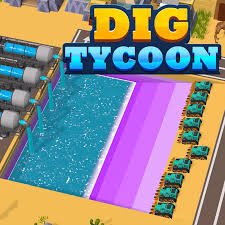
Digging Tycoon is an idle construction game from NoPowerup where you manage workers who dig through the ground, earn gold, improve their tools, and use the money to build increasingly elaborate structures above the excavation site.
It looks like a game about clicking quickly, but I found the more useful habit was checking where progress had slowed before buying anything. Sometimes another worker helped more. Other times improving the digging speed made the current team noticeably more productive. Spending gold simply because an upgrade button was available usually felt less effective than fixing the current bottleneck.
| Game Detail | Information |
|---|---|
| Game | Digging Tycoon |
| Developer | NoPowerup |
| Genre | Idle / Simulation / Tycoon |
| Gameplay Style | Worker management, digging, upgrades and construction |
| Main Resource | Gold |
| Controls | Mouse click / tap |
| Supported Browser Device | Desktop |
| Browser Release | January 2021 |
| Latest Verified Browser Update | April 2022 |
| Current Rating | About 4.5 |
| Current Votes | 309K+ |
| Multiplayer | Single-player |
Digging Funds Everything Else
The workers are the center of Idle Digging Tycoon.
They excavate the ground and generate the gold needed for later progress.
That creates a simple loop:
dig → earn gold → upgrade workers → dig faster → build → move forward
The useful part is how the systems depend on each other.
Slow digging means slower income.
Slow income means upgrades take longer.
Better workers improve the rate at which the entire loop moves.
I would therefore pay attention to production before worrying too much about how much gold is sitting unused.
How To Play Digging Tycoon
The browser controls are extremely simple.
- Mouse: Click to interact and help with digging.
- Touch-style input: The game is built around tapping or clicking actions, although the current primary browser listing identifies desktop as the supported browser device.
You do not need movement keys or a large control scheme.
That is one reason the game is easy to understand within the first minute.
Modern web interfaces can process clicks and other pointing input through browser event systems. The W3C’s current Pointer Events standard describes hardware-independent pointer input from devices such as a mouse, pen, or touchscreen. W3C Pointer Events standard
Upgrade The Part That Is Actually Slow
Not every upgrade solves the same problem.
Before spending gold, I would look at what is holding progress back.
If workers are taking too long to finish the current excavation, digging improvements deserve attention.
If production is already quick but the next construction goal is expensive, saving may make more sense.
That small check helped me avoid buying several cheap upgrades that looked productive but barely changed the overall pace.
More Workers Can Change Production Quickly
Idle games often become easier once part of the work happens automatically.
Digging Tycoon follows that idea through its worker system.
You are managing a group rather than controlling one miner directly.
Adding and improving workers increases the amount of useful work happening without requiring you to click every individual action.
That is where the game begins feeling more like a tycoon game than a basic clicker.
Gold Is Better Spent Than Hoarded
A large gold total looks satisfying, but unused currency does not improve production.
I usually treat gold as something that should have a purpose.
Ask:
- Can this upgrade speed up digging?
- Can another worker improve output?
- Am I close to a much stronger purchase?
- Is construction currently blocking progress?
If none of those apply yet, keep saving.
Otherwise, reinvesting the gold can make the next section arrive faster.
Building Gives Digging A Clear Purpose
The game is not only about making a number increase.
Your workers are digging so that the settlement above can improve.
Gold supports the construction of new buildings and increasingly developed structures.
That gives each excavation stage a visible result.
I found that more satisfying than an idle game where every upgrade only changes a number on the screen.
Here, progress also changes what the environment looks like.
Do Not Click Constantly Without Looking
Manual input can help, but repeated clicking can distract you from the management side.
My early approach was basically:
click as much as possible → buy anything affordable
That worked, but it made the progression feel random.
A better rhythm was:
check production → help briefly → inspect upgrades → spend deliberately → let workers continue
The game becomes easier to understand when clicking supports the system rather than replacing all the decision-making.
Idle Progress Changes How You Play
NoPowerup describes its broader catalogue as focused heavily on idle games, and the studio says its games have reached more than 50 million players.
That design background fits Digging Tycoon.
The game gradually asks less from constant manual input and more from decisions about how the operation should improve.
The best upgrade is therefore not always the one that makes clicking feel stronger.
Anything that improves ongoing production can have a larger effect over time.
Check Results After Every Major Upgrade
Buying several upgrades together makes it difficult to understand what actually helped.
I prefer changing one important thing and then watching the result.
For example:
- Upgrade the workers.
- Watch the new digging speed.
- Compare the income rate.
- Decide what is limiting progress now.
- Make the next purchase.
This turns upgrades into useful comparisons instead of random spending.
Construction Marks Your Progress
The building system gives each stage a visible endpoint.
As workers dig and produce gold, the settlement develops.
That means progress has two sides:
underground: workers become more efficient.
above ground: construction becomes more advanced.
The two systems work well together because the digging does not feel disconnected from the rest of the game.
Watch For Slow Sections
Idle games often have moments where progress feels fast followed by sections where the next milestone takes longer.
When that happens, I would not immediately assume more clicking is the answer.
Check the upgrade menu.
A slow section can be a sign that the current worker level is no longer keeping pace with construction costs.
One meaningful production upgrade can sometimes make more difference than a long period of manual input.
Browser Tabs Can Affect Idle-Style Games
One technical detail is worth knowing with browser idle games.
Browsers may reduce the activity of hidden or background tabs to save resources. MDN notes that inactive tabs can have timers throttled, while animation callbacks may stop when a page is hidden. MDN Page Visibility API guide
That does not tell us exactly how Digging Tycoon calculates its progress.
It simply means you should not assume every browser game continues running at the exact same real-time rate when the tab is hidden.
If progress matters, check what the game actually reports after returning.
One Worker Upgrade Can Beat Lots Of Clicking
The most important lesson I took from the game was that permanent production usually matters more than short bursts of effort.
Clicking can speed up a moment.
An improved worker keeps contributing afterward.
This becomes increasingly noticeable as prices rise.
Early in the game, manual activity feels powerful.
Later, stronger automated production becomes the more important part of the economy.
Do Not Ignore Cheap Early Improvements
Saving for a large upgrade can be useful, but waiting too long can also slow progress.
If a low-cost upgrade gives a meaningful increase in digging speed, buying it now may help you reach the expensive upgrade sooner.
The question is not simply:
cheap or expensive?
It is:
how much faster will this purchase make the next goal arrive?
That is a better way to compare upgrades.
Who Created Digging Tycoon?
Digging Tycoon was created by NoPowerup.
NoPowerup is a Vietnam-based casual game studio that says it focuses particularly on idle games. Its current official catalogue includes projects such as Lumber Empire Tycoon, Milk Inc, and Digging Master.
The browser version of Digging Tycoon is specifically attributed to NoPowerup, which is useful because similarly named mobile digging games from other publishers also exist.
Do Not Confuse It With The ZPLAY Mobile Game
There is another mobile title with an extremely similar name.
Metacritic’s game details identify a mobileDigging Tycoon published by ZPLAY, with an initial iOS release in January 2020.
That is not the developer information I would use for this Mopoga browser page.
For the browser version covered here:
Developer: NoPowerup
Browser Release: January 2021
Latest Browser Update: April 2022
Keeping those versions separate prevents incorrect developer and release information from being mixed together.
Release And Update History
The current browser listing gives:
Release: January 2021
Latest Verified Update: April 2022
The game had already been publicly promoted by the platform in 2021 as a NoPowerup title, which supports that browser-era identification.
For Mopoga, I would keep January 2021 as the browser release rather than borrowing dates from unrelated mobile versions.
Current Digging Tycoon Rating
The current browser listing shows approximately:
4.5 from 309,000+ votes.
The exact total changes as more people rate the game.
For an evergreen details table, 309K+ is cleaner than presenting an exact vote number as permanent.
Is Digging Tycoon Multiplayer?
Digging Tycoon is a single-player management game.
There is no current browser listing for competitive multiplayer or local two-player play.
The focus stays on your own workers, income, upgrades, buildings, and progression.
That suits the idle format because you can return to the operation whenever you want without waiting for another person.
Common Digging Tycoon Mistakes
The first mistake is clicking constantly without checking upgrades.
Another is spending gold on every cheap improvement simply because it is affordable.
The opposite can also happen.
Saving for too long while workers remain inefficient can make progress unnecessarily slow.
I would also avoid judging the whole operation only by the gold balance.
Production speed is often a better measure of whether the current setup is working.
Finally, keep browser and mobile versions separate when checking game information because similarly named digging games have been released by different studios.
A Better Progression Routine
A simple approach works well:
- Let the workers begin digging.
- Use manual input when it noticeably helps.
- Watch how quickly gold is being produced.
- Identify the current bottleneck.
- Buy one meaningful improvement.
- Check the new production rate.
- Continue toward the next building or excavation milestone.
Then repeat.
That keeps every purchase connected to a reason.
More Mining And Progression Games On Mopoga
If you want a mining game with more direct movement, Mine Line on Mopoga combines underground resource collection with rock connections, jetpack fuel, selling materials, and upgrades. Play Mine Line on Mopoga
The key difference is control.
Digging Tycoon is mainly about managing workers and production.
Mine Line puts you directly into the underground area and makes movement, route choice, and resource combinations part of each run.
For another progression-focused experience, Retro Bowl College on Mopoga uses management decisions in a completely different setting, asking you to improve a college football program through recruiting, budgets, player development, and matches. Play Retro Bowl College on Mopoga
You can also try A Small World Cup when you want something much faster and less management-heavy, using short physics-based football matches rather than long-term production systems. Play A Small World Cup on Mopoga
What Makes Digging Tycoon Different?
Digging Tycoon takes a simple digging idea and turns it into a production-management loop.
Workers dig.
Gold accumulates.
Upgrades improve output.
Construction gives that income a visible purpose.
Then the stronger operation moves into the next stage.
What made the game work better for me was paying less attention to how quickly I could click and more attention to what was slowing the whole system down.
Once you start treating upgrades as solutions to specific problems, the tycoon side becomes much clearer.
Related Categories
Digging Tycoon fits naturally into:
- Idle Games
- Tycoon Games
- Simulation Games
- Building Games
- Management Games
- Digging Games
- 3D Games
- Arcade Games
- Single-Player Games
Its current primary browser classification is Idle Games, with building, simulation, 3D, arcade, and tycoon categories also associated with the title.
About Digging Tycoon
Digging Tycoon is a worker-management and construction game by NoPowerup where digging generates the gold needed for upgrades and new buildings.
You begin with a simple excavation operation, improve the workers and their tools, increase production, and use the resulting income to move the settlement forward.
The controls are deliberately simple, but the more useful decisions come from deciding where your gold will have the greatest effect.
Rather than clicking endlessly, the game works best when manual input, worker upgrades, and construction all support the same growing production loop.




Reviews
There are no reviews yet.