

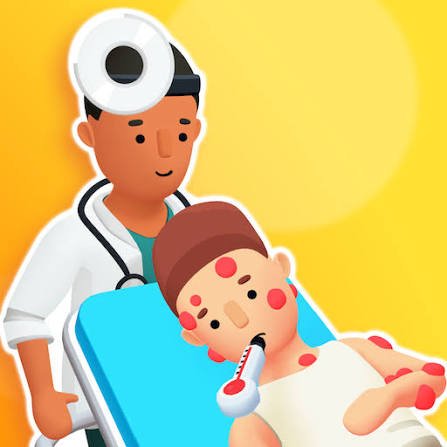
Doctor Hero is a hospital simulation game from Fomo Games where you begin as a medical intern and complete guided patient-care activities using different virtual tools. As you progress, the game moves through diagnosis-themed tasks and simplified surgery mini-games while your character works toward becoming a doctor and surgeon.
The part that helped me most was waiting for the game’s visual prompt before moving a tool. Clicking around randomly usually made a simple activity take longer. Once I treated each patient as a sequence of small guided tasks, the controls became much easier to understand.
| Game Detail | Information |
|---|---|
| Game | Doctor Hero |
| Developer | Fomo Games |
| Genre | Simulation |
| Gameplay Style | Guided hospital and medical mini-games |
| Controls | Left mouse button, click and drag |
| Supported Browser Device | Desktop |
| Browser Release | May 26, 2020 |
| Latest Verified Browser Update | November 2020 |
| Current Poki Rating | 4.3 |
| Current Poki Votes | 579,000+ |
| Multiplayer | Single-player |
The current browser listing identifies Fomo Games as the developer and gives May 2020 as the release period, with a more specific archived date of May 26, 2020. The latest verified Poki update remains November 2020.
Start As An Intern, Not A Finished Surgeon
Doctor Hero gives the progression a simple career theme.
You begin as a medical intern and work through different patient scenarios before progressing toward higher roles.
That gives the mini-games some structure instead of presenting unrelated activities one after another.
The game describes activities such as examining virtual patients, identifying what the current scenario requires, using the indicated tool, and completing simplified treatment steps.
These activities are designed as casual game mechanics, not realistic medical training.
How Doctor Hero Works
Each patient presents a new on-screen task.
You generally need to:
- Look at the highlighted area.
- Check which virtual tool is available.
- Click or drag the tool as instructed.
- Complete the current mini-game.
- Move to the next stage.
The game guides you rather than expecting you to know anything about real healthcare beforehand.
That distinction matters because the hospital setting looks more technical than the controls actually are.
Doctor Hero Controls
The browser controls are:
- Left mouse button: Select or use a tool
- Click and drag: Move a tool when prompted
- Cursor movement: Follow the required on-screen action
The current browser edition is listed for desktop rather than phone or tablet.
Mozilla’s Pointer Events documentation gives useful background on how browser applications handle pointer movement and clicking.
Follow The Prompt Before Choosing A Tool
My most common early mistake was acting before reading the screen.
Doctor Hero usually tells you what it wants through visual cues.
If a particular area is highlighted, that is normally where your attention should go next.
A better rhythm is:
Look → identify → select → move → finish.
This is more reliable than testing every object until something reacts.
Patient Tasks Are Broken Into Small Steps
Doctor Hero does not ask you to control an entire hospital at once.
Most gameplay happens through short interactive sequences.
You may inspect one virtual patient, perform the indicated action, and then move on to another stage of the scenario.
That makes the game closer to a collection of guided mini-games than a detailed hospital-management simulator.
It is easy to start because you rarely need to remember more than the current instruction.
Tool Use Is About Mouse Control
The virtual tools are mainly a way to test pointer accuracy.
You select an object and move it where the game indicates.
I found slower cursor movement more reliable than quickly dragging across the screen.
If something does not respond, I normally return to the prompt rather than repeatedly moving the tool around.
That usually reveals whether I selected the wrong object or missed the active area.
The Hospital Theme Is Simplified
Doctor Hero uses medical settings and terminology, but the gameplay is heavily simplified.
Real healthcare requires professional education, supervised clinical training, patient-safety procedures, communication, documentation, and evidence-based decision-making.
The game does not reproduce those responsibilities.
For reliable health information, the World Health Organization and MedlinePlus provide evidence-based information intended for real-world health questions.
Doctor Hero should be treated as entertainment rather than a guide to diagnosing or treating anyone.
Progression Gives The Mini-Games A Goal
The game frames your progress around moving from intern toward doctor and surgeon roles.
That does not mean you learn real professional skills.
Instead, completing more game scenarios opens the next part of the progression.
This gives you a reason to continue beyond finishing one patient.
I found that structure useful because otherwise each activity could feel disconnected from the previous one.
Hospital Equipment Can Be Upgraded
The current game description also mentions improving hospital equipment so the clinic can handle more patients.
This adds a light progression layer alongside the individual mini-games.
It is not a detailed management system where you balance a large budget or design every room.
The emphasis remains on completing patient-related activities.
Doctor Hero Is Desktop-Only In The Verified Browser Edition
The current browser listing supports:
- Desktop
It does not currently list phone or tablet browser support.
That is worth keeping separate from the newer mobile game that shares the Doctor Hero name.
Several unrelated titles now use similar wording, and mixing their device support or update histories would create inaccurate information.
Do Not Confuse It With The HYPERCELL Mobile Game
There is now another game called Doctor Hero – Hospital Game published by HYPERCELL.
That is a different title.
The newer mobile game focuses more heavily on building and expanding a clinic, hiring staff, unlocking equipment, and operating a larger hospital-management system. Google Play currently shows more than 10 million downloads and an August 13, 2026 update for that separate app.
The Mopoga page here is about:
Doctor Hero by Fomo Games
not the HYPERCELL game.
Keeping those titles separate prevents incorrect developers, dates, ratings, and gameplay details from being mixed together.
Release Date And Latest Update
For the Fomo Games browser version:
- Release: May 26, 2020
- Latest verified Poki update: November 2020
The current English listing gives May 2020 generally, while an archived localized listing provides the exact May 26 date.
I would therefore use May 26, 2020 when an exact browser release date is useful.
There is no verified newer browser update in the current listing.
Who Created Doctor Hero?
Doctor Hero was created by Fomo Games.
Fomo Games is a game studio based in Istanbul, Türkiye, and was founded in 2019. Its official company information describes the studio as a developer focused on casual games for broad audiences.
The official Fomo Games website currently features newer titles such as Traffic Escape!, Twisted Ropes: Untangle 3D, Seat Jam 3D, and Event Twins.
Doctor Hero belongs to an earlier period of the studio’s game catalogue.
Other Games From Fomo Games
The current Doctor Hero listing associates Fomo Games with several other casual titles, including:
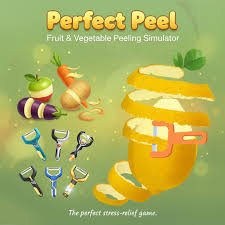
- Perfect Peel
- Screw Factory
- Cookie Master
- Woodcraft
- Traffic Escape!
These games use different themes but share the studio’s preference for simple, immediately understandable interactions.
Doctor Hero And Become A Nurse
Doctor Hero is not the only hospital-themed simulation available on Mopoga.
Mopoga’s Become a Nurse also uses guided patient-care mini-games, but it was created by Playtouch and supports desktop, phone, and tablet browsers.
The main difference is how the two games are presented.
Doctor Hero centres on progressing from intern toward doctor and surgeon while completing tool-based scenarios.
Become a Nurse focuses on short nursing-themed patient tasks with click, drag, and touch interactions.
Neither should be treated as professional medical training.
Watch The Screen Before Moving The Mouse
The most useful practical habit is simple.
Do not move immediately when a new activity appears.
Take a second to check:
- What has changed on screen
- Which area is highlighted
- What tool is currently available
- Whether the game expects clicking or dragging
That saves more time than trying every possible interaction.
Finish One Step Before Looking Ahead
The game normally presents tasks in a sequence.
Trying to predict several actions ahead is not particularly useful.
Complete the current prompt first.
Then wait for the interface to update.
I found this more reliable because a new tool or highlighted area usually appears only after the previous activity is fully completed.
It Is A Simulation, Not A Realistic Medical Game
Doctor Hero is best described as a casual simulation game.
The medical setting provides the theme, but the interactions are intentionally simplified.
For example, the game may reduce a complicated healthcare process to one highlighted action with one tool.
That is useful for quick gameplay but very different from real clinical practice.
The U.S. National Library of Medicine’s MedlinePlus is a much more appropriate source when the goal is to understand actual health conditions, tests, or treatments.
Is Doctor Hero Multiplayer?
Doctor Hero is a single-player browser game.
The current listing does not describe:
- Online multiplayer
- Local two-player play
- Cooperative hospital management
- Competitive matchmaking
The experience is centred entirely on completing your own sequence of virtual patient scenarios.
Current Doctor Hero Rating
The current Poki listing shows approximately 4.3 out of 5, based on around 579,000 votes.
That number can change as additional ratings are submitted.
It should also remain separate from ratings for the unrelated HYPERCELL Doctor Hero mobile game.
The two products have different developers and different player populations.
Three Mistakes I Would Avoid
Moving A Tool Before Checking The Prompt
The visual cue usually tells you exactly where it belongs.
Treating Every Activity The Same
Different patient scenarios can require different click-and-drag actions.
Treating The Game As Medical Advice
Its activities are simplified for entertainment and should not be copied as real healthcare instructions.
Those three points make the game easier to understand while keeping its medical theme in the right context.
Related Categories
Doctor Hero fits naturally into:
- Simulation Games
- Hospital Games
- Doctor Games
- Casual Games
- Point-and-Click Games
- Medical-Themed Games
- Single-Player Games
Its strongest identity is a guided simulation built around short patient-care activities rather than detailed hospital management.
What Makes Doctor Hero Different?
Doctor Hero does not ask you to memorise a large control scheme or navigate a complex hospital building.
Almost everything happens through direct interaction with the current patient.
You check the prompt.
You select a virtual tool.
You complete the highlighted action.
Then the next stage appears.
For me, the game became easier once I stopped trying to guess what came next and simply followed each scenario one step at a time.
About Doctor Hero
Doctor Hero is a desktop hospital simulation from Fomo Games built around guided patient-care mini-games.
You begin as an intern, complete diagnosis-themed and simplified treatment activities, use virtual tools with the mouse, upgrade hospital equipment, and progress toward higher game roles.
The controls are straightforward, and most mistakes come from moving too quickly rather than from not understanding a complicated mechanic.
Its medical setting gives the game its theme, but the activities are designed for casual entertainment rather than real healthcare education.



Reviews
There are no reviews yet.