

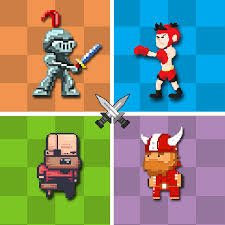
MiniMissions is a fast skill game by Shared Dreams Studio built around 80 short challenges. Every mission gives you a different task, but the control system stays extremely simple. You usually need only one click or tap at exactly the right moment.
The part that surprised me was how quickly the game changes what that single input means. One mission may depend on waiting patiently, while the next expects an immediate reaction. I started doing better once I stopped clicking automatically and spent the first moment of each mission figuring out what the screen was asking me to do.
| Game Detail | Information |
|---|---|
| Game | MiniMissions |
| Developer | Shared Dreams Studio |
| Genre | Skill / Arcade |
| Gameplay Style | 80 short timing-based mini-games |
| Main Objective | Complete every mission without making a mistake |
| Controls | Mouse click or touchscreen tap |
| Supported Devices | Desktop, Phone, Tablet |
| Browser Release | December 2019 |
| Latest Verified Update | June 2022 |
| Current Rating | About 4.3 |
| Current Votes | 194K+ |
| Multiplayer | Single-player |
| Number of Missions | 80 |
Eighty Missions With One Simple Input
MiniMissions contains 80 different skill challenges.
Each time you successfully complete one, another mission appears.
The impressive part is that Shared Dreams Studio builds all of those challenges around very simple controls.
You are not learning a different keyboard layout every few seconds.
Instead, the challenge is understanding:
- when to click
- when to wait
- how long to wait
- what the current mission expects
- when a timed action needs to happen
That makes MiniMissions easy to start but surprisingly demanding once several missions arrive in sequence.
How MiniMissions Works
The basic progression is:
mission appears → read the situation → wait for the correct moment → click → complete the challenge → continue
A successful attempt brings up another mini-game.
A mistake ends the current run.
Some missions also have their own time pressure, so you cannot always study the screen for long.
The important skill is changing your approach quickly.
MiniMissions Controls
The official browser controls are about as simple as possible:
Desktop
- Mouse Click: Perform the current action
Phone And Tablet
- Tap: Perform the current action
The current browser edition supports desktop, phone, and tablet.
Modern browser games can use pointer input across different hardware. MDN’s Pointer Events documentation explains how mouse, pen, and touchscreen interactions can be represented through a shared browser input system.
Do Not Click Immediately
My biggest early mistake was assuming every new mission wanted a quick reaction.
Some do.
Others punish you for clicking too soon.
When a new challenge appears, I give myself a brief moment to understand:
What is moving?
What needs to happen?
What would make this mission succeed?
That tiny pause made a noticeable difference.
MiniMissions tests timing, not constant speed.
Timing Matters More Than Complicated Controls
Many skill games become difficult because they add more buttons.
MiniMissions does the opposite.
The situations become harder.
That means your attention can stay on the timing itself.
You may need to:
- react quickly
- wait for an opening
- stop an action at the correct point
- line up a moving object
- complete a short sports-style challenge
- avoid an obstacle
- respond before a timer runs out
The exact activity changes, but accurate timing remains the common skill.
One Mistake Can End The Run
The current description warns that making a mistake means game over.
That changes how I approach unfamiliar missions.
Instead of rushing, I try to understand the visual clue before pressing anything.
It is tempting to click just to see what happens, but that can end a strong run immediately.
Later attempts become easier because you already know what that mission expects.
Learn From Every Failed Mission
Failure is useful in MiniMissions because missions are short.
If you lose, ask one question:
Was I too early or too late?
That often tells you exactly what needs to change on the next attempt.
If a mission involved a moving object, remember its position when you clicked.
If it involved a short timer, remember how much time you had.
You do not need to memorize every detail.
Just remember the reason the previous attempt failed.
Some Missions Reward Patience
A one-button game can make you feel like you should always be pressing the button.
MiniMissions frequently rewards the opposite.
Waiting is sometimes the action.
I found that particularly useful when something on screen was moving toward a clear target.
Clicking early because I was afraid of being late often caused more failures than waiting another fraction of a second.
Other Missions Need Fast Reactions
Not every mission gives you time to think.
The current description specifically notes that some challenges are time-based.
When those appear, the best approach is:
- Identify the important moving element.
- Ignore decorative details.
- Focus on the moment that requires input.
- Click once with confidence.
Trying to watch every part of the screen can slow your reaction.
The Game Changes Rules Constantly
One reason MiniMissions stays interesting is that completing a mission does not simply give you a harder version of the same task.
A completely different mini-game can appear.
That means the skill from the previous challenge may not directly help with the next one.
You need to reset mentally.
I found this useful:
new mission = new rules
Do not assume the last timing pattern still applies.
Keep Your Attention Near The Main Action
Most challenges communicate what matters visually.
There may be several objects on screen, but one usually determines whether your click succeeds.
Try identifying that object immediately.
Once you know what matters, the rest of the scene becomes much less distracting.
This is especially helpful in missions that last only a few seconds.
Short Missions Make Restarts Easier
MiniMissions is structured around very small challenges rather than long stages.
That reduces the frustration of learning a new mechanic.
If you fail, you can return quickly and try again.
I like this format because each mission feels like a separate little problem rather than part of one long level.
Do Not Overthink A Simple Challenge
Some missions look so basic that I assumed there must be a trick.
That can make you hesitate unnecessarily.
If the objective looks obvious, try the straightforward solution first.
MiniMissions is difficult because of precision and changing tasks, not because every screen hides a complicated puzzle.
Watch Moving Objects Before Clicking
If a challenge involves movement, spend a moment understanding its pattern.
Ask:
- Is the object moving at a constant speed?
- Does it reverse direction?
- Is there a clear target?
- Is the useful window getting larger or smaller?
A click becomes much easier once you know what kind of movement you are dealing with.
Build A Rhythm Across Several Missions
The hardest part of a longer run is not usually one individual mission.
It is maintaining concentration as the game keeps changing.
After finishing one challenge, I try not to celebrate or rush into the next click.
I reset my attention first.
A useful rhythm is:
complete → look → understand → click
That keeps the previous mission from influencing the next one.
Mouse Play Is Very Simple
On desktop, MiniMissions uses the mouse as its main control.
That makes it accessible because there are no movement keys or complicated combinations to remember.
The challenge comes entirely from what you do with that single click.
For technical background, MDN’s MouseEvent documentation explains how browsers represent mouse-button interactions.
Touchscreen Play Fits The Design Well
The current version also supports phones and tablets.
Because there is usually only one action, touchscreen play does not need a large virtual controller.
You simply tap when the mission requires it.
That makes the game suitable for short sessions on smaller screens.
Tablet Gives The Mini-Games More Space
Tablet play keeps the same one-tap system but gives you a larger view.
That can help when a mission depends on reading movement carefully.
The gameplay itself does not change.
You still need to identify the correct moment and act once.
Eighty Challenges Give The Game Variety
The game includes 80 missions, which is much larger than the title might suggest.
This variety matters because the controls themselves never become complex.
If every challenge used exactly the same setup, the game could become repetitive quickly.
Instead, new mini-games keep changing what your one input actually does.
Who Created MiniMissions?
MiniMissions was created by Shared Dreams Studio.
The studio is also responsible for other one-button mini-game titles, including:
- 12 MiniBattles
- MiniBattles
- 12 Mini Battles 2
That connection is useful because all of these games build a wide range of small activities around very limited controls.
MiniMissions And 12 MiniBattles Are Different
The names can make the games sound similar, but their structure is different.
MiniMissions is primarily a single-player sequence of 80 skill challenges.
12 MiniBattles is built around local two-player matches where two players use separate one-button controls.
That makes MiniMissions the better fit when you want to test your own timing rather than compete directly with another person.
MiniBattles Expands The Multiplayer Idea
Shared Dreams Studio also created MiniBattles, which supports up to six local players and contains up to 30 mini-games.
MiniMissions goes in the opposite direction.
It removes the multiplayer focus and turns the mini-game format into a single-player skill challenge.
That gives the two games a similar style without making them copies of each other.
Release And Latest Update
The current verified browser timeline is:
Release: December 2019
Latest Update: June 2022
A localized Poki record gives the release date more specifically as December 20, 2019.
For Mopoga, I would keep December 2019 in the main table because it is cleaner and matches the current English listing.
Current MiniMissions Rating
The current browser listing shows approximately:
4.3 from 194,659 votes.
That figure can continue changing.
For an evergreen Mopoga details table, 194K+ votes is safer than treating one exact total as permanent.
Is MiniMissions Multiplayer?
MiniMissions is best described as a single-player skill game.
That separates it from Shared Dreams Studio’s multiplayer-focused MiniBattles titles.
You work through the missions yourself and try to complete as many as possible without making a mistake.
Common MiniMissions Mistakes
The first mistake is clicking immediately every time a new mission appears.
The second is assuming every challenge wants fast input.
Another problem is carrying the timing from one mission into the next.
I also found it easy to become impatient after several successful stages and make an unnecessary early click.
Finally, do not focus only on speed.
Accuracy is often more important.
A Better MiniMissions Routine
This approach worked better for me:
- Let the new mission appear fully.
- Identify the main moving or interactive element.
- Work out whether the challenge rewards speed or patience.
- Watch the timing once if the mission allows it.
- Click or tap deliberately.
- Note why you failed if the attempt ends.
- Reset your attention when the next mission appears.
- Repeat until you have worked through all 80 challenges.
The key is treating every mission as a new problem.
More Short Skill Games On Mopoga
If you like compact sports challenges, A Small World Cup uses short physics-based football matches where a single ragdoll player is dragged and launched toward the ball.
For another game where short reactions matter, Wall of Doom asks you to move into openings before approaching walls reach your character.
You can also try Basketball Stars if you want a sports game with quick matches, shooting, blocking, steals, super shots, and local two-player modes.
MiniMissions Compared With Wall Of Doom
Both games can test fast visual decisions, but they approach that idea differently.
MiniMissions constantly changes the task.
Wall of Doom keeps one main obstacle-avoidance mechanic and gradually challenges your positioning.
MiniMissions therefore tests adaptability more often.
You need to understand a new rule over and over rather than mastering one repeating pattern.
What Makes MiniMissions Different?
MiniMissions creates a lot of variety from one basic input.
You click.
Then the game completely changes what that click means.
Sometimes it needs patience.
Sometimes it needs fast timing.
Sometimes you need to watch movement carefully.
Then the next mission may ask for something entirely different.
For me, the most useful change was stopping the habit of clicking as soon as a mission appeared.
Once I started reading each screen first, the game felt much more manageable.
Related Categories
MiniMissions fits naturally into:
- Skill Games
- Arcade Games
- Mini Games
- One-Button Games
- Timing Games
- Casual Games
- Mobile Games
- Single-Player Games
The current browser listing primarily classifies MiniMissions under Skill Games.
About MiniMissions
MiniMissions is a one-button skill game by Shared Dreams Studio containing 80 short challenges.
Each mini-game gives you a different objective, but the control system stays simple: click or tap at the right moment.
Complete one mission and another appears. Make a mistake and the current run ends.
The browser version supports desktop, phone, and tablet, making the same timing-based format playable with either a mouse or touchscreen.
Its biggest challenge is not learning complicated controls. It is understanding a new situation quickly and choosing the correct moment to act.




Reviews
There are no reviews yet.