
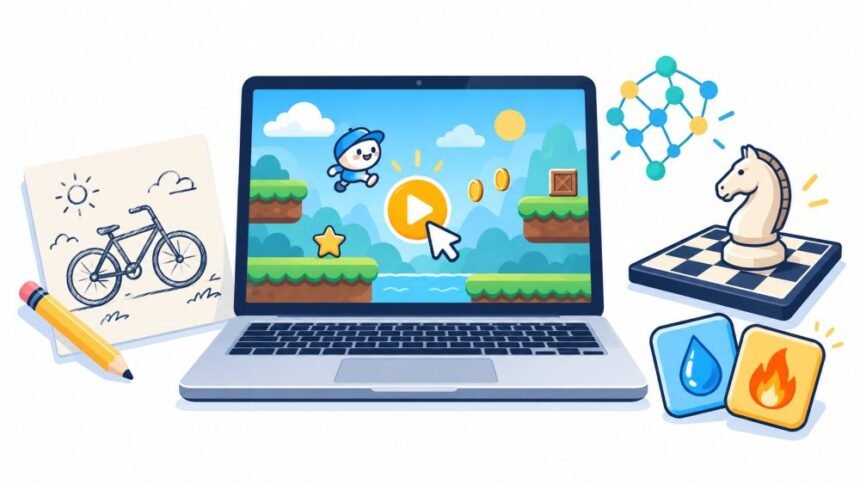
A game that asks for your email before showing you the first puzzle has already used some of the time you meant to spend playing. Perhaps you are on a shared laptop. Perhaps you have enough forgotten accounts. Sometimes you want to find out whether a game is fun before giving it anything beyond your attention.
For a quick start, Google’s Quick, Draw and Semantris offer drawing and word challenges without a registration step. Infinite Craft is another option for open-ended crafting, with an access limitation explained below. If playing against an AI opponent is what you want, Lichess also supports free computer chess as a guest.
These games use AI in different ways. One tries to recognise your sketch, another interprets word relationships, and another produces combinations of ideas. A chess engine chooses moves within established rules. Knowing which experience you want matters more than finding the biggest collection of games labelled “AI.”
The recommendations here concern the browser versions. A downloadable app, a similarly named copy, and the original website may have different payment or account requirements. Free access also does not promise permanent availability, unlimited server capacity, or progress that follows you between devices.
Quick, Draw: A Six Prompt Drawing Game You Can Start Instantly
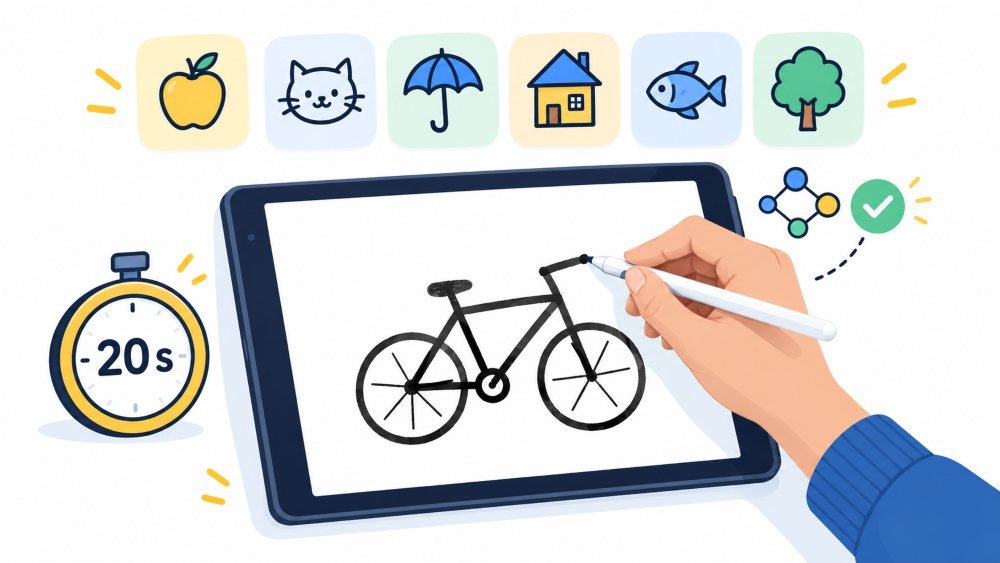
Quick, Draw makes sense when you only have a few minutes. In Google’s Quick, Draw drawing game, you receive an object to sketch and have 20 seconds for the neural network to recognise it. A session contains six drawing prompts. The start button takes you into the drawing sequence without asking you to create an account.
There is very little to learn before the first attempt. Select the drawing button, read the object, then start the round when you are ready. A useful approach is to draw the most recognisable feature first. For a bicycle, that might mean the wheels and frame. Small decorative details can wait until the basic shape is clear.
The time limit is the main consideration. Someone who enjoys a quick challenge may find it appealing, while someone who needs longer to control a mouse may prefer a slower game. A wrong guess is also just feedback from a recognition system. It is not a meaningful judgment of your artistic ability.
Semantris: Word Association In Arcade Or Blocks Mode
Semantris gives words the same playful treatment. Open Google’s Semantris word game and choose between Arcade and Blocks. You type a clue related to a word on the screen, and the system evaluates the connection. The game menu and Blocks board can be reached without signing in.
Start with Blocks if you would like time to think. Arcade adds time pressure, making typing speed part of the challenge. Google describes this difference in its explanation of how Semantris interprets word associations: the system can respond to phrases and sentences as well as individual words, and it considers several kinds of relationships between them.
That gives you a better approach than hunting for a single “correct” synonym. If you wanted to connect a clue to “garden,” for example, you could try a short phrase about growing vegetables. That is a suggested experiment, not a guaranteed answer. The other words on the board matter because your clue may fit more than one of them.
When a clue produces an unexpected result, change the connection you are offering. Try what the object does, where it belongs, or something commonly associated with it. Repeating the same clue with one extra adjective may teach you less than trying a different idea. Blocks is particularly suitable for this kind of patient trial and error.
Infinite Craft: Open-Ended Crafting From Four Elements
Infinite Craft is for players who would rather make things than chase a score. In the original Infinite Craft browser game, you begin with Water, Fire, Wind, and Earth. Drag elements together, then use the resulting items in further combinations. The growing collection gives you more material to work with.
The useful expectation is playful association. Treat the combinations as game logic, especially when they involve real objects or scientific terms. A result can be entertaining without describing something that would happen outside the game.
Give yourself a small project if the empty workspace feels directionless. Consider building a collection around weather, food, or a favourite hobby. This is a way to shape your own session, rather than an official mission. Keeping a short note of useful combinations can also make returning to the game more satisfying.
One Access Caveat To Know Before You Start
There is one access caveat: during research for this article, Infinite Craft presented a human-verification screen in the research browser, so a live crafting round could not be independently checked. Its public game page was available, but that does not justify promising an uninterrupted launch for every visitor. A security check is separate from an account requirement.
Lichess: Free Chess Against A Computer Opponent
Lichess fits the reader who wants an opponent with clear rules. On Lichess’s free chess site, choose “Play against computer” rather than a human matchmaking option. The guest setup lets you choose the computer’s strength, your side, and the time arrangement. A computer game was successfully opened while signed out during the access check for this article.
This is the computer-opponent meaning of an AI game. The interest comes from the positions you create and the moves the engine chooses. If you are new to chess, begin at a low strength and choose the unlimited-time option. Removing the clock gives you room to consider what each piece is threatening before making a move.
You can give the session a manageable goal even when winning feels distant. Try to notice when a piece is undefended, or pause before each move to check your opponent’s last move. Guest access is enough to see whether you enjoy that kind of practice before deciding whether you want an account.
How To Choose Between These Free AI Games
Choosing between these experiences becomes easier when you think about the break you actually have. For a brief burst of activity, a drawing round has a clear stopping point. For something quieter, a word board gives you space to pause. Crafting suits a session with no fixed destination, while chess suits a session where each decision changes the next one. None needs to become a new daily commitment.
How To Tell Whether A Game Really Is Sign-Up Free
Check the route into play before investing time. On any unfamiliar game page, look for the actual start control and read the first screen it opens. A small sign-in link in the header does not automatically mean registration is compulsory. What matters is whether the game lets you begin, submit an action, and see the result without using that link.
Keep the first attempt small. Try one round or a handful of actions before writing a long character background or building something you care about. If a site shows a credit allowance, a daily limit, or a countdown, understand what happens when it ends. Being free to start and being free to continue are separate questions. Likewise, an optional account for saving progress has a different effect on your session from a mandatory login before the first move.
Device And Browser Choices That Affect Play
The device you choose can affect enjoyment more than the AI itself. For a typing game, check whether the on-screen keyboard covers important parts of the board. For drawing, see whether your finger or pointer can make comfortable strokes in the available space. For crafting, make sure you can read item names and move them accurately before spending time building a large collection.
If a game opens inside the small browser built into a social app, try its official page in your regular browser. Give it time to finish loading before tapping the start button repeatedly. A current browser, a stable connection, and fewer busy tabs are sensible starting points. If the game still stalls, trying again later may be more useful than changing several settings without knowing the cause.
How Browser Games Save Progress Without An Account
Avoid clearing all site data as your first troubleshooting step when you have progress to protect. Browser games can keep information locally. As Mozilla’s explanation of browser storage shows, local storage can persist between normal browser sessions, while storage created in private browsing is cleared when that private session ends. The exact saving method still depends on the game.
Check Saving Options Before A Long Session
Before a long session, check what the game says about saving. If it provides an export feature or recovery code, keep a copy somewhere you can find again. If it only remembers progress in the current browser, do not assume a bookmark will carry that progress to your phone. A bookmark records the page address; it does not, by itself, preserve the game’s locally stored data.
A screenshot can help you remember a result or a useful combination, but it will not normally restore an interactive save. This distinction is easy to miss when a game seems to remember everything automatically. Test whether an unimportant early result survives closing and reopening the page before trusting the game with hours of work.
Privacy Choices That Remain After You Skip Registration
Skipping registration still leaves privacy choices to make. Quick, Draw is a useful example because Google openly explains that drawings contributed through the game form part of a public doodle dataset used for research and creative projects. That is relevant information even though the game lets you start without an email address.
Keep personal information out of game inputs unless there is a clear reason to provide it, and you understand how it will be used. For a drawing challenge, follow the object prompt rather than adding a signature or contact details. For a text game, fictional names and invented situations are usually enough. Check the site’s own policy before assuming that a prompt, drawing, or conversation disappears when you close the tab.
What Private Browsing Does And Does Not Cover
Private browsing can help you check whether a site works while signed out, but it has limits. Google’s explanation of Incognito mode says websites may still collect information about visitors, and organisations managing the network may still observe activity. It also explains that site data from the private session is removed when that session ends. Use it with that trade-off in mind if you want a game to remember your progress.
What To Check Before Handing The Device To A Child

For a child, take a moment to look at the actual activity and the site’s age guidance before handing over the device. Drawing a requested object is a more bounded activity than typing anything into an open-ended character chat. Neither a friendly design nor the absence of a sign-up form establishes that every possible interaction is suitable. Playing the opening round together lets you see what the game asks for and how it responds.
Start Small And Decide For Yourself
You do not need to try every option to find something worthwhile. Pick the activity that sounds pleasant right now, take one small turn, and see whether you want another. A free AI game earns a return visit through the experience it gives you. The chance to make that decision before creating an account is part of its appeal.