

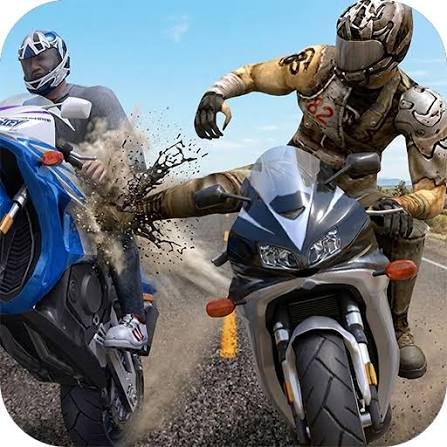
Highway Bike Simulator is a 3D motorcycle driving game by Brain Software where you travel along busy highways, move around computer-controlled traffic, earn points and cash, and spend your rewards on motorcycle improvements.
This game worked better for me once I stopped making constant left-right movements. The road becomes easier to read when you look farther ahead, choose one clear opening, and stay steady until another change is actually needed.
| Game Detail | Information |
|---|---|
| Game | Highway Bike Simulator |
| Developer | Brain Software |
| Genre | Driving / Motorcycle |
| Gameplay Style | Highway traffic driving and upgrade progression |
| Main Objective | Continue through traffic, score points and earn cash |
| Controls | Arrow Keys and Shift |
| Supported Device | Desktop |
| Browser Release | May 2019 |
| Latest Verified Update | June 2022 |
| Current Rating | About 4.4 |
| Current Votes | 513K+ |
| Multiplayer | Single-player |
| Technology | WebGL |
How The Highway Runs Work
Each run places your motorcycle on a road filled with other vehicles.
You control the bike while traffic continues around you.
The main loop is:
move through traffic → build score → earn money → improve the bike → start another run
Poki’s current description confirms that scoring, earning cash, and upgrading motorcycle performance are central parts of the game.
There are no complicated objectives to memorize.
Most of the challenge comes from keeping control as the highway becomes harder to read.
Highway Bike Simulator Controls
The verified Poki controls are:
- Up Arrow: Drive forward
- Down Arrow: Reduce speed or move backward
- Left Arrow: Move left
- Right Arrow: Move right
- Shift: Activate the game’s wheelie animation
Poki currently lists the game for desktop.
Another established browser record also lists WASD as an alternative driving input and Esc for the pause menu.
The MDN KeyboardEvent reference explains how web applications receive keyboard input.
Look Beyond The Nearest Vehicle
The closest car naturally attracts your attention.
I found that looking only at that vehicle made the next obstacle arrive as a surprise.
A better approach inside the game is to scan farther up the virtual road.
That gives you more time to notice:
- groups of vehicles
- open sections
- slower traffic
- changes in available space
You can then make one controlled movement rather than several rushed corrections.
Small Corrections Feel More Predictable
Moving sharply across the highway can solve one immediate problem while leaving you badly positioned for the next group of traffic.
I found smaller movements easier to judge.
The useful pattern is:
check → move → stabilize → check again
The game does not require constant steering.
Sometimes staying where you are is the better decision.
Points Reward Continued Runs
Passing through traffic builds your score.
Poki also describes close passes around cars as part of the scoring system.
Within the game, that creates a choice between taking a tighter virtual route or keeping more space around the motorcycle.
For a first few runs, I would focus on understanding the controls and the road pattern rather than trying to maximize every scoring opportunity.
Cash Gives You Something To Keep
A run does more than produce a temporary score.
You can also earn in-game cash.
That money feeds into motorcycle improvements, giving repeated attempts a progression system.
This is useful because even a shorter run can still contribute toward the next upgrade.
Upgrade Progression
Highway Bike Simulator lets you spend earned money on improving the motorcycle.
That gives you a reason to return even after you understand the basic highway layout.
I like checking upgrades after several runs instead of after every attempt.
That makes changes easier to notice when you return to the road.
Three Different Environments
Established browser records describe three riding environments:
- Forest
- Desert
- Snow
The scenery changes, but the central gameplay stays familiar.
You are still reading traffic and controlling the motorcycle while trying to extend the run.
The different settings mainly help keep repeated sessions from looking identical.
Forest Environment
The Forest setting surrounds the road with greener scenery.
Because the traffic mechanics stay familiar, I found this environment useful for concentrating on the basic controls without having to learn a completely different game system.
The road itself remains the important part.
Desert Environment
The Desert environment changes the visual background to a warmer, more open-looking setting.
The same motorcycle controls and traffic-reading skills still apply.
That consistency makes it easy to move between environments.
Snow Environment
The Snow setting changes the atmosphere again with a colder visual style.
It does not turn Highway Bike Simulator into a different type of game.
The central challenge is still managing the virtual motorcycle around traffic and extending your run.
The Shift Action Is An Arcade Feature
Shift triggers a wheelie action in the browser game.
I would treat that entirely as an arcade animation inside the game.
It is not needed for understanding the main highway progression system, which is based on traffic, score, money, and motorcycle upgrades.
Desktop Is The Main Browser Platform
The current Poki listing explicitly gives:
Supported device: Desktop
Y8 also says the game is designed for desktop play rather than mobile.
For Mopoga, I would therefore keep the device field as Desktop unless your own embedded build has separately been tested and confirmed with usable touch controls.
WebGL Keeps The 3D Version In The Browser
Established records identify Highway Bike Simulator as a WebGL game.
WebGL allows browsers to render hardware-accelerated 2D and 3D graphics without the old Flash plug-in model.
The MDN WebGL documentation provides technical background on browser-based 3D graphics.
That technology fits a game built around a 3D motorcycle, highway, scenery, and moving traffic.
Who Created Highway Bike Simulator?
Highway Bike Simulator was created by Brain Software.
The same current browser record connects Brain Software with games including:
- Cartoon Mini Racing
- War of Caribbean Pirates
- Parking Fury 3D titles
That catalogue shows the studio has worked on several 3D browser games rather than this being its only vehicle title.
Release And Update History
The current Poki timeline is:
Release: May 2019
Latest Update: June 2022
Y8 records the game as added on May 4, 2019, which supports the same general release period.
For Mopoga, May 2019 is the cleanest release field because it matches the current primary listing.
Current Highway Bike Simulator Rating
The current English Poki listing shows approximately:
4.4 from 513,210 votes.
Ratings continue changing as more players vote.
That is why 513K+ votes is better for an evergreen details table than treating one exact number as permanent.
Is Highway Bike Simulator Multiplayer?
The browser game is single-player.
POG’s current record identifies the play mode as one player.
There is no verified online matchmaking or local competitive multiplayer in this browser edition.
The goal is mainly improving your own:
- score
- run length
- cash total
- motorcycle upgrades
Read Traffic Patterns Instead Of Reacting To Everything
A busy virtual road can look random.
After a few runs, I started breaking it into smaller situations.
You might see:
- one vehicle directly ahead
- an open section on one side
- two vehicles forming a narrow space
- a clearer route farther forward
Thinking about one traffic group at a time makes the screen easier to understand.
Avoid Unnecessary Side-To-Side Movement
The motorcycle does not need to change position every few seconds.
I found that unnecessary movement often put me into a worse place.
If your current route is clear, staying steady can be better than moving simply because another opening exists.
That also gives you more time to look ahead.
Learn The Bike Before Chasing Score
The first few attempts are useful for understanding how strongly the motorcycle responds to each key press.
Once that feels predictable, longer runs become easier.
The game then becomes less about learning the controls and more about reading what appears ahead.
Longer Runs Improve Upgrade Progress
Because cash can support upgrades, staying in a run longer has another benefit beyond score.
That means consistency has real value.
You do not need every moment to be dramatic.
A steady run can still move the progression system forward.
Use Fullscreen When The Browser Offers It
A larger game view can make distant traffic easier to see.
Modern browsers support a Fullscreen API that compatible sites and games can use to expand content.
This does not change Highway Bike Simulator itself, but it can make a traffic-heavy 3D game easier to view on desktop.
Common Highway Bike Simulator Mistakes
The first mistake is watching only the motorcycle.
Look farther ahead.
The second is making large left-right movements when a smaller correction would have worked.
Another problem is concentrating completely on points before learning how responsive the bike feels.
I also found that constant movement made traffic harder to predict.
Finally, remember that the Shift action is just part of the virtual game. The useful gameplay skill is reading the digital road and controlling the on-screen motorcycle.
A Simple Way To Improve Your Runs
This game-only routine worked well for me:
- Learn how each arrow key moves the virtual bike.
- Look farther up the digital highway.
- Choose one clear opening.
- Make a small correction.
- Stabilize the motorcycle.
- Continue building score and cash.
- Check available upgrades between runs.
- Repeat and try to extend your previous result.
The most useful part is avoiding unnecessary corrections.
More Driving Games On Mopoga
If you prefer a one-button arcade driving game, Sling Drift replaces normal steering with a corner-swinging mechanic built around timing each release.
For motorcycle obstacle courses instead of highway traffic, X Trial Racing Mountain Adventure focuses on ramps, gaps, platforms, and physics-based level progression.
You can also try Skiing Fred for another fast browser game where reading the route ahead matters more than reacting at the last possible moment.
Highway Bike Simulator Compared With Sling Drift
Both games involve keeping a vehicle on a safe route, but the control systems are very different.
Highway Bike Simulator uses:
- four-direction driving
- busy traffic
- 3D roads
- cash
- upgrades
Sling Drift uses:
- one main input
- corner anchors
- automatic forward movement
- timing-based turns
- endless progression
That makes Highway Bike Simulator closer to a traffic-driving simulation, while Sling Drift feels more like an arcade timing challenge.
What Makes Highway Bike Simulator Different?
Highway Bike Simulator combines a simple motorcycle control scheme with an endless traffic-based progression loop.
You are not completing traditional racing laps.
Instead, you keep travelling along highways, respond to changing traffic, build a score, earn cash, and improve the motorcycle.
The most useful change for me was learning to look farther ahead.
Once I stopped making unnecessary corrections, the road felt much easier to read and the upgrade system gave each new run a clearer purpose.
Related Categories
Highway Bike Simulator fits naturally into:
- Driving Games
- Motorcycle Games
- Racing Games
- Simulation Games
- 3D Games
- WebGL Games
- Upgrade Games
- Single-Player Games
Poki currently places it primarily under Driving Games and also associates it with racing, motorcycle, and simulation categories.
About Highway Bike Simulator
Highway Bike Simulator is a 3D motorcycle driving game by Brain Software where you travel along busy highways, avoid virtual traffic, build your score, earn cash, and improve your bike.
The current browser edition is designed for desktop and uses the arrow keys for driving, with Shift providing an additional arcade action.
It originally appeared in May 2019 and received its latest currently listed browser update in June 2022.
The controls are straightforward, but longer runs depend on reading traffic early and keeping your movements controlled.




Reviews
There are no reviews yet.