
There is a particular kind of dead time that nobody plans for. The build is compiling. The queue is empty. You are forty minutes early for a meeting that got moved. You want ten minutes that belong to you, and the thing stopping you is a very specific fear: a tinny victory jingle firing at full volume across an open-plan floor.
Good news on that. Sound is the easiest part of this problem to solve, and modern browsers have already solved most of it for you.
Less comfortable news, and the reason most articles on this topic are useless: sound is also the least likely thing to get you caught. If you want a guide that actually protects you, it has to start with the parts nobody mentions.
Start With The Thing Most Articles Skip
On a company laptop, on a company network, the audio is not your exposure. Your exposure is logging.
Workplace monitoring stopped being exotic years ago. The US Government Accountability Office published a review of digital surveillance of workers and its effects that catalogues what is now in routine use, from productivity software to keystroke capture. Some of these tools take periodic screenshots, and the Electronic Frontier Foundation’s long-running investigation into the monitoring software it calls bossware documented products that log activity silently and sweep up whatever happens to be on screen at the time.
That means the realistic risk is not a sound effect. It is a screenshot, a proxy log with a game domain in it, or a browser history sync you forgot was on.
This is not meant to frighten you off. It is meant to let you choose properly. Monitoring is also not unlimited, and in the UK and EU employers have real obligations around it. The Information Commissioner’s Office sets out what lawful monitoring of workers actually requires, including transparency, proportionality and a lawful basis. Covert, blanket surveillance is not a free pass for employers in those jurisdictions. In the United States, there is far less federal restriction, and on employer-owned equipment you should assume close to none.
The practical takeaway is simple. Know whether you are on a managed device, and act accordingly.
What Actually Makes Noise, And Why It Usually Does Not
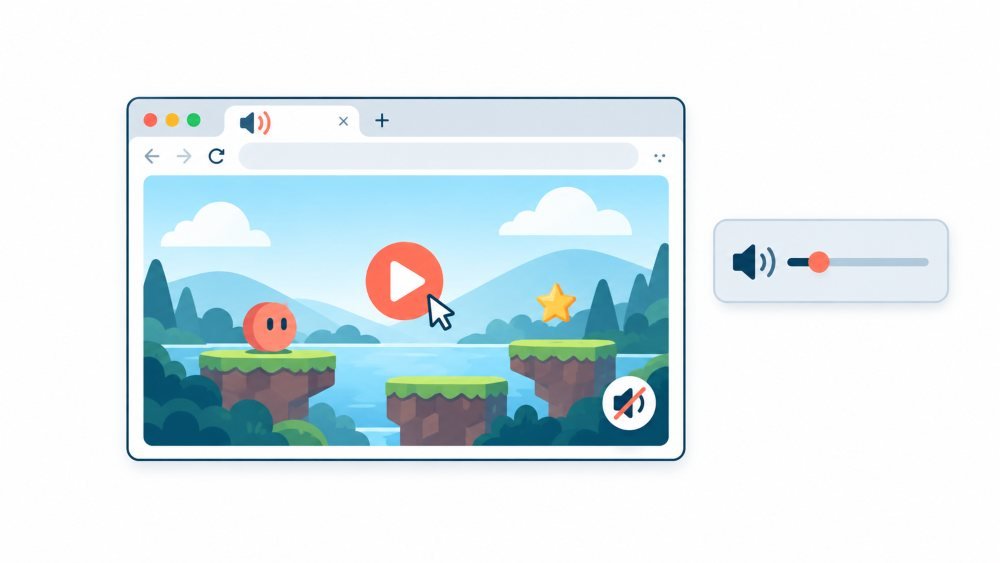
Browsers already stop most of this. Chrome’s policy is explicit that muted autoplay is always permitted, while autoplay with sound requires prior interaction with the site or a history of playing media there. So a game page you have never visited will not blurt at you the moment it loads.
Web games got covered separately, and this matters more than people realise. Chromium’s documentation notes that the autoplay policy extends to the Web Audio API, which is exactly what browser games use for sound effects. That is why so many games sit completely silent until your first click, and why the first click is the dangerous one.
Firefox lets you be stricter than the default. Its settings can block all autoplay audio, or audio and video together, applied to every site rather than negotiated per page.
So what actually betrays people? Rarely the game itself.
- The first click. Audio unlocks on interaction. The game was silent for ninety seconds, and then you tapped something.
- Bluetooth headphones. This is the classic. They drop, or the battery dies, and the audio reroutes instantly to laptop speakers. Nothing about your browser settings saves you here.
- Meeting apps stealing the output device. Video call software grabs the audio device, then hands it back changed. Your carefully set volume is not the volume you left.
- Advertising. Video ads on free game portals have their own audio, and their own reasons to want you to hear it.
- System notifications. Not the game. Still noise, still timed badly.
Categories That Genuinely Work, Ranked By What Matters
Here is the part most lists get backwards. The right measure is not how quiet a game is. It is how fast you can abandon it.
A silent game you cannot leave mid-match is far more dangerous than a noisy one you can close in a second. When someone appears at your shoulder, you need to be gone instantly, with nothing lost and no dialog box asking whether you are sure.
| Category | Noise Risk | Can You Quit Instantly | Best For |
| Crosswords, word grids, daily puzzles | None, most have no audio at all | Yes, progress saves per square | Five minutes between tasks |
| Sudoku, nonograms, logic grids | None | Yes | Longer waits, deep focus |
| Chess puzzles and tactics trainers | Optional, off by default on most | Yes | Sharp mental reset |
| Rated or timed chess games | Optional | No, the clock keeps running | Lunch break only |
| Minesweeper, solitaire, tile matching | Usually none | Yes | Idle hands, low attention |
| Interactive fiction and text adventures | Silent by nature | Yes, and it looks like reading | Long quiet stretches |
| Geography and trivia guessing games | Usually silent, some have ambient audio | Mostly, rounds are short | Ten minute windows |
| Typing speed practice | Silent | Yes | Downtime you can defend out loud |
| Idle and incremental games | Often silent | Technically yes, psychologically no | Honestly, avoid these |
| Real-time multiplayer arena games | Audio-heavy, ad-heavy | No, you abandon teammates | Not at work |
Idle games look perfect and are a trap. They are engineered to pull you back every few minutes, and that pattern is far more visible to anyone watching than one uninterrupted ten-minute session would be.
Real-time multiplayer is the worst fit despite being the most fun. You cannot close a match without letting people down, which means the moment you most need to quit is the moment you hesitate.
Setting Up So an Accident Cannot Betray You
- Do this once and stop worrying about it.
- Mute the whole site rather than the tab. In Chromium browsers, right-clicking the tab offers a site-level mute that persists across visits. A tab mute dies with the tab.
- Set your browser to block autoplay audio globally, not per site.
- Disconnect Bluetooth headphones before you start rather than relying on them. Wired or nothing. If the audio has nowhere private to go, make sure it has nowhere to go at all.
- Turn system notification sounds off for the working day. You will not miss anything that matters, and it removes an entire category of badly timed noise.
- Look at your tab title and favicon. Screen sharing shows both, and a tab called something obvious sitting next to your work tabs is how most people actually get spotted.
- During meetings, share a single window rather than your whole screen. Be aware that sharing a browser window still exposes every tab in it.
- Skip full screen mode. Leaving full screen takes longer than closing a tab, and those seconds are the only ones that count.
- And the cleanest option, where your workplace allows phones: use your own device on your own mobile data. No proxy log, no screenshot, no browser sync. It solves the entire problem in one move.
Line Worth Not Crossing
If a site is blocked by your employer’s web filter, leave it blocked.
This is the one piece of advice here that is genuinely important. Browsing a game site during a quiet hour is, in most workplaces, a minor matter. Deliberately circumventing a security control is a completely different category; it is usually named explicitly in acceptable use policies, and it is the kind of thing that ends jobs rather than prompting a conversation. The same goes for installing software or browser extensions on a managed machine.
Two more, briefly. Do not do this during safety-critical work, or while a customer is waiting on you. And do not assume tolerance. Plenty of employers treat short personal breaks as completely normal. Some do not. The document that tells you which one you work for is your acceptable use policy, and it takes four minutes to read.
Version Of This You Might Actually Want

If you are reaching for a puzzle every twenty minutes, boredom is probably not the whole story. Usually it means the work is unclear, the queue is genuinely empty, or you are running on fumes and your attention has stopped cooperating.
Short breaks do help with that last one, and the evidence is reasonably honest about how much. A meta-analysis in PLOS ONE examining the effect of micro-breaks on wellbeing and performance found that brief breaks reliably reduced fatigue and restored vigour. In contrast, the evidence that they improve task performance was weaker. So a ten-minute puzzle is a legitimate way to recover attention. It is not a productivity hack, and anyone selling it as one is overstating things.
One thing a game at your desk does not do is address the physical side of sitting still for hours. Reviews of active micro-breaks for office workers point toward movement as the component that helps with musculoskeletal strain. Switching from one screen to a different screen rests your attention and nothing else. Stand up for part of it.
And if the real situation is that there is not enough work to fill your day, that is worth saying out loud to someone rather than managing quietly with browser tabs. It is a far more common conversation than people expect, and it usually goes better than the alternative.
Frequently Asked Questions
Will muting the tab definitely stop all sound?
- It stops audio from that tab, including game effects and video ads. It does not stop system notifications, and it does not survive if the game opens in a new tab or window. Muting at the site level is more reliable.
Can my employer see which websites I visit even without monitoring software?
- On a company network, usually yes. Traffic passes through a proxy or a DNS resolver that logs requests. Private browsing mode hides history from the device, not from the network.
Is it safer to use my phone?
- Yes, provided you are on mobile data rather than office wifi, and provided phones are acceptable in your workplace. That removes the technical trail almost entirely. Whether someone notices you looking at your phone is a separate question.
What about installing a game rather than playing in a browser?
- Worse on every axis. Installed software is more visible on a managed machine, more likely to breach policy, and harder to close quickly. Stay in the browser.
Are free game portals safe to use on a work machine?
- Treat them with care. Many run aggressive advertising, some of it hostile. Decline notification permissions, never install anything a game site offers, and close the tab entirely rather than clicking through a full-screen warning about your device.